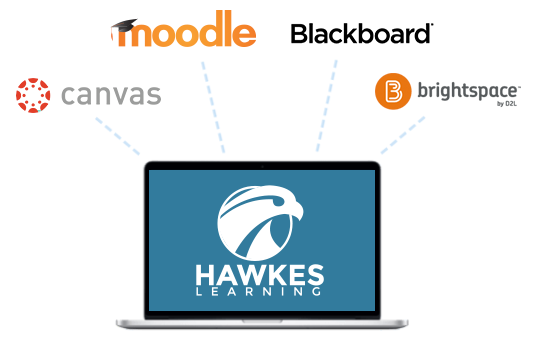
You’ve shared your feedback and we are listening! This platform update contains thoughtful enhancements to make your course easier to manage, strengthen the quality and flexibility of assessments, and support better outcomes for you and your students. Instructor Experience Directly Edit Lesson Scores You now have more control and flexibility. Adjust a student's lesson score directly on Detailed Student Grades or from the All Student Scores Report. Multiple student scores can be changed in bulk from the All Student Scores Report: see how. LMS Ease-of-Use Improvements We've refined the LMS integration with clear instructions for a more intuitive experience. Less friction, fewer clicks, more time for teaching! Deep Link UI Warning The right information at the right moment! You now see clear guidance within the deep linking tool with a reminder to return to the sync tool and complete assignment linking after creating deep links. Sync Tool Modal: Deep Link Setup Reminder You will now see a modal reminding you to create deep links before mapping assignments, with clear guidance. A “Don’t show this again” checkbox allows returning instructors to avoid the reminder in the future. Final Grade Tab Feature Flag To avoid confusion, the Final Grade tab option is now hidden inside a collapsed Advanced Settings accordion on the LMS Sync setup page. This is off by default for new instructors. Instructors who need the feature flag can expand Advanced Settings and enable it—no support call required. For Your Students New AI Literacy Lesson Equip your students with understanding and responsible use of Artificial Intelligence. Found in the Instructor Resources of every Hawkes Learning course, the AI Literacy for College Students: Thinking Critically, Ethically, and Creatively with AI lesson is highly relevant, student-centered information to help you prepare your students with tools and knowledge to boost their readiness for facing challenges in today’s academic and professional landscape. Student Onboarding Tutorial Quiz Help your students start off on the right foot with a short onboarding tutorial quiz that walks them through the platform before diving into coursework—reducing early confusion, saving you time, and setting students up for success from day one. Reach out to your Customer Success Representative to have this assignable video quiz added directly to your course! As always, if you have any questions or need assistance, please don’t hesitate to reach out to our Customer Success Team anytime at instructorsupport@hawkeslearning.com
![]()
July 23, 2026
You’ve shared your feedback and we are listening! This platform update contains...
Read More
As a new term approaches, the excitement of crafting an engaging learning environment is often paired with the challenge of course preparation. To ease this stress, our Customer Success team has created a series of course prep videos to make your life easier and your teaching smoother. Proper planning and preparation go a long way, so we’ve designed these guides to walk you through each setup task step-by-step, helping you lay the groundwork for a fantastic semester of improved learning outcomes and student success. By taking care of these essentials now, you’ll free up more time to focus on what you do best – inspiring your students! Jerome Lewis, Bellevue University “Hawkes Learning makes the tasks related to coordinating course sections simple, straightforward, and swift.” Your Hawkes Course Prep Playlist: Section Setup for Instructors This video is a must-watch for those new to Hawkes. It provides a comprehensive guide on setting up your sections correctly. New Instructors — video | pdf For those who have already used Hawkes and just need a quick refresher, this video covers the basics of setting up your sections. Returning Instructors — video | pdf Customize Lessons Tailoring your curriculum to meet specific course needs can make a huge difference. This video tutorial guides you through our curriculum builder and the course customization options available within it. Creating & Assigning Tests Tests are a crucial part of the learning process. The videos and documents below show you how to create and assign both online and pencil-and-paper tests that accurately assess student understanding using our integrated WebTests tool. Creating WebTest Assignments — video | pdf Assigning & Managing WebTest Settings — video | pdf Grading & Reporting Understanding student performance is vital. These videos and documents below provide an overview of the robust reporting tools available in the Hawkes Instructor Platform, including All Student Scores, Detailed Student Grades, and Assignment Reviewer. Grades: All Student Scores — video | pdf Grades: Detailed Student Grades — video | pdf Reports: Assignment Reviewer — video | pdf Integrating Hawkes with Your LMS Integrating Hawkes with your Learning Management System (LMS) is an easy way to streamline your workflow and save time. We’ve put together two helpful blog posts with video walkthroughs to guide you through the integration process whether you’re using LTI 1.1 or LTI Advantage (LTI 1.3). Preparation is everything, and when you pair thoughtful planning with the right tools and resources, you can build a learning environment that’s both engaging and truly effective for your students. From streamlining lessons to encouraging participation and supporting different learning styles, the right setup makes a real difference. Here’s to a productive, positive, and successful semester ahead! Still have questions? We’re here to help! Head to hawkeslearning.com/instructors/training-request to schedule a one-on-one training session.
![]()
July 14, 2026
As a new term approaches, the excitement of crafting an engaging learning...
Read More
In the landscape of Higher Education, the days of relying solely on a syllabus and office hours are behind us. Today’s student body is diverse, digital-first, and often overwhelmed by information overload. Whether it’s a Dual Credit student navigating their first college course, an international student facing language barriers, or a senior managing a capstone project, effective communication is the linchpin of student retention and success. To bridge the gap between faculty, administration, students, and their support systems, institutions are turning to a blend of community platforms and personal productivity tools. Here is how modern tools are reshaping educational dialogue. Instructor’s Top Pick: Direct Course Connection If there is one tool that belongs in every professor’s toolkit, it is Hawkes Learning's Reminders feature. While many platforms try to do everything, "Reminders" excels at the one thing that matters most: getting the message read. The Reminders feature is my personal favorite for every course I teach. It bridges the gap between the formal LMS and the student’s daily life. Unlike email, which students may check sporadically, "Reminders" sends texts or push notifications that get immediate attention. It allows for two-way messaging without ever sharing your personal phone number, protecting your privacy while remaining accessible. It’s perfect for those "don't forget" nudges about papers, last-minute room changes, or sending a quick morale boost before finals. Building the Village: Engagement & Support Platforms While many communication apps trace their roots to K-12, Higher Education is increasingly adopting them for specific niches: Dual Enrollment programs, ESL/International departments, and Family Engagement offices. Keeping the student’s support system involved is a proven strategy for persistence. ClassDojo: (Free for teachers) While famous in primary education, ClassDojo is finding a unique home in developmental education and community building. It serves as a robust alternative for classroom communication, offering a friendly interface for messaging that feels less formal—and less intimidating—than official university email. TalkingPoints: (Free for individual teachers) As universities seek to globalize, language barriers become a major hurdle for international students and their families. As noted by BookWidgets and Rooted Linguistics, TalkingPoints focuses specifically on breaking down these barriers by translating messages between instructors and families. This is a game-changer for keeping international parents informed about their student's transition to university life. Bloomz: (Free for teachers & parents) For collegiate coaches and student activity directors, Bloomz is an excellent resource. It allows faculty and staff to communicate updates about activities and reports to students and, where appropriate (such as under-18 dual credit students), their parents. Ashland Source highlights its utility in keeping everyone on the same page regarding extracurricular logistics. The Executive Function Gap: Task Management & Reminders A major reason students fall behind isn't a lack of intelligence; it's a lack of organization. Implementing and encouraging the use of digital task managers is a form of communication that helps students communicate with themselves. Microsoft To Do: (Free) For institutions already in the Microsoft ecosystem, this is a powerhouse. As noted by Saner.AI, this cloud-based app syncs tasks across multiple devices and operating systems. It allows students to move seamlessly from a library desktop to their smartphone without losing track of assignment deadlines. Google Keep: (Free) Visual learners thrive here. YouTube reviews frequently highlight its seamless integration with Google Calendar. It is perfect for creating quick reminders, checklists, and collaborative notes that sync across all devices—ideal for student study groups. Any.do: (Free basic version; Premium subscription available) For the busy student balancing work and school, Fruitask notes that Any.do offers high-level features like voice entry, smart date parsing, and location-based reminders (e.g., reminding a student to turn in a paper the moment they step onto campus). Organizing Student Life Finally, the student experience happens largely outside the classroom in clubs, Greek life, and student government. BAND: (Free) When student organizations outgrow the chaos of a massive group text, they turn to BAND. The BAND Blog notes that it is a popular alternative for groups that have exceeded the free limits of other services. It organizes group communication, calendars, and file sharing, ensuring that student leadership can communicate effectively without administrative oversight. The Takeaway Effective communication in Higher Education isn't just about sending an email; it's about meeting students where they are. By leveraging tools that bridge language gaps, involve support systems, and aid in personal organization, institutions can create a safety net that encourages student success from orientation to graduation. Interested in becoming a Hawkes Nest guest blogger? Check out our "Get Involved" opportunities HERE. © 2026 Hawkes Learning
![]()
March 11, 2026
In the landscape of Higher Education, the days of relying solely on a syllabus...
Read More
Planning a course takes time, finding high-quality instructional materials shouldn’t. The Instructor Resource Library brings together free, ready-to-use teaching resources organized by course and accessible directly from your Hawkes Learning Teach account. Everything is designed to support your instruction, reinforce mastery-based learning, and save you valuable prep time. Whether you’re building a lecture, planning an activity, or looking for ways to strengthen student engagement, these resources are already aligned to your course and ready when you need them. What You’ll Find in the Instructor Resource Library Each resource is created to be flexible, practical, and easy to integrate into your existing course, no extra setup required. Lecture PowerPoints Editable slide decks aligned to Hawkes course content help you structure lectures quickly and confidently. Use them as-is or customize to match your teaching style, pacing, and classroom priorities. Downloadable Projects Real-world, application-based projects give students opportunities to practice concepts beyond routine problem sets. These assignments are designed to encourage deeper understanding, collaboration, and transferable skills. Group Activities Low-stakes, interactive activities support peer learning and discussion whether in class or online. These resources help students talk through concepts, learn from one another, and stay actively engaged. Critical Thinking & Reflection Questions Thought-provoking prompts help students connect course material to practical scenarios, explain their reasoning, and reflect on their learning process supporting both mastery and metacognition. Why Instructors Use the Instructor Resource Library Saves time by reducing prep and content creation Supports mastery-based learning with aligned materials Fits naturally into your course—nothing extra to manage Free and included with your Hawkes course access The goal is simple: help you teach with confidence, using resources that feel like they already belong in your classroom. How to Access Instructor Resources Getting started takes just a few clicks: Log into your Hawkes Learning Teach account Select your course from the Courses Overview page Open the Help dropdown in the left-hand menu Choose Instructor Resources That’s it! No additional setup. No extra cost. Frequently Asked Questions Are Instructor Resources free? Yes. All Instructor Resources are included at no additional cost with Hawkes course access. Do I need to integrate anything new into my LMS? No. Resources are accessed directly through your Teach account and designed to fit seamlessly into your existing course structure. Can I edit or customize the materials? Yes. Many resources, including PowerPoints and projects, are fully editable so you can adapt them to your teaching style. Additional Free Teaching Tools: Companion Websites In addition to the Instructor Resource Library, Hawkes also offers Companion Websites. These convenient, course‑specific resource hubs support both instructors and students with ancillaries like: Free technology guides and data sets Student-facing Chapter Project downloads Helpful links and supplemental materials Verified Quizlet sets aligned to your Hawkes content Companion Websites are currently available for: Viewing Life Mathematically Calculus Economics Psychology Statistics Sociology Biology English
![]()
February 9, 2026
Planning a course takes time, finding high-quality instructional materials...
Read More
Managing multiple instructors and student sections can be challenging, but Hawkes Learning makes it easier with Course Administrator access. As a Course Administrator, you have full control and access to: All instructor section settings All student settings and grade data The ability to update grades manually for any student The ability to add new instructors to Hawkes With these permissions, administrators can ensure courses are properly set up, assignments are aligned, and instructors have what they need to succeed. Here’s a closer look at the features that make course management smoother with step-by-step instructions on key processes. Adding New Instructors → Watch the Video Tutorial: Adding New Instructor, Permissions Explained, & Sending Course Invitation As a Course Administrator, navigate to Tools > Manage Instructors. Select Add Instructor. Enter the new instructor’s first name, last name, email address, select their role, and click Save. Once added to the course, the instructor will receive a course invitation email with steps to create their Hawkes Teach account and add the course to their Dashboard. If a newly added instructor cannot locate the invitation email, the Course Administrator can resend it by selecting the instructor, clicking Actions, and choosing Send Invitation Email. Creating & Configuring Sections for Instructors from a Templated Section → Watch the Video Tutorial: Using a Templated Section to Push Out for Instructors If you have an existing, templated section with assignments and settings already assigned and would like to use it to copy out to other instructors, follow these steps. Navigate to Tools > Manage Sections. Click on Add Section and use the dropdown to select the instructor for whom you’re creating the section for. Enter the request details: section name, section start date, section end date, meeting times (optional) and section visibility. Click Save or Save and Add Another if needing to repeat for another instructor. Once the section is created for the instructor, you can configure the settings to copy assignments and settings from the templated section. Configuring Section Settings Select the new sections by clicking the box next to the instructor(s) name and section(s). Click Actions and Configure Section. Select the templated section you want to copy settings from using the “Apply From” dropdown. Click Apply Settings to push out the configuration. Making a Templated Section Available for Instructors to Copy & Create Their Own → Watch the Video Tutorial: Making a Templated Section Available for Instructors to Copy Create the Templated Section. Navigate to Tools > Manage Sections. Select the Templated Section, Actions, and Manage Facilitators Share the Templated Section. Select "All Facilitators" to include all instructors, or choose specific individuals. Click Submit to push the section to each selected instructor's Teach accounts. Mark the templated section as "Inactive" using the "Visibility" column. October 2025 Update: Course Admins now experience an updated "Manage Sections" Simply toggle on "Manage Section Templates" as highlighted in the screenshot below to see all templates tied to a section in one place. From here, updates can be made directly, allowing you to ensure accuracy and save time. Self-Help PDFs Explore printable directions and more guidance with Course Admin permissions below. Course Administrator – Creating Sections for Instructors from Templated Section.pdf Course Coordinator – How to Add a New Instructor.pdf Course Coordinator- Making Templated Section Available for Instructors to Copy.pdf Platform Roles and Permissions.pdf
![]()
February 6, 2026
Managing multiple instructors and student sections can be challenging, but...
Read More
Creating a corequisite course can feel overwhelming, but with the right tools, you can build a learning experience that’s both structured and customizable, giving each learner the support they need without adding to your workload or taking away from valuable class time. That’s where Hawkes Learning shines. Built on a mastery-based framework, we combine diagnostics, personalized practice, and robust reporting to help instructors deliver equitable, effective learning experiences to each student. Hawkes uses data-driven diagnostics to individualize learning paths and provide targeted support to make learning more efficient. Here’s how: A Focus on Integrated Review & Prerequisite Skills Hawkes’ Integrated Review products organize prerequisite skill-building into structured review chapters that precede core Math and English content, giving students just-in-time access to foundational concepts before moving into the primary curriculum. With just-in-time remediation built directly into the learning experience, instructors can support skill development without adding extra materials, redesigning their syllabus, or slowing the pace of the course. Smarter Diagnostics for a Stronger Start “The diagnostic abilities of Hawkes are a game changer.” – Carrye Wilkins, Associate Director of the REACH Learning Center at the University of Louisville Every student brings a different level of foundational knowledge to class. Hawkes’ diagnostics help you identify and then bridge skill gaps by individualizing instruction. Make Remediation more Efficient With diagnostics, students can quickly place out of topics they already have mastered, allowing them to focus on the topics that need extra attention, making every study session more effective. Pre-created and Customizable Ready-to-use diagnostic tests give you a quick, accurate read on student readiness with the ability to edit, remove, or add questions to fit your unique course goals or standards. Insights at Multiple Levels Diagnostics are available at the course, chapter, and lesson levels, so you can gauge understanding across broad concepts or drill into specific skills. Shining a Spotlight on Efficiency One of the key pillars of Hawkes’ mastery approach is efficiency, helping students make the most of every learning moment. Instead of practicing without purpose or having to “re-prove” their understanding, these flexible pathways allow them to focus their time on intentional learning and meaningful progress. This quick video shows how the Diagnostic Tests in Hawkes’ platform customize lesson plans from the students’ perspective. Data That Drives Instruction So, you’ve individualized each student’s to-do list with the diagnostics tool—now what? Hawkes’ real-time reporting and analytics transform diagnostic results, time-on-task data, and performance trends into actionable insights, helping students stay on track, build confidence, and progress at their own pace. With Hawkes, you can: Monitor trends – Track individual and course-wide performance over time to spot early warning signs. Filter and customize reports – Apply built-in filters to focus on specific groups, objectives, or activities. Export results – Download data in formats that work for your department, institution, or personal tracking. Guide instruction efficiently – Use insights to prioritize teaching, intervene early, and support each student effectively. Additional Tools to Support Your Corequisite Success While Diagnostics and Reporting are the foundation, Hawkes offers a full suite of tools to make course setup, instruction, and student engagement easier, no matter your course model. Course Customization Custom Learn Screens: Integrate your own course materials, notes, hyperlinks, images, or YouTube videos. Flexible Assignment Grouping: Mix review and non-review assignments, exclude assignments from grades, adjust weights, and more. Course Management Roles, Permissions, and Manage Facilitators: Share responsibilities and streamline support by giving TAs, tutors, or co-instructors appropriate access levels. Export to Word: Download WebTests and Certify assignments to view offline, edit, create multiple versions, and print for in-person exams. Student Learning Support Academic Learning Aids: Students get immediate feedback and clarity from tools like AI Tutor right when they need it most without ever leaving the courseware. Designed for Equity, Built for Efficiency Corequisite teaching is all about giving students multiple paths to success, and Hawkes’ tools are designed to make that mission attainable. From just-in-time review and AI-powered tutoring to interactive lessons and unlimited mastery attempts, Hawkes ensures every learner gets the support they need succeed. Ready to see how Hawkes simplifies corequisite teaching? Explore Integrated Review Solutions
![]()
January 15, 2026
Creating a corequisite course can feel overwhelming, but with the right tools,...
Read More
At Hawkes, instructor feedback is critical to guiding product enhancements. We actively seek input from educators and use those insights to guide updates that make a real difference in teaching and learning. In response to recent instructor feedback, we’ve added 283 new questions across 14 lessons in our Calculus courses—expanding both the quantity and quality of practice available to students. These new questions include: More lower-difficulty questions to help students build confidence Textbook-aligned exercises that integrate smoothly into existing courses Conceptual questions that emphasize reasoning, interpretation, and understanding For instructors, these additions offer more flexibility in homework and assessments while helping students engage more deeply with core calculus concepts. New Questions at a Glance Want to see what’s new and where these questions appear? Access the quick reference guide for your Calculus title below: Single Variable Calculus with Early Transcendentals, 2nd Edition See What's New → Calculus with Early Transcendentals, 2nd Edition See What's New → Calculus with Early Transcendentals Plus Integrated Review, 2nd Edition See What's New → Tips & Instructions for Incorporating These New Questions Which titles received the new questions? Single Variable Calculus with Early Transcendentals, 2nd Edition Calculus with Early Transcendentals, 2nd Edition Calculus with Early Transcendentals Plus Integrated Review, 2nd Edition Are serial numbers available for Hawkes instructors? Yes! Check out these quick reference guides for a breakdown of the latest questions in each title including what changed, corresponding lessons, and serial numbers. Are new questions automatically added to my assignments? New questions are not automatically added to the Hawkes Default Curriculum. You’ll need to take a few simple steps to incorporate them into your assignments or Custom Curriculum using the steps in the dropdown questions below. If you have any questions about this question bank expansion project or need help assigning them to your courses, our Customer Success Team is always available to help! Contact them any time at instructorsupport@hawkeslearning.com. How do I add these new questions to an existing assignment? In your instructor dashboard, select Assignments > Manage > WebTest. Select Manage in the top-right corner, then select the test name and Copy button. Select the Edit icon to the left of the copied test. Select “Default Curriculum” if you have not assigned the questions in a Custom Curriculum yet. Otherwise, select your Custom Curriculum. Select a Chapter, then Lesson from the left column. New questions will be labeled “New” and displayed towards the bottom of the left column as highlighted in the screenshot below. Select the +Add button to include the questions in your assessment. Be sure to Save your changes. How do I add these new questions to a custom curriculum? In your instructor dashboard, select Assignments > Manage > Curriculum. Select any course which has the Curriculum you would like to update assigned. Select a Lesson Name in the left column. New questions will be labeled “New” and displayed towards the bottom of the left column as highlighted in the screenshot below. Select the +Add button to include the questions in your Custom Curriculum. Be sure to Save your changes. We know that every new question is another opportunity for students to practice, build confidence, and make progress toward mastery. These updates reflect your feedback and our shared focus on student success. More enhancements are always on the roadmap, and we look forward to continuing to build alongside instructors like you!
![]()
January 14, 2026
At Hawkes, instructor feedback is critical to guiding product enhancements. We...
Read More
Hello, my name is Hillary VanSpronsen and I am a faculty member at Maine Maritime Academy in Castine, Maine. I have been using Hawkes software for almost 10 years in various math classes, including Precalculus and Calculus. If you are like me, you may be onboarding several new instructors or you yourself may be new to using Hawkes software. Here are some tips for supporting student success with Hawkes. Support Starts on Day 1 At the beginning of each term, I spend about 5 minutes having students log in to the Hawkes platform; I’ve found that students who log onto Hawkes early are far more likely to complete their first homework on time because they have the chance to familiarize themselves with the platform before any work is due. During this time I highlight features students will see and follow up on any questions they have, and any pointers from faculty for a successful start. Tip from Hawkes: Have students watch Dashboard and Beyond for a quick intro to the platform! Before the first assignment, remind students often of the best ways to use Hawkes. Let them know that they should start in Practice mode, preferably doing the entire assignment, and move to Certify only after they feel confident with the material. Even after they have certified, they should complete the remainder of the questions to make sure they’ve seen everything. When issues arise and students have questions, remind them that Practice mode is a good place to revisit. Responding to Student Concerns "In the past 20 years, I have used most major competitors for online mathematics software. I have found Hawkes to be the most intuitive, the most user friendly from both student and faculty perspective, and overall, the best value. This message is one we reinforce consistently to students throughout the term, making it clear that we, as faculty, value what Hawkes brings to them." In my experience, most student complaints about the software actually stem from real problem-solving mistakes or misconceptions that would also have also given them trouble on a paper assignment—with Hawkes however, they have the opportunity to correct those mistakes and learn from them in real time. If we are gentle but consistent about having students correct their own mistakes, while also having a positive attitude about the platform, students will have a more positive outlook on the value Hawkes offers as well. Learning at Their Own Pace Hawkes makes it seamless for students to work at their own pace because they can start an assignment, pause, and resume later. You can choose to allow unlimited pauses to the Certify attempts as well. It can be beneficial for students to be able to walk away, think, tend to personal business, attend another class, or anything they might have going in their world. Save Yourself Time & Effort From the instructor’s standpoint, one tool I recommend to help students stay on track is setting auto reminders from Hawkes. I prefer to set a reminder to send to students if they have not completed the assignment by 24 hours prior to their due date, and again if they are more than five days late. The best feature of these reminders is that I can push those notifications to myself as well, helping me see at a glance who has not completed an assignment. This saves a lot of time and effort. Most importantly, as an instructor using Hawkes, it’s helpful if we complete the homework ourselves in student mode. It provides insight for tips that we can pass to students! I hope that you find these tips helpful and I wish you a successful semester using Hawkes!
![]()
Today’s educators face unprecedented challenges: growing class sizes that limit individual attention, increasingly diverse student needs, and limited office hours that can’t accommodate everyone. Imagine having a dedicated team of teaching assistants and tutors available 24/7 for every student. Not just any tutors, but ones that never tire, never judge, and always offer consistent, accurate assistance aligned with your course materials. This isn’t just a hypothetical scenario, it’s happening now with Hawkes Learning’s cutting-edge learning duo: Explain Error and AI Tutor. Meet Hawkes’ Personal Tutors Explain Error “I’ve used many of these types of online courses. This is the only one I actually like, because it explains WHY your answers are wrong and how to get the right one.” – Tera K., Student at Morehead State University Explain Error goes beyond merely identifying incorrect answers; it intelligently guides students through their mistakes, helping them understand how to reach the correct solutions. This first-of-its-kind feature offers: Immediate, error-specific feedback when students make mistakes. Personalized guidance that mimics the support typically available only during office hours. Insights into not just what went wrong, but why, fostering a deeper understanding. Preventative remediation that addresses misconceptions at their source, helping to correct errors before students commit them to memory and avoid common pitfalls in the future. AI Tutor “My favorite part of the new AI feature is that it never gives the students the answer. Instead, it forces the students to work through their confusion, mistakes, and misconceptions, and helps them to arrive at the right answer on their own. “ – Rebecca Snider, Instructor at Savannah Technical College Working alongside Explain Error and taking personalized learning to the next level, AI Tutor engages students in thoughtful, student-led conversations within a responsible and secure environment. Here, students can freely ask questions related to course material without the fear of judgment or encountering unhelpful information. Unlike other generative AI tools, this proprietary system: Draws exclusively from vetted Hawkes instructional content Delivers real-time, contextualized support Encourages critical thinking through guided conversations Creates a safe, contained learning environment that not only prevents academic dishonesty but also safeguards personal data The Future of Educational Support As education continues to evolve, tools like Explain Error and AI Tutor represent the future of learning support. They don’t replace educators – they enhance their ability to provide quality education at scale. By handling routine explanations and providing personalized support, these tools allow instructors to focus on what they do best: inspiring students and facilitating deeper learning experiences. Want to see these revolutionary tools in action? Hawkes Learning offers free demo accounts for educators to experience firsthand how these tools can transform their teaching. Step into your students’ shoes and discover the power of personalized, AI-enhanced learning support.
![]()
January 28, 2025
Today’s educators face unprecedented challenges: growing class sizes that limit...
Read More
Faculty often have many roles at their university. We serve on committees, maintain office hours, perform volunteer work, attend graduations, conduct research, do a hundred other unnamed things, and sometimes we teach. Given the plethora of roles that we have at our universities, many of us doggedly seek out anything that can remove some of the administrivia from our calling. As a full-time professor and part-time course coordinator for Introduction to Psychology at my university, I am responsible for setting up and overseeing multiple sections of a course that is taught by a legion of invaluable instructors. Hawkes Learning makes the tasks related to coordinating these course sections simple, straightforward, and swift. Getting a course up and running in Hawkes is simple. You set up the class on the Hawkes Learning website and then link it to your learning management system via a few straightforward steps. First, you choose your eTextbook. Second, you create your Master Shell for the course. Third, you add the specific details for that term such as due dates, assignments, and values. Once your Master Shell is the way you like it, you can add instructors with a few clicks and assign them to duplicate sections of your Master Shell; this is especially convenient when you are asked to set up a new section 48 hours before the term starts. Finally, if you are using Blackboard like me, you can go into each instructor’s Blackboard page and connect their section to their Hawkes Learning course for them. This is exceptionally useful if you want to ensure all the instructors have their Hawkes Learning materials linked with their Blackboard course pages on day one. Whereas the first-time setup can be done swiftly, my favorite part about the Hawkes Learning platform is how easy it is to clone a course. The simplicity of the cloning process keeps you from having to reinvent the wheel (or in this case, Master Shell) each term. It is as simple as making a copy of the Master Shell from a previous term and shifting the dates. Bellevue University is on a trimester system, which means I am making duplicates of my Master Shell multiple times each year. Having used many other platforms for managing Introduction to Psychology classes, I have stuck with Hawkes Learning in part because this platform is by far the most straightforward and simplest to use. Case and point, it takes me less than half an hour to set up seven or eight sections each term. “My favorite part about the Hawkes Learning platform is how easy it is to clone a course.” I believe using the Hawkes Learning platform to coordinate multiple sections of a course is simple, straightforward, and swift. However, I would be remiss if I did not emphatically state that Hawkes Learning has an exceptional support team that is readily available, should you run into technical difficulties. With regular workshops, first-time setup camps, and lightning-fast support, troubleshooting assistance is a simple phone call or email away. The Introduction to Psychology textbook landscape is an embarrassment of riches. Nevertheless, Hawkes Learning is peerless in terms of technical and student support. Both in my personal experience and in the feedback I receive from my instructors and students, Hawkes Learning’s support team consistently comes through. So, if you are like many other faculty and course coordinators who are trying to find a way to make just one of your roles more manageable, consider Hawkes Learning for your next eTextbook. Hawkes Learning has the platform and the support you have been looking for. Having used many other platforms for managing Introduction to Psychology classes, I have stuck with Hawkes Learning in part because this platform is by far the most straightforward and simplest to use. Case and point, it takes me less than half an hour to set up seven or eight sections each term. Dr. Jerome Lewis About the Writer Dr. Jerome Lewis is an Associate Professor in Psychology at Bellevue University. His research focuses on the victim role and the psychology of morality. Dr. Lewis has a keen interest in service and the teaching of psychology. In 2022, he received BU’s Excellence in Service Award.
![]()
April 12, 2024
Faculty often have many roles at their university. We serve on committees,...
Read More
For many years in my 1101-1102 first-year writing courses, I have assigned the Hawkes Learning courseware to remediate grammar and mechanics and to complement manuscript and research content. In 2015, I met with a group of unusually weak writers; although nice people with a sketchy familiarity with the essay format, none brought basic editing skills to the class, not to mention any general awareness of grammar or mechanics. They wrote on autopilot; well, everything they did seemed conducted in a haphazard, inattentive manner. Their failure to meet deadlines or work independently also suggested a lack of personal responsibility and an inability to listen to or follow instructions. And yet they showed up regularly for class. After a panicky review of all the support available through the publishers, I chose Hawkes to supplement my course at first because I liked The Reading and Writing Handbook, a well-selected collection of focused information presented in a simple, direct, well-designed format. As I reviewed the Hawkes courseware and the accompanying books, I particularly liked the editors’ recognition that proficient writing reflects reading skills, and reading skills inform the quality of skillful writing. It seemed to me that the approach in both Foundations of English and English Composition would be accessible at every skill level, but also to at-risk students. Best of all, I could quickly integrate the materials with no changes to my existing syllabus. From my first attempts to implement the materials, I enjoyed excellent support from Hawkes representatives, making the set up and the first attempt in a class painless. To my surprise, these first-year students were amenable to the lessons and quizzes probably because Hawkes’ homework formatting was more familiar than with the more speculative kinds of writing prompts that they were preparing for class. From the first weeks, the format worked very well, and positive results were at once evident in their work. I have made very few changes since that first attempt. Along with a reader, I require 1101-1102 students to buy the Hawkes software bundled with the Handbook. For a more in-depth look at the materials the students have access to, the eBook for English Composition that goes with the “Compositions” lessons is included in the software. To motivate the students and encourage self-motivation, I set the Hawkes average as 25% of the final course grade. The general format is simple: each week I assign 5-6 lessons from a selection of chapters and topics and a quiz, about 45 minutes or less to completion. I have never needed to set late penalties for the lessons. With an email request, I make all quizzes available until the student is satisfied with the grade. I realized assigning a little at a time and spreading out the topics, I could keep their attention on general and specific editing details without much comment in class. For example, a week’s lessons from English Composition involve only five questions for each of the six topics doled out week by week as the paper process develops. While getting the paper started, the week’s six lessons could be drawn from Chapter 3.1, 2 “Writing Process” [pre-writing, drafting, etc.], Chapter 4.2, 3 “Parts of the Essay” [introduction, thesis], Chapter 5.4 “Reading & Rhetoric” [understanding purpose], and Chapter 9.2 “Basics of Grammar & Mechanics” [characteristics of a sentence]. For me, planning involves only a weekly setup. I usually post on Fridays for the following week’s Monday to Sunday night due dates. The entire process of setting up the curriculum, the due dates, and the weekly quiz takes me about 20 minutes. For me, there has been no downside. Each semester I have seen positive results and enjoyed collaborating with my colleagues at Hawkes! Dr. Stephen Whited Assignments vary according to my syllabus for content expectations and class discussions, developing in complexity as we move through the semester. By the conclusion of the course, they have moved through all chapters and nearly all topics. Hawkes’ excellent range of diagnostic reporting and analytics makes monitoring for “Outcomes” amazingly easy. I usually assign a low-stakes diagnostic quiz in the first week of class, and I add a post-course quiz to the final exam as a warm-up for the final writing sample, which I compare with the in-class midterm. In every class, I can point to data that suggests improvement for most students. About the Writer Dr. Stephen Whited has taught at Piedmont University in Demorest, Georgia, for 30 years. He studied at Georgia State University, where he earned his bachelor’s and master’s degrees, and he earned his doctorate at the University of Kentucky. Stephen’s dedication to teaching leaves a lasting impact on his students, reflecting his ultimate goal of nurturing young minds and creating lasting impressions. Stephen also serves as a resource to other instructors as a Hawkes Faculty Consultant. Outside of the classroom, Stephen enjoys poetry, art, music, theology, philosophy, and history. Stephen and his wife, Jo, have two children. Learn more about Stephen in his Hawkes Instructor Spotlight here.
![]()
March 27, 2024
For many years in my 1101-1102 first-year writing courses, I have assigned the...
Read More
I am taking away several techniques that I will be implementing in my future classes! This rarely happens; they are often entertaining but rarely useful. This conference was one of the best I’ve ever gone to!!!!!!!!! —Professor April Spears, Hazard Community & Technical College We’re excited to share that the 2024 virtual event was a resounding success, thanks to the insights of over 60 diverse speakers and experts who shared their experiences. This year’s summit was particularly special, boasting the highest registration ever, with 2,649 educators joining from nearly all 50 states and internationally from the UK, Quebec, Barbados, Guam, and Nova Scotia! This global participation underscores the importance of unity and togetherness in education as educators from diverse corners of the nation came together, they demonstrated the power of collaboration in driving innovation and fostering mutual growth. One of the highlights of the summit was the diverse range of sessions offered, covering topics ranging from cutting-edge research to innovative teaching methods and emerging trends in education. Attendees had the opportunity to explore a variety of subjects and delve into workshops tailored to their interests and professional development needs. As one participant noted, “Love how the Hawkes Learning virtual summit provides opportunities for faculty to learn about new research, teaching methods, & trends in their field.” This sentiment was echoed by many others who appreciated the chance to engage with a wealth of information and resources that will undoubtedly enhance their teaching practices. Another attendee praised the event’s versatility, stating, “Great variety of topics! I appreciate the opportunity to attend workshops regarding different topics.” This diversity ensured that there was something valuable for educators across various disciplines and areas of expertise. Perhaps most gratifying were the comments from participants who found the sessions to be not just informative but also inspiring. It’s incredibly rewarding to know that the summit has equipped educators with practical tools and strategies they can immediately apply in their classrooms. “All presentations that I attended were AWESOME…I gained valuable modern-day instructional strategies that I can start implementing this semester.” For those who couldn’t attend the live sessions, fear not! All the 2024 session recordings are now available on-demand on the conference website. Whether you want to revisit a favorite session or catch up on ones you missed, you now have the flexibility to watch, rewatch, and share these valuable resources with your colleagues. The 2024 Innovative Educators Summit was a testament to the power of collaboration and shared learning. We extend our heartfelt thanks to all the educators, speakers, and sponsors who made this event possible. Together, we’ve taken another step forward in advancing excellence in education, and we look forward to continuing this journey with you in the years to come. ACCESS THE RECORDINGS
![]()
March 5, 2024
I am taking away several techniques that I will be implementing in my future...
Read More
Interested in exploring cutting-edge teaching methodologies, technologies, and approaches that can elevate the overall learning experience for your students? The Innovative Educators Summit (IES) was created to provide higher education professionals like you the opportunity to do just that through 50+ sessions, keynotes, and more. IES is more than just a virtual conference; it’s a transformative professional development experience for educators to exchange ideas and learn from each other’s real classroom experiences and research. Click the video above to explore replays of 2023’s sessions. 4 Key Benefits of Attending Professional Development and Networking: Forge valuable connections and grow your professional network while engaging in insightful sessions covering the latest trends in topics like AI, student engagement, technology, and best practices for the higher ed classroom. Innovative Teaching Insights: At Hawkes, we recognize the pivotal role of innovation in effective education. Gain cutting-edge insights into implementable teaching methodologies, state-of-the-art tools, and dynamic approaches to redefine your instruction and enhance the overall learning environment. Discover how your colleagues leverage these innovations in inventive ways to optimize both teaching and learning experiences. Student Engagement Strategies: Addressing a key challenge faced by educators, especially in this age of increased online learning, the summit offers dedicated sessions that spotlight tools and proven methods designed to elevate student engagement. Move beyond traditional approaches and learn new ways to create an interactive and participatory learning environment. Inspiration and Motivation: Reignite your passion for education through inspiring sessions and keynotes led by seasoned professionals and thought leaders. The summit serves as a platform for energizing your teaching journey by fostering a renewed commitment to providing exceptional learning experiences for your students. “Such practical suggestions in many sessions that gave me ideas I can implement right away with little or no cost. Thanks so much for offering this event!” Professor Brenda Bindschatel, Green River College “Great, informative presenters and a wealth of information for me to use pushing forward!” Professor Christine Yaklich, La Roche University “I like that this particular conference was very inclusive of different critical topics in higher education. The presenters were very knowledgeable and up-to-date on topics and how it affects certain sectors of our jobs.” Professor Jorden Melton, University of Louisiana at Lafayette Don’t miss out on this invaluable opportunity to transform your teaching, gain insights, and reignite your passion for education! Register now for the free event and join a community of forward-thinking educators dedicated to enhancing the higher education experience.
![]()
February 2, 2024
Interested in exploring cutting-edge teaching methodologies, technologies, and...
Read More
In the vibrant field of biology education, providing resources that engage students, make the subject matter relevant, and help them build meaningful connections is essential. Embedded directly into the instructional content of Biology are 1,013 “Further Resources” with links to outside sources including events, research, TED Talks, instructional videos, studies, and more that help bridge the gap between course content and students’ daily experiences. We’ve handpicked a collection of these Further Resources from the text that serve as powerful educational tools, enhancing student engagement and cultivating an increased comprehension of biological concepts along with a quick guide incorporating them into your classroom. Understanding Soap’s Magic (Micelles) In the Classroom: Use this animation to explain how soap cleans hands through micelles. It’s a tangible example that connects chemistry and everyday life, making the concept of micelles more relatable to students. Resource : YouTube—ScienceWorld (2021) Pyruvate Dehydrogenase Demystified In the Classroom: Introduce the concept of pyruvate dehydrogenase with this video. It’s a great way to illustrate complex metabolic processes, making it easier for students to grasp. Resource: HHMI BioInteractive (2021) Neutrophils in Action In the Classroom: Show students the incredible process of neutrophils in action. It’s a visual demonstration of immune system function, making immunology more accessible. Resource : YouTube—Ninja Nerd (2021) River Otter Adaptations In the Classroom: Explore the adaptations of river otters, connecting ecological principles to the real world. Resource : YouTube—Texas Parks and Wildlife Education (2021) COVID-19 Vaccine Insights In the Classroom: Explore the science behind the COVID-19 vaccine, helping students understand the importance of vaccination in a global context. Resource: YouTube—Vaccine Makers Project (2021) Watch the Video Sickle Cell Anemia Exploration In the Classroom: Discuss sickle cell anemia as a case study. It’s an opportunity to explore the genetics and health disparities related to this condition, fostering discussions about diversity in biology. Resource: American Society of Hematology (2022) Learn More Algae’s Brain Connection In the Classroom: Delve into the cutting-edge research on algae and brain health. It’s an excellent example of how biology is at the forefront of scientific innovation, engaging students with real-world applications. Resource: ScienceDaily (2021) Learn More Arthropods Unveiled In the Classroom: Use the interactive lesson on arthropods to encourage hands-on exploration. It’s a valuable resource for understanding biodiversity and ecological interactions. Resource: Berkeley University of California (2021) Learn More Elephant Development Unveiled In the Classroom: Dive into the unique biology of elephants, sparking curiosity about evolutionary adaptations and reproduction. Resource: BBC Earth (2021) Learn More Breastmilk’s Antibody Power In the Classroom: Discuss the role of breastmilk in transmitting antibodies. This study can be a starting point for exploring immunology and maternal-infant health. Resource: eClinicalMedicine (2022) Learn More These resources offer additional opportunities to make the subject matter come alive in your classroom. They help students see the relevance of biology in their daily lives, building meaningful connections and sparking a deeper appreciation for the natural world. Explore an application-driven approach to introductory-level biology with our NEW Biology textbook, e-book & student software! Click here to explore the Table of Contents.
![]()
November 8, 2023
In the vibrant field of biology education, providing resources that engage...
Read More
As we approach midterms, I often take this time to reflect on my study habits and create a plan as to how I can best prepare for my exams. Frequently I implement the same study tactics, but it can differ from class to class. As a general rule, I suggest focusing on three concepts: Practice with study questions. Review your mistakes and focus on the areas that feel less comfortable. If there is vocabulary, become as familiar as possible. Practice! First, practice using study questions. If there are practice tests made available by your professors, be sure to make use of them! Practicing with study questions can be productive as they simulate the test experience and can help you focus your studying. Professors may also create study guides that can contain questions that apply to the concepts learned in class. Professors craft both practice tests and/or study guides with the concepts that are expected to be understood for the test. After all, professors want to see you succeed! Luckily, classes using Hawkes Learning have access to Practice mode. This is a great tool to use when studying, in part due to the Explain Error feature. When questions are presented, Practice provides the Tutor button at the bottom left. If you are confused, Tutor can provide step-by-step instructions on how to complete that question or a hint. The Learn button can also refer you to the textbook to review the concept before answering. If you still aren’t sure, you can click on ‘Solution’ to see the answer and get an explanation; this can be a great feature for reviewing topics and relearning skills or concepts that you may have forgotten. Review Your Mistakes After completing a study guide or Practice mode, you may realize you are confident in one topic and struggling in another. In my experience, focusing on the areas where you struggle may be a better use of your time – especially as a busy college student. By going over your answers, you can see which lessons should be reviewed and revisited. Whether you review notes from lectures or watch videos to better understand the material, try to focus on these areas and then retry the questions once you feel more confident. With this in mind, another valuable tool offered by Hawkes Learning is the Practice Test feature. This can be found under the WebTest section. By pressing ‘Create Practice WebTest’, students can choose topics by the lesson that they want to include in their own practice test. These provide a number of practice questions to complete that are only based on the chosen topics. Once the test is done, Hawkes Learning presents a bar graph with the number of correct and incorrect answers per topic. This instant feedback can be valuable in helping to further focus your studying. Learn more in the video below. Learn the Vocabulary Sometimes, it can feel overwhelming trying to find a place to start studying. One way to begin is by finding key terms or concepts from lectures and creating a Quizlet. Quizlet is an online resource that hosts virtual flashcards/study sets and allows for reviewing terms in engaging ways. After creating a set, I usually use the “Learn” or “Test” feature to match terms with their definition. For every lesson within a chapter, Hawkes Learning has its own study set. Since these sets are verified, students can feel confident that they provide accurate definitions. It also saves time that would be used creating your own Quizlet and allows for studying right away. Overall, Hawkes Learning provides a number of resources to help me achieve my study goals. This saves time and effort in looking for or creating valid resources and provides instant feedback. By using Hawkes Learning to assist with studying, students can apply their knowledge and be prepared for potential concepts or questions that may appear on tests. Author: Matthew Albert, Long Island University – Post
![]()
November 1, 2023
As we approach midterms, I often take this time to reflect on my study habits...
Read More
Over the years, Professor Saboori has employed a variety of textbooks in his statistics course. While these Open Educational Resources (OERs) like OpenStax and Introductory Statistics by Shafer and Zhang contained valuable content, he discovered that they were lacking in providing a genuinely active learning experience. This constraint hindered students’ capacity to independently explore concepts and apply them practically, consequently impeding their overall success in the course. Hawkes Learning’s Discovering Business Statistics textbook and mastery-based software effectively fulfilled this need, presenting a multitude of advantages that vastly outweighed the cost savings benefits of OERs. Interactive Learning Environment: Students are equipped with a dynamic, interactive platform where they can actively engage with the material, complete practice problems, simulations, and real-world applications, and develop a deeper understanding of statistical concepts. Self-Paced Learning: One key advantage is the ability for students to progress through the software’s Learn and Practice modes at their own pace, personalizing instruction and allowing each student to grasp the material fully before moving on to Certify and the next lesson. Immediate Feedback and Support: Hawkes Learning offers instant, error-specific feedback on assignments, empowering students to identify and correct mistakes in real-time. Additionally, the platform provides access to an array of resources such as instructional videos and step-by-step problem-solving tutorials to guide students. Engaging and Relevant Content: Discovering Business Statistics incorporates an “outstanding data set that applies real-world data as part of the student learning process,” making the subject matter both relatable and engaging. By bridging the gap between theory and practice, Hawkes fosters a deeper appreciation for the practical applications of business statistics across a span of disciplines and careers. “The textbook is well written, accurate, and reflects the most recent concepts and techniques in teaching statistics.” The interactive nature of the platform, combined with immediate feedback and support, sets the stage for enhanced comprehension and a heightened ability to apply statistical techniques in real-world scenarios. Students become more confident and enthusiastic about their coursework, resulting in higher levels of engagement and participation. By choosing Hawkes Learning over free resources like OpenStax, Professor Saboori has effectively transformed the educational experience for his students at Albright College, preparing them for success in their future courses by empowering students to become proficient problem solvers.
![]()
July 7, 2023
Over the years, Professor Saboori has employed a variety of textbooks in his...
Read More
Teaching a course for the very first time is a nerve-wracking experience for any instructor. The anticipation of how the semester will unfold and the responsibility of imparting knowledge effectively create a sense of uncertainty. However, with the right resources, instructors of all experience levels can help their students succeed. A great example of this success is Professor Brenda Long, who recently taught Math 119, Elementary Statistics at San Diego City College for the first time. Even though she was a bit nervous, Professor Long conquered the spring term prepared with Hawkes Learning’s Beginning Statistics eBook + student software and helpful resources like the provided PowerPoint slides and engaging lesson-level videos. With all these tools at her disposal, she was able to provide her students with an amazing learning experience. “I was a bit nervous at the beginning of the semester as I had not taught this class before,” Long shared. “However, with all the resources that were available to me, I was successful.” Hawkes Learning offers an engaging and mastery-based Learn, Practice, and Certify learning path for homework assignments. Long utilized this interactive resource to help her students learn and apply statistical techniques at their own pace with error-specific feedback to help solidify knowledge. Professor Long’s proactive integration of technology into the classroom created a vibrant learning atmosphere and encouraged students to actively participate in shaping their education. “One of the reasons I was so successful this semester was that I was able to take my students into a computer lab,” the instructor revealed. “With the Learn and Practice mode, I was able to assist them during a lab hour.” This hands-on approach to teaching statistics proved to be immensely beneficial, particularly for students who struggled to grasp the concepts independently. By providing personalized guidance during the lab sessions, Long addressed individual difficulties and improved students’ understanding of statistical principles. The outcome of the course surpassed Long’s expectations with every student who completed the course successfully passing the class! Undoubtedly, Long’s commitment to utilizing available resources and providing exceptional support to students has played a vital role in this achievement. Hawkes Learning takes great pride in collaborating with devoted educators like Professor Long, as they enhance the student experience and empower learners to reach, and exceed their goals.
![]()
June 15, 2023
Teaching a course for the very first time is a nerve-wracking experience for...
Read More
One of our top priorities when writing a new edition is implementing feedback from current users, pilots, and prospects. After many conversations with instructors, we noticed a recurring theme: the importance of activity-based assessments in quantitative reasoning and literacy courses. Hands-on projects offer students the chance to apply their skills and concepts in real-world contexts, rather than irrelevant or abstract scenarios. Through these assignments, students achieve genuine mastery by analyzing information and engaging in critical thinking to arrive at a solution. This empowers them to implement problem-solving processes that closely resemble those utilized in professional settings, strengthening their ability to analyze, evaluate, and uncover fact-based solutions. With this information in mind, our team designed brand-new Section-Level Projects for almost every section in the second edition of Viewing Life Mathematically to deepen students’ understanding of key concepts by emphasizing real-world relevance, fostering critical thinking, and enhancing student engagement. These projects can be assigned individually or as a group with the primary goal of encouraging students to engage with the material in a meaningful way, helping them see the relevance and applicability of the content, or in other words…view life mathematically. By encouraging collaborative learning, these projects foster the development of communication skills and expose them to their peers’ varied perspectives and approaches, similar to the dynamic environments they are likely to encounter in their professional endeavors. “My students and I are really enjoying the relevant application and engagement with the concepts that the projects per section in Viewing Life Mathematically have brought to our time together. I hope that is a new trend with all the new editions here on out! Big fan!” – Emily Carpenter, Professor at Seminole State College and a Hawkes Learning Certified Instructor Check out our Instructor Spotlight with Professor Emily Carpenter on the blog! Barbara Miller, our dedicated Math Content Specialist, was asked about her favorite new section-level projects and she provided the following noteworthy picks: Chapter 3, Section 3: The Case of Descartes View/Download Free Project “This one is possibly my favorite project because the project uses math to analyze a math joke.” Chapter 5, Lesson 6: The Weightlessness of Parabolic Arcs View/Download Free Project “This is a project that I wrote. It was inspired by the OK Go music video for Upside Down & Inside Out, which required the use of a reduced-gravity aircraft. It’s a fun filming process that a lot of people aren’t aware of.” Want a complimentary examination copy? Complete this short shipping form and we’ll send one directly to your preferred address! Questions? Contact us.
![]()
May 30, 2023
One of our top priorities when writing a new edition is implementing feedback...
Read More
Please view the presentations from each session of the Innovative Educators Summit below. Contact marketing@hawkeslearning.com if you have questions. Keynotes Capturing the Hearts and the Minds of Today’s Students | Recording | Presentation Slides —Tracy Imm, Leadership Coach & Communications Expert Rethinking Academic Rigor: Addressing Burnout and Quiet Quitting through Sustainable Approaches to Teaching and Learning | Recording —Gino Perrotte, M.A., Founder + Lead Educator, Coach and Mentor of Right Brain Journeys Biohacking For You & Your Classroom | Recording | Presentation Slides — Dr. Jacquie Leone N.M.D., Author, executive coach and award-winning public speaker Hawkes Sessions Psychology Software for Today’s Students | Recording —Kate Sharp, Hawkes Learning Sociology Software for Today’s Students | Recording —Debra Campbell, Hawkes Learning Mathematics Software in the Classroom | Recording —Austin Swack, Hawkes Learning English & Composition Software in the Classroom | Recording —Sydney Smith, Hawkes Learning Economics Software for Today’s Students | Recording —Austin Swack, Hawkes Learning Thursday Speakers Eliminating Barriers: Embracing Student Complexity | Recording — Kay Walter, University of Arkansas at Monticello & Kathryn Broyles, American Public University System Spicing up Online Discussion Boards in Mathematics | Recording | Presentation Slides — Angie Hodge-Zickerman, Northern Arizona University & Cindy York, Northern Illinois University Critical Thinking in the Classroom | Recording — Lori Daniels, PhD, Keiser University Promoting Mental & Physical Health in Any Discipline | Recording | Presentation Slides — Joab Corey, University of California, Riverside Sociological Perspectives on Education | Recording — Dr. Alaina Desjardin, Kean University Listening, Communication, and Compassion: Teachers As Intercessors for Historically Marginalized Students Emerging from the COVID-19 Pandemic | Recording — Jamie Parmese & Lisa Tucker, Raritan Valley Community College Using Online Meeting Tools in Your Traditional Classroom | Recording — Tony Baker, Three Rivers Community College Bookwalking Through a Flipped Classroom (and Other Return to Learning Challenges…) | Recording — Dr. Kymberli Barker, The Citadel, Johns Hopkins, Central Carolina Community College, The Technical College of the Lowcountry International Economics: Engaging Students with Real World Group Projects | Recording | Presentation Slides — Svitlana Maksymenko, University of Pittsburgh Creating Optimal Learning Environments for All Students: Promoting Diversity and Inclusivity in Online and Face-to-Face Sociology and Criminal Justice Courses | Recording — Dr. Monica Radu & Dr. Kristen Sobba, Southeast Missouri State University Using Bad Examples for Good Outcomes | Recording — Jennifer P. Gray & Stephanie B. Conner, College of Coastal Georgia Using Item Analysis Assessment to Improve Learning & Instruction | Recording | Presentation Slides — Dr. Jamie Foor, Lock Haven University Assignments Design for General Education Courses at Wesleyan College | Recording | Presentation Slides — Dr. Ying Zhen, Wesleyan College A Wolf in Sheets Clothing: Accessible Spreadsheets | Recording — Chrystal Trapani & Kristin White, Old Dominion University Equitable Assessment in the Community College Classroom | Recording | Presentation Slides — Dr. Gregory Ramirez, Madera Community College I Hate Math! How to Help Your Students Overcome Their Fear of Mathematics | Recording — Jennifer Johnke, Ed.D., South College Resiliency: It’s Easier Than We Thought | Recording — Maryellen Dance, Nazareth College Blend with Data | Recording — Burcu Karabina, University of Waterloo Setting Up the Stage for Black Students’ Success | Recording — Dr. Mica Stewart, Mt. San Antonio College Adding SLIs to SLOs: Why Student Learning Insights Matter | Recording — Dr. Shirley Kahlert, Merced College Improve Success and Retention: Integrate Math Study Skills into Courses, Co-requisites, and Labs | Recording — Dr. Paul Nolting, State College of Florida Increasing Student Engagement with Low-To-No-Prep Activities | Recording — Jennifer Merrill, Skyline College Evaluating Students through Self-Evaluation | Recording — Laura Driver & Kevin Moore, County College of Morris Building Connections – Remotely | Recording | Presentation Slides — Ilene Benz, Monroe Community College Friday Speakers Teaching Using Interactive TV| Recording — Maggie E. Habeeb, PennWest California Chapter Zero: What Students REALLY Need on Day One| Recording | Presentation Slides — Dan Van der Vieren, Aims Community College Our Economy: What Would You Do? | Recording — Dennis Avola, Northeastern University, Framingham State University and the University of New England The Pedagogy of Social Justice Using Critical Hydra Theory: DEI Expanded| Recording — Tom Arcaro & Kathleen Wirth, Elon University Equity and Inclusion Using an Emporium Model Approach | Recording | Presentation Slides — Kelly Coultas & Tyler Price, University of Louisville Journey to Find Self | Recording — Christine Floether, Ph.D., Centenary University Equity in the Classroom | Recording — Manjunath Burdekar, Concord University Incorporating Real Scenarios in a Statistics Discussion Board | Recording — Michael Heeren, Purdue University Global Teaching Statistics Using R | Recording — Ashok Singh & Mana Azizsoltani, University of Nevada, Las Vegas Intercultural Development at a Small, Private, Liberal Arts College| Recording — Simon Lucas & Angela Mitchell, Wilmington College Encouraging and Engaging Students on the Discussion Board | Recording — Dr. Laurie Slifka, Keiser University Grading Grammar is Racist: Current Pedagogical Practices to Promote Anti-Racism in the Writing Classroom| Recording — Professor Marie Taylor, M.A., Arcadia University Strengthen Test and Out-of-Class Assignments with MS Office | Recording | Presentation Slides — Melinda Clardy, South Louisiana Community College Lights, Camera, Classroom – Take your Content to the Center Stage! | Recording — Matt Anderson & Dennis Johnson, Fayetteville Technical Community College Engaging in Real-world Economic Development with Coffee Farmers in Honduras | Recording — Dr. Matthew Osborn, Culver-Stockton College
![]()
March 21, 2023
Please view the presentations from each session of the Innovative Educators...
Read More
As a Certified Instructor, Professor Brandon Ford of Navarro College has used Hawkes Learning for years and is a big proponent of our Mastery-based learning pedagogy. All homework and testing platforms are not built the same– Hawkes’ mastery approach can be challenging for students to adopt when they’re accustomed to being able to “turn in an incomplete assignment, make a 50 and move on” says Professor Ford. He explains Mastery-based learning like this, “You cannot learn without doing. You do not become the Quarterback for the Cowboys by simply stepping onto the field for the first time with a football. You must practice the skill to learn it. Math is no different. When I was in school, I would get a limited number of problems to practice and would be expected to learn the material (much like running a play 10 times and expected to have learned the play). Mastery-based ensures that you can practice an infinite number of problems with NO PENALTY! You can make mistakes, learn from them, and not lose points. You are offered unlimited attempts – something I wish I had when I was in school. As long as you complete the assignment by the deadline, it is a 100. Further, if you do well on the first part of the Certification, you don’t even have to complete every homework problem assigned.” Wondering how to explain Hawkes’ 3-mode “Learn, Practice, Certify” learning path to your students who are new to our Mastery-based approach? Professor Ford explains it like this: 1. Learn This is for if you do not understand my lecture or miss class. This offers a different way of presenting the information. If you struggle to understand my teaching style (or even just a particular lesson), Learn is for you! You can see examples, read the book (if reading is your learning style), or watch videos to help you understand the topics. These videos are closed-captioned for students with auditory disabilities. 2. Practice “The only way to learn mathematics is to do mathematics.” -Paul Halmos Practice is a way to “practice” problems with absolutely no penalty. Unlimited attempts, unlimited strikes, unlimited help. Practice allows you to send your instructor a copy of the problem for personalized videos, offer hints (to guide you to the answer without giving you the answer), or even give you a step-by-step walk-through. Practice is the perfect way to feel comfortable with the material. It is designed to build your confidence before “flying solo” in Certification. 3. Certify Certify is your homework. It’s a little like “Super Mario Brothers” – unlimited continues, but you only have a certain number of “lives”. Make sure you know what you are doing before jumping into Certify to reduce frustration. Can you go into Certify without Practice and Learn? Sure – but you are risking getting frustrated quickly. How many “Continues” do you use before stopping in “Super Mario Brothers”? While you can always replay the level, you will find more enjoyment if you aren’t frustrated. Once you hit Mastery, you can continue to work (with Navarro’s settings), or you can stop. By practicing (see above), you can shorten your actual homework (which gives you something to strive for).
![]()
February 3, 2023
As a Certified Instructor, Professor Brandon Ford of Navarro College has used...
Read More
Accessibility is the practice of ensuring that information, activities, and/or environments can be efficiently used by anyone, regardless of their visual, auditory, motor, or cognitive abilities. Visit our accessibility site to learn more about how Hawkes is dedicated to providing all students with an engaging online learning environment, access resources and explore best practices. In this guest blog, co-authors Chrystal Trapani and Kristin White explore what it means to create accessible content, why it’s important, and a few key elements that you can implement to accommodate your students’ needs. When most people hear the word disability, they think of an elderly individual in a wheelchair. However, the term encompasses far more than that. Over 25% of the world is disabled, and nearly everyone will experience some form of disability in their lives. When you start thinking about accessibility, it is not about disability at all. Accessibility is about ability and making things easier for everyone. The odds are you rely on things that are related to accessibility in your daily life. When you go to the grocery store, you walk through the automatic doors, and when you go to leave, you take your cart to the curb cut to go to your car. If you are watching a movie, and you do not want to wake someone in the next room, you might watch it with the subtitles on. If you are looking at an image on your phone that is too small, you probably zoom in to make the image clearer without giving it a second thought. You might dictate a text message to your phone. These items make the world more accessible for individuals who are disabled. Accessibility is the design and creation of products, devices, services, or environments that are usable by people with disabilities. Nearly everyone interacts with others in a digital environment, so any documents or files that you create must meet web accessibility guidelines. The internet helps break down barriers because it provides everyone access to materials; however, since it is designed to work for all people, it has to be accessible to people with a diverse range of abilities. The internet, effectively, has removed barriers to communication and interaction that many face in their daily lives. However, if a website, recording, or digital document is poorly designed, it can create a barrier that excludes people from digital materials. It is important to change your mindset from “I have to make these documents accessible” to “Making an accessible document is part of the process of making content.” This side-by-side comparison of our homepage as seen by someone with typical vision versus protanopia-type vision is one example of what someone with a visual disability (colorblindness) experiences. Note that while shades of blue aren’t greatly impacted, red and green buttons appear grey, which would be virtually impossible to distinguish against a light grey background. Unfortunately, some instructors incorrectly assume that if they do not have students with documented disabilities, they do not have to generate accessible course material. While this might be the case presently, they may easily have a student later who has accommodation paperwork. Additionally, there are many reasons why a student who needs accommodations does not have them. Getting accommodations is expensive, so odds are there are students who will benefit from accommodations, but access to them is impossible. A student or someone in their family might think that they do not “need” accommodations. A student who is color blind may think that they do not need or cannot get accommodations, but they are at a disadvantage if course content does not meet color contrast standards. While the student themselves may not need accommodations, someone in their family unit may benefit from accommodations. Often digital accessibility is presented in a way that is not always approachable, but that does not have to be the case. There are two easy adjustments that everyone can make that will positively impact their students: contrast and font selection. Contrast (Color Contrast) Have you ever struggled to match a pair of black and navy blue socks and needed better light to tell the difference? Imagine not being able to get “better light” to decide what color something is. Someone who experiences a form of color blindness may see the world differently from you. Additionally, a student who has low vision may override your document colors to view them in a color combination that works best for them. Background and foreground colors may be perceived differently by users with visual impairments, and those with cognitive differences may have difficulty reading text at certain contrast levels. When considering contrast, navigating the course content gets a lot more difficult if contrast standards are not met. While many colors may look fine to a typically-abled user, they may be impossible for someone who has color blindness. If you ask a student to identify a red bar on a chart, they may not be able to complete the task if they are colorblind. This is why color should never be the only indicator to identify something. Color contrast is the difference between the background color and foreground color. Your background color is the color that is on the page (e.g., a Google Doc or MS Word document starts with a white background). The foreground color is the color of the text or images that are being put on top of the background (e.g., Google Docs and MS Word start with black text in the foreground). Color contrast is often expressed as a contrast ratio that ranges from 1 to 21 and is written as 1:1 (white text on white background) and 21:1 (black text on white background). The first number in the ratio refers to the relative luminance of light colors the second number refers to the relative luminance of dark colors. There are two great tools that take the guesswork out of making accessible documents. WebAIM’s Contrast Checker allows users to put the color information from their documents into the fields and use the slider bars to locate a color that meets contrast. Inversely, if someone is just beginning a document, they can use Color Safe to generate an accessible color palette. Font Selection Many do not consider the font that they are using when accessibility is mentioned, but the fonts used in a document can have a big impact on your students. Unfortunately, there is debate in the disability community about what font is best. There is no clear consensus. Some believe that sans serifs are better for screen reading while others feel that serifs are better for print reading. Serifs are the decorative tails and strokes that stem from letters, if something is sans serif, it does not have the tails. You should aim for simplicity in your font for the most readability. Because there is no consensus, there are several things to consider: Ensure that documents use simple, familiar, parsed fonts that do not have complex characters (e.g., cursive script fonts) Use limited numbers of fonts; every time you swap fonts, the reader has to adjust their reading pattern (no more than three fonts is ideal) Avoid small-size fonts Avoid ambiguous characters such as a font where a letter o and zero are similar or a c that is nearly closed and looks similar to a letter o Consider spacing and weight; fonts that have little spacing between letters are hard to read (e.g., cool may look like cod if the letters are too close). Additionally, fonts that are very light are difficult to read. Conclusion Accessibility shouldn’t feel daunting; it is important to remember that it is a process, and we all need to start somewhere. Contrast and font selection are great first steps to begin your accessibility journey to positively impact your content’s digital accessibility! Changes take time and will not happen overnight, so give yourself grace and accept it is okay to make mistakes along the way — we all do. But learn from your mistakes and commit to continuing to make progress on your accessibility journey. Creating digitally accessible content is important, but it is also important to change your mindset from, “I have to make these documents accessible” to “Making an accessible document is part of the process of making content.” The more you put these concepts into practice, the easier it gets! Instead of taking additional time to remediate your content after it has been created, you can make your life easier and save time by building with accessibility in mind from the get-go. Now that you have learned a little more about accessible contrast and font selection, it is your time to shine and spread your Tiny Hawk wings! Meet the Authors Chrystal Trapani is an Instructional Technologist with the Center for Learning and Teaching, an adjunct instructor in the Department of English at Old Dominion University, a Google Certified Trainer, and Instructure’s Educator of the Year (2022). She is a doctoral graduate student at Old Dominion University in the Darden College of Education and Professional Studies in the Instructional Design and Technology program. Her research focuses on instructor attitudes towards digitally accessible course materials in basic writing courses. Chrystal blends her experience working with first-generation and non-traditional students, curriculum development, creating interactive and accessible online course content, digital accessibility, and training faculty in order to help them achieve positive student outcomes and success. In working with faculty, she helps her colleagues gain strong, working knowledge of how to make course content successful for students of all learning abilities. Kristin White is an Instructional Technologist with the Center for Learning and Teaching at Old Dominion University; she has been an integral part of ODU’s transition to remote teaching during COVID-19 and continues to develop and facilitate faculty support on topics including Zoom, Canvas, VoiceThread, Kaltura, and other instructional technologies via workshops, consultations, videos, and support documentation. While building online interactive activities for faculty, she has noticed the absence of basic accessibility knowledge and does her best to inform and educate others on how to make content accessible to all learners.
![]()
August 10, 2022
Accessibility is the practice of ensuring that information, activities, and/or...
Read More
Please view the presentations from each session of the Innovative Educators Summit below. Contact marketing@hawkeslearning.com if you have questions. Keynotes Stress: How to actually manage the most powerful emotion | Recording —Maryellen Dance, Quantum Leap Therapy, Keynote Speaker Communication Skills for Positive Learning, Living and Work | Recording —Arjun Buxi, Culture of Speak Hawkes Sessions Elements of a Successful Course in the Digital Age | Recording —Laura Shevlin, Hawkes Learning Behind the Scenes: Discovering Business Statistics | Recording —Kelsey Wiest & Robin Hendrix, Hawkes Learning Economics Software Demonstration | Recording —Kathryn Schaefer, Hawkes Learning Mathematics Software Demonstration | Recording —Taylor Ireland, Hawkes Learning Sociology Software Demonstration | Recording —Laura Shevlin, Hawkes Learning English Software Demonstration | Recording —Laura Shevlin, Hawkes Learning Behind the Scenes – Viewing Life Mathematically 2nd Edition | Recording —Kelsey Weist & Barbara Miller, Hawkes Learning Customizing Hawkes Courses for any Environment| Recording —Taylor Ireland, Hawkes Learning Psychology Software Demonstration| Recording —Laura Shevlin, Hawkes Learning Speakers A Gold Medal in Math! Using Digital Badges to Boost Confidence | Recording —Tami Tacker & Kirsten Meymaris, Purdue University Global College Algebra: A Redesign Success Story | Recording —Dr. John Taylor, University of North Carolina – Charlotte Overcoming Compassion Fatigue in Higher Education | Recording —Rachel Gallardo, Blinn College Flex to Success! A retrospective on liberalizing the learning experience during a pandemic | Recording —Dr. David Chaplin, Northwest Nazarene University Interior Importance: Personalizing the College Composition Classroom | Recording —Julie T Quarles, Pepperdine University Quantitative Reasoning with Hawkes Learning | Recording —August Roberson, Ball State University Improving Self-efficacy in Students: Problem Solving Approaches | Recording —Lori Daniels, Ph.D., Keiser University How Covid Changed Us | Recording —Jennifer Johnke Ed.D., South College What is Reality? | Recording —Nick Brittin, Lake Michigan College Making Math More User-Friendly – Metaphors and Connections to Help Student Retention | Recording —Melinda Clardy, South Louisiana Community College So, here’s the thing…The Science and Process of Having Difficult Conversations | Recording —Rachel Gallardo, Blinn College Making Your Own Math Questions | Recording —Dr. Ira L. Robbin, Southern Connecticut State University Discussion Bored?! Ideas for Revamping Online Discussion Boards | Recording —Tami Tacker & Kirsten Meymaris, Purdue University Global Equity and Inclusion Using an Emporium Model Approach in Math Intervention Courses| Recording —Kelly Coultas & Tyler Price, University of Louisville Blended (Hybrid) Course Learning and Teaching In Action | Recording —Lisa P. Diehl, University of North Georgia Beyond the Boxes: Not just “Boys” and “Girls” | Recording —Dr. Trisha Prunty, Blackburn College Three Miniwebinars: Bestowing Virtual Awards, Office Hours Outside the Box, and DEIB at the Instructor Level | Recording —Lynda Mae, Ph.D. Arizona State University Implementing Hawkes Foundations of English into the Classroom | Recording —Mike Thompson, North Iowa Area Community College Hawkes Diagnostics and Mastery Learning Paths | Recording —Dr. Latrice Bowman, University of Alaska Fairbanks, Hawkes Learning Certified Instructor Flipped Classrooms: Two Sides of the Coin | Recording —Kymberli Barker, Ph.D., Central Carolina Community College The Local Impact of Teaching Voting Theory | Recording —Jon Anderson & Max Aeschbacher, Utah Valley University Trading Spaces: Designing a Virtual Learning Space | Recording —Becki Streett, University of Arkansas at Little Rock Transitioning Co-Requisite Math Course to an Online Environment | Recording — Amy Young, Navarro College and Brandon Ford, Navarro College, Hawkes Learning Certified Instructor The New way of relating to students in times of Covid | Recording —Hope Cate, Cape Fear Community College That’s a Great Idea! Acknowledging Faculty Creativity and Resourcefulness | Recording —Tami Tacker & Leslie Johnson, Purdue Global Why Are There No Presentations About Rainbows?: How to Create a Visually Interesting Yet Accessible Presentation | Recording —Kristin White & Chrystal Trapani, Old Dominion University The Five Ws of Math Corequisites | Recording —Emily Carpenter, Seminole State, Hawkes Learning Certified Instructor Neurotransmitters and Communication Between Neurons | Recording —Dr. Laurie Slifka Bakers, Keiser University Communication and Organization – Keys to Online Learning | Recording —Dr. Jason Caudill, King University Plagiarism in the Digital Era: Methods, Detection, & Prevention | Recording —Dr. Laurie Slifka Bakers, Keiser University Keeping Online Students Engaged | Recording —Dr. Jacqueline Jensen-Vallin, Lamar University How to Improve the Quality of Asynchronous Discussion | Recording —T.L. Brink, Crafton Hills College Inclusive & Equitable Learning Experience in Economics | Recording —Dr. Ying Zhen, Wesleyan College Turning Baggage Into Luggage | Recording —Nick Brittin, Lake Michigan College Ensure Integrity in Online Courses | Recording —Dr. Arunachalam (Chalam) Narayanan, University of North Texas Delivery Retention: Is Your Course Content Digestible? | Recording —Kristin White & Chrystal Trapani, Old Dominion University Innovative Media to Enliven Student Presentations| Recording —Amanda Hill, St. Mary’s University Circumventing the Hijacked Classroom: Effective Practices for Managing the Classroom Online| Recording —Nicole Wilson & Tayna Mclnnis, Bowie State University Rguroo: Introducing a Web-Based Statistical Software for Teaching Your Statistics Courses | Recording —Dr. Mori Jamshidian, California State University, Fullerton Quality evaluation and feedback using rubrics | Recording —Michael Heeren, Purdue University Global Integrating Math Study Skills and Student Collaboration into Virtual and in Person Courses | Recording —Paul Nolting, Ph.D., Author of Winning At Math
![]()
March 24, 2022
Please view the presentations from each session of the Innovative Educators...
Read More
Too many students find themselves unprepared for tests after using traditional study methods of memorization and regurgitation without a true understanding of the subject matter. Hawkes software proudly features adaptive learning components to foster content mastery. In fact, our mastery-based approach to learning is inherently adaptive in nature and utilizes artificial intelligence to adapt to students’ individual skills, learning paces and knowledge levels, allowing students to work as little or as much as they need on certain topics to ensure competency. Below are 5 adaptive software features in Hawkes that guide students to success: Custom Practice: Students who score below the minimum percentage required to pass Certify are automatically kicked back to Practice Mode, where they are given an individualized learning path and curated set of practice questions to help them achieve the level of mastery required to Certify. Explain Error: Students receive individualized feedback on incorrect answers. This just-in-time intervention catches students at the moment that an error is made, pinpointing exactly what went wrong and placing them back on the path to content mastery, preventing them from studying or memorizing incorrect information. Practice Test Breakdown: Upon completing practice tests, students are given a chart that breaks down their performance in each lesson. This allows students to see exactly where they need to focus their studies leading up to their assessment. With an end goal of subject matter comprehension and retention, this chart helps students be more thorough and efficient in their studying efforts. Step-By-Step Guidance: Software walks students through problems step-by-step, providing a detailed breakdown of how to approach each problem. Adaptive Practice: Instead of being penalized for incorrect answers, students are encouraged to take their understanding of concepts a step further with customized practice questions. These targeted questions allow students to focus study efforts on items that they have not demonstrated proficiency in rather than spending additional study time on material that is already mastered. Want to learn more about Hawkes Learning’s adaptive features? Contact us today!
![]()
March 18, 2022
Too many students find themselves unprepared for tests after using traditional...
Read More
The Hawkes Grade Book is a vast and wondrous space! Depending on your setup, you may have several instructors, administrators, and helpers needing access to this space. You don’t want others using your account, and you may not need to let others access certain reports and tools in the Grade Book. Fortunately, we have Grade Book Permissions, a feature that lets you designate which roles individuals have in the Grade Book for a more streamlined experience. User Roles Course Administrators can choose from five roles when adding a new user to the Grade Book. The five roles are the following: Course Administrator: Able to change all users’ settings. Instructor: Able to change section settings. Teaching Assistant: Able to view/edit grades and attendance. Update: TA’s can create and assign WebTests, too. View-Only: Able to view grades and attendance. Update: These users can directly access Assignment Reviewer from the All Student Grades and Detailed Student Grades reports. Attendance Taker: Able to view/edit attendance. The Teaching Assistant, View-Only, and Attendance Taker permissions can also be customized. New Users Add a new user by selecting the Tools tab and Manage Instructors/Sections. Choose Add New Instructor and enter the user’s information. When adding the user, select the role from the drop-down menu. Course Administrators and Instructors The Course Administrator and instructor roles have not changed. Course Administrators have access to all user accounts, while instructors have access to only their account. After selecting either of these roles, select Next and enter all information needed for the user’s section. With permissions, you now have the option to Share this section with other instructors. Selecting this option will add this section to a list to share with other users. After entering the section information, select Next and either Add Another Section for that user or select Finish. Teaching Assistants, View-Only, and Attendance Takers These three user roles have limited grade book privileges. Select the role from the drop-down menu and select Next. You will not be prompted to create a section, but rather choose which sections you want the user to have access to. Once you’ve selected the section(s) to which you want to grant access, select Next and Finish on the next screen. Share Sections Course Administrators can adjust which sections Instructors, Teaching Assistants, View-Only, and Attendance Takers can access. Select the Tools tab, Manage Instructors/Sections, and choose the name of the user. To grant access to sections, select Share Section(s) at the top of the page. A new menu will display to choose the section(s) to which you would like to grant access. Select the section(s) and select Finish. To stop sharing sections with a user, select the section(s) and select Unshare Section(s) at the top. This will remove the user’s ability to access those sections. If you would like to view the specific privileges for the Teaching Assistant, View-Only, or Attendance Taker roles, select the icon under the Permissions column on the Instructor List page. You can edit these three roles to completely remove access for any area in the Grade Book. Questions? Contact your Training & Support Specialist any time at training@hawkeslearning.com.
![]()
December 9, 2021
The Hawkes Grade Book is a vast and wondrous space! Depending on your setup,...
Read More
Please see the instructions below for assistance setting up your desired Hawkes-compatible online proctoring solution. If you are interested in integrating Hawkes with any of these online proctoring services, please connect with your Customer Success Specialist or email instructorsupport@hawkeslearning.com. Respondus Monitor With Blackboard With Canvas With Brightspace by D2L With Moodle *Please note that we do not provide direct integration with Respondus Monitor. The directions below walk through a workaround that allows Hawkes tests to be accessed within Respondus Monitor should you be required to use it for remote testing. Please ensure that you carefully follow all setup instructions in order for testing to function correctly within your LMS and Respondus Monitor. Students will also need to closely follow the directions that you include in the LMS quiz to successfully submit the assignment in both Hawkes and their LMS. Examity With Blackboard With Canvas With Brightspace by D2L With Moodle ProctorU Auto How to set up ProctorU Auto with Blackboard. HonorLock – Requires Google Chrome View a detailed walk-through. Proctorio-Requires Google Chrome Link your LMS gradebook to Hawkes Create a quiz within your LMS Add one question to the LMS quiz that contains a link to Hawkes courseware through Deep Linking or Single Sign-On. The linked question can be as simple as “TRUE or FALSE: I completed my Hawkes Exam” Make sure that the Hawkes courseware opens in a new tab. If there is a setting for this, ensure that it is enabled. NOTE: Some LMS platforms allow you to create a question that does not require an answer Proctoring is ready at this point, and everything will submit properly as long as the student submits the LMS test. Note: Proctorio requires your students to take the proctored exam using a Google Chrome browser ProctorFree Link your LMS gradebook to Hawkes Create a quiz within your LMS Add one question to the LMS quiz that contains a link to Hawkes courseware through Deep Linking or Single Sign-On. The linked question can be as simple as “TRUE or FALSE: I completed my Hawkes Exam” Make sure that the Hawkes courseware opens in a new tab. If there is a setting for this, ensure that it is enabled. NOTE: Some LMS platforms allow you to create a question that does not require an answer 4. Proctoring is ready at this point, and everything will submit properly as long as the student submits the LMS test. BioSig-ID/Bio-Sight-ID Create a WebTest in Hawkes Link your Hawkes section to your LMS and create SSO/direct assignment links Create a quiz within your LMS Add one question to the LMS quiz that contains a link to Hawkes courseware through Deep Linking or Single Sign-On. Enter the following as your question text: Access the test in Hawkes using the following link, then navigate to your To Do list to take the [Exam Name] test in Hawkes: Click here to access Hawkes [add SSO or direct assignment link to italicized portion] Complete and submit your test in Hawkes Close the Hawkes tab to return to the LMS tab Answer this question and submit to finish 5. Finish creating your LMS quiz and enable BioSig-ID, BioSight-ID, etc 6. Proctoring is ready at this point, and everything will submit properly as long as the student submits the LMS test. Zoom (Free!) Schedule a meeting in Zoom. Have students join the meeting via provided meeting link. Once the Zoom meeting is live, select the Share Screen option at the bottom of the meeting window. From the drop-down menu, select Multiple participants can share simultaneously. Ensure that under Advanced Options, all participants can share their screen at all times, not just the host. 5. Have all students share their screen and begin proctoring. Zoom + Respondus Lockdown Browser Hawkes can whitelist programs running in the background while the Respondus Lockdown Browser is open for testing. Contact us to learn more about this functionality.
![]()
August 2, 2021
Please see the instructions below for assistance setting up your desired...
Read More
Please view the presentations from each session of the Innovative Educators Summit below. Contact marketing@hawkeslearning.com if you have questions. Keynotes Addressing Faculty Anxiety, Stress, and Trauma: Recover, Renew, and Rewire | Website [No Recording] —Dr. Janet N. Zadina, President of Brain Research and Instruction, Co-Founder of The Butterfly Project, Keynote Speaker Nelson Lauver: Who Am I? | Keynote Recording | Q&A Recording —Nelson Lauver, Keynote Speaker Stress: How to actually manage the most powerful emotion | Recording —Maryellen Dance, Quantum Leap Therapy, Keynote Speaker Hawkes Sessions Customizing Hawkes Courses for Any Environment | Recording —Taylor Ireland, Hawkes Learning Digital Learning: A Constructive Approach to Reaching Today’s Psychology Student | Recording —Cory Eno, Hawkes Learning Discovering Statistics and Data | Recording —Taylor Ireland, Hawkes Learning Economics Software Demonstration | Recording —Sydney Smith, Hawkes Learning English Software Demonstration | Recording —Sydney Smith, Hawkes Learning Mathematics Software Demonstration | Recording —Kathryn Schaefer, Hawkes Learning Psychology Software Demonstration | Recording —Laura Shevlin, Hawkes Learning Strengthening Connections through Real-World Applications in English Composition | Recording —Sarah Quinn, Hawkes Learning Virtual Courses Require Mastery-Based Solutions | Recording —Laura Shevlin, Hawkes Learning Speakers A College Algebra Success Story | Recording —Dr. John Taylor, University of North Carolina – Charlotte Beyond the Boxes: Not just “Boys and Girls” | Recording —Dr. Trisha Prunty, Lindenwood University Bridging the Gap: Corequisite Mathematics at Navarro College | Recording — Amy Young, Navarro College and Brandon Ford, a Hawkes Learning Certified Instructor, Navarro College Building Confidence in the Economics Classroom during the Pandemic | Recording —Dr. Ying Zhen, Wesleyan College Communication and Organization – Keys to Online Learning | Recording —Dr. Jason Caudill, King University Corequisite and Traditional English Composition Courses in a “Live Online” Format | Recording —Emily Maddox, Rowan College Creating & Engaging GEEKS | Recording —Dr. Lane Boyte-Eckis, Troy University Delivery Retention: Is Your Course Content Digestible? | Recording —Kristin White & Chrystal Trapani, Old Dominion University Ensure Integrity in Online Courses | Recording | Slidedeck —Dr. Arunachalam (Chalam) Narayanan, University of North Texas Equitable & Enjoyable Online Instruction: tips, tricks & hacks | Recording —T.L. Brink, Crafton Hills College Experiments: Student Achievement, Engagement and Diversity in the Economics Classroom | Recording | Slidedeck —Dr. Tisha Emerson, Baylor University Flipped Classrooms: Two Sides of the Coin | Recording —Kymberli Barker, Ph.D., Central Carolina Community College Human Cannonballs and Evil Geniuses: Boosting Performance in Online Discussions | Recording —Tami Tacker M.S., Purdue Global; and Lea Rosenberry M.A. Ed., Penn State Innovative Media to Enliven Student Presentations| Recording —Amanda Hill, St. Mary’s University Integrating Math Study Skills and Leaning into Virtual Courses | Recording —Paul Nolting, Ph.D. Integrity in STEM Online Testing | Recording —Dr. Joy Beverly, University of Miami Is This a Game Show or My Online Class? | Recording —Tami Tacker M.S., Purdue Global; and Lea Rosenberry M.A. Ed., Penn State Keeping Online Students Engaged | Recording | Slidedeck —Dr. Jacqueline Jensen-Vallin, Lamar University Learning by Doing, Incentive Alignment, and Low-Stress Grading | Recording | Slidedeck —Dr. Stefani Milovanska-Farrington, University of Tampa Liberate to Educate! Creating a free-flowing, face-to-face learning experience during a pandemic | Recording —David Chaplin, Northwest Nazarene University Making Sure the Students Learn before They Take the Exam in Principles of Micro | Recording —Gabriel Xavier Martinez, Ave Maria University Neurotransmitters and Communication Between Neurons | Recording —Dr. Laurie Slifka Bakers, Keiser University Online Group Work for Math Students | Recording —Jon Anderson & Max Aeschbacher, Utah Valley University Power Reading and Writing | Recording —Mike Thompson, North Iowa Area Community College Rguroo: Introducing a Web-Based Statistical Software for Teaching Your Statistics Courses | Recording | Slidedeck —Dr. Mori Jamshidian, California State University, Fullerton Strategies for Orchestrating a Comprehensive Math Learning Center When Using Online and Hybrid Formats | Recording | Slidedeck —Kelly Coultas & Tyler Price, University of Louisville Stress Less: Addressing Burnout All While Handling the Paperload in an Online Setting | Recording —Nicole Wilson, Bowie State University Student Engagement in Remote Learning: Note taking for quant heavy classes | Recording —Anisha Nyatee, Endicott College Teaching HyFlex Math … Providing Students with more options | Recording —Dr. Latrice Bowman, University of Alaska Fairbanks, Hawkes Learning Certified Instructor The Five Ws of Math Corequisites | Recording —Emily Carpenter, Seminole State, Hawkes Learning Certified Instructor The Innovative Moment: How to Start Using Mindful Writing in the Classroom | Recording —Alexandria Peary, MFA, MFA, Ph.D., and New Hampshire Poet Laureate The Need for Speed: Understanding How and Why We Use Stereotypes | Recording —Lisa Diehl, University of North Georgia The Pedagogical Power of Podcasts: Leveraging Pre-Existing Podcasts and the Value of Student-Created Podcasts | Recording | Slidedeck —Garth Neufeld & Eric Landrum, PsychSessions Trading Spaces: Designing a Virtual Learning Space | Recording | Slidedeck —Becki Streett, University of Arkansas at Little Rock Turning Baggage Into Luggage | Recording | Slidedeck —Nick Brittin, Lake Michigan College Using Breakout Fun! to enhance your in person or virtual classes | Recording | Slidedeck —Daniel Holbrook, Emmanuel College
![]()
March 24, 2021
Please view the presentations from each session of the Innovative Educators...
Read More
Last updated: September 2026 About Hawkes Learning: Founded in 1979, Hawkes Learning has nearly 40 years of experience developing educational courseware with a focus on mastery-based learning for educators and students. Hawkes Learning is guided by a sense of support for you, our customers. That's why our company was founded, and that's why we created our Customer Love Team. Customer Love is Hawkes Learning's dedicated support philosophy and team that provides personalized, individualized service to educators through custom courseware development and responsive instructor feedback implementation. The Customer Love Team expands your reach in the classroom by delivering custom courseware modifications and implementing instructor-requested content changes directly into our products. Whether it's a request specifically designed for your courseware or a change that has been implemented across all resources, Customer Love is here to respond to your needs. Educators are the heart of our materials; as such, we have a responsibility to listen when you share. Customer Love Team Services and Accomplishments A few customer suggestions that our team has added to improve your Hawkes experience include: Automated testing & homework to streamline assessments The Question Builder tool that allows instructors to create class-specific content that may not be covered in our default materials More robust and expansive questions across math resources Additional questions added to products including Viewing Life Mathematically and Mathematics with Applications in Business and Social Sciences to deliver a more comprehensive learning experience Additional appendix lessons in Pathways to College Mathematics The Person Behind the Platform Sarah Ingram Customer Solutions Manager Sarah began her time at Hawkes as a Content Editor for developmental algebras. After attending AMATYC, she realized her passions lie within direct instructor communication. This prompted her to shift to the Customer Love Team, where she currently helps create custom products for instructors. Sarah holds a BS in Materials Science Engineering and a MAT in Math Education, and prior to Hawkes, she taught for 3 years. In her spare time, she enjoys cooking, reading, watching foreign Netflix series with English subtitles, and jiu-jitsu. It All Began with Billy Our founder, Dr. James Hawkes, grew up in rural West Virginia, surrounded on all sides by friends' and families' farms. A sense of mutual responsibility and honesty underscored the community, who stepped up for and supported their neighbors whenever they could. One such neighbor was Dr. Hawkes' cousin Billy, who carried the principles he learned at home into the working world. One day, as he and his coworker Pug stood outside a potential customer's office discussing their presentation, Pug posed an important question: "What are we going to tell these people? Everyone here today sells the same product as us." Billy replied, "Yes, but we're going to love them more." And that is a promise that Billy delivered, living his neighborly, honest and respectful small-town values in every single customer interaction. Dr. Hawkes was moved by this story, which Pug recounted to him years later during a chance encounter. It left such an impression on him that when he founded Hawkes Learning in 1979, it was the guiding principle at the heart of the company's 5 core commitments. Since its inception, Hawkes Learning has strived to show Customer Love through exceptional service, accountability and an earnest drive to consider customers' evolving needs. In a way, you could say that Hawkes Learning all began with Cousin Billy. Key Takeaways Customer Love is Hawkes Learning's dedicated support philosophy and team focused on personalized educator service The Customer Love Team creates custom courseware and implements instructor-requested content changes Key accomplishments include automated testing features, the Question Builder tool, expanded math question banks, and additional appendix lessons The philosophy originated from founder Dr. James Hawkes' commitment to honest, neighborly service Educators can request custom modifications to better serve their classroom needs Frequently Asked Questions What is Hawkes Learning's Customer Love Team? Customer Love is Hawkes Learning's dedicated support team that provides personalized, individualized service to educators through custom courseware development and responsive implementation of instructor feedback. What services does the Customer Love Team provide? The team creates custom courseware modifications, implements instructor-requested content changes, develops new assessment questions, and adds features like automated testing and the Question Builder tool based on educator needs. How can instructors request custom courseware? Instructors can contact the Customer Love Team directly through Hawkes Learning to discuss their specific classroom needs and request customized content or courseware modifications.
![]()
October 27, 2020
Last updated: September 2026
Read More
While we are certainly still navigating this new normal, we’ve come a long way in adjusting to online learning. Instructors have discovered how to best present information, administer tests, and keep the discussions lively and engaging. But in many cases, these instructors are also seeing a sharp decline in student attendance. It can be easy to dismiss the dwindling numbers as laziness; however, the real reasons behind the rise in absenteeism are often much more complex than that. Here are a few scenarios to consider when you find yourself in a class half full: 1) Essential Employees—Many students work full time, with some now having to step in as the primary earner for newly unemployed parents and partners. Additionally, students who were already working essential jobs full time may now be experiencing longer hours and a more demanding workload. Supporting themselves and their loved ones will always take priority over coursework; however, offering flexible due dates and other measures of assistance can go a long way in creating a manageable balance between work and school. 2) Anxiety—We are living through a largely unprecedented event. It can be difficult to focus on coursework when the world is so chaotic and uncertain. Also consider that, for many teens and young adults, this is the first crisis that they have experienced firsthand. It’s understandable that fear and anxiety about illness, jobs losses, and the future in general are at the forefront of their minds. Be patient with your classes (and yourself!) during these times. 3) Limited or No WiFi Access—Some students come from low-income households that have very limited access to WiFi, or no access altogether. A New York Times article describes the plight of one high school student with a district-issued laptop but no WiFi with which to use it. While some organizations, such as the L.A. Unified School District, have taken steps toward providing free internet for students in need, it’s important to remember that technology, for all its convenience, is not always readily available to everyone. 4) Feelings of Invisibility—Being one student in the sea of a Zoom room grid can certainly lead to feeling less seen and heard. When you consider the students who already felt invisible in the physical classroom, it isn’t hard to imagine why they’re skipping class meetings altogether. Make sure to periodically check in on your students individually and make a special note to reach out to those with a high absence count. Showing that you care about their success can make all the difference. This is a unique experience for all of us, educators and students alike, and as such, it presents unique challenges that nobody could have predicted. However, as educators, it is imperative to minimize exclusion and other barriers to learning whenever possible. Drs. Kelly Hogan and Viji Sathy say it best: “Perhaps now, more than ever, is the best time to reassure students that they belong in your classroom and you believe in them.” As virtual summer classes begin, remember to continue teaching with compassion, and don’t forget to stop and take care of yourself along the way.
![]()
June 23, 2020
While we are certainly still navigating this new normal, we’ve come a long way...
Read More
Rguroo is a point-and-click statistical software that unleashes the power of R on the Cloud, making this powerful software available to instructors and students across the country. This user-friendly software includes features such as: Data cleaning & manipulation tools Easy to use tools for creating & customizing plots Interactive data visualization Data modeling & statistical inference Simulation suits & probability calculators We chatted with one of Rguroo’s creators, Dr. Mori Jamshidian. Here’s what he had to say about his experience and this powerful yet easy-to-use software. The following interview has been lightly edited for content and clarity. Can you provide a little info about your teaching background? I started teaching when I was a graduate student in the Math Department at UCLA in the mid- to late 1980s. After getting my Ph.D., I got a position as a senior statistician at BMDP statistical software. While at BMDP, however, I also taught statistics courses at UCLA as an adjunct professor. It was at the University of Central Florida Statistics Department (1996-2002) that I started my full-time teaching position. There, I began as an assistant professor, and in 2005 I got my tenure and was promoted to Associate Professor. From 2002 to the present, I have had a position at CSU Fullerton (CSUF). I am tenured and have the rank of Professor at CSUF. Throughout my teaching career, I have taught a variety of statistics courses ranging from introductory to upper-division and graduate-level courses, including both applied and theoretical subjects. My recent classes at the undergraduate level include Introductory Statistics and an Intermediate Data Analysis. At the graduate level, I have been teaching Probability Theory and Statistical Inference, Computational Statistics, and Statistical Consulting. I have also had an interest and have taught courses in numerical analysis. What led you to create Rguroo? In 2010, I was appointed as the coordinator for our introductory statistics course at CSUF. When I started in this role, instructors were teaching their classes without using any software. I firmly believed and continue to believe that the use of statistical software is a must in teaching statistical concepts. So, my initial thought was to use R/Rstudio in the course. This thought led to the writing of a manuscript that showed how the R/Rstudio language could be used to make graphs and perform introductory-level statistical analyses. I wrote this manuscript with Mojgan Khatoonabadi (a colleague) and Cengage published it. It turned out that this manuscript was not much of a help, as our instructors spent much of their time in correcting the required codes for students (e.g.: students did not pay attention to capitalization, or they would forget to close parentheses, etc.). So, the use of R/Rstudio failed. Amidst this failure, and about six years ago, Shahram Zadeh, a good friend, and I were attending our mutual friend’s birthday party. There, Shahram approached me and asked if I thought that there was a project that we could do together. Knowing that Shahram was a veteran software engineer, I brought up the idea of creating a point-and-click interface on top of R. He added to this idea the possibility of creating a web application. These ideas led to the start of what we called “a fun project.” The next day, I wrote an R code to create a histogram, and Shahram took that code and did his software engineering thing, and the histogram that was created in R showed up in a browser. This turned out to be the inception of what we know today as Rguroo. Since then, the Rguroo team, Shahram, and I have been working tirelessly to develop Rguroo and make it better and better for teaching. We also hope that as we make progress in our development of Rguroo, it finds its way to the industry as well. Can you provide an example or two of how you’ve used Rguroo in your class? I have used Rguroo in both my introductory statistics classes and my intermediate-level data analysis classes. In both levels, I have used Rguroo for exploratory data analyses using graphs and summary statistics, as well as conducting statistical inference and building regression models. More notably, I have used Rguroo to teach statistical concepts using the powerful yet easy to use Rguroo simulation tools. While the use of Rguroo does not require knowledge of the R language, users who know R can take advantage of this knowledge to conduct sophisticated analyses. For example, the R language can be used in Rguroo’s simulation functions or other functions such as the Transformation function. I have used this capability to teach my intermediate-level students some basics of the R language. For example, my students can write an R code within the Rguroo simulation tool to perform regression analysis using bootstrap. What’s your favorite part of Rguroo? Do you have a favorite lesson plan to share? I have lots of favorites, but to name one, I must say Rguroo’s reproducibility. By this, I mean that when we are doing a project, we can save it at any stage, logout, and come back to continue where we left off. Or, we can export our projects as what are called “RGR files” and share them with other Rguroo users. This reproducibility comes in handy in my teaching in various ways. As students work in the lab and the lab hour ends, they can save their unfinished work and go home to finish their projects. As I teach in the classroom using Rguroo, I save what I input in Rguroo, and I export the work as RGR files to share with students for their review and as a supplement to their notes. Students can import RGR files into their Rguroo account and see what we did in class. Students also submit RGR files as part of their project, so when my grader or I grade their projects, we have access to how they generated a graph or conducted their analyses. As for my favorite lesson plans, I have many. Dwight Wynne, a colleague at CSUF, and I have several lesson plans involving Rguroo that we use in our introductory and intermediate level courses, and we would be happy to share them. How have your classes changed since implementing Rguroo? Have you noticed your students learn a particular concept more quickly or engage with topics more fully? As I noted earlier, after the unsuccessful use of R in our introductory statistics courses, Rguroo has been a welcome change—a change that has made our courses more useful and fun for our students, as well as making my teaching easier. This is mainly attributed to the fact that we can use Rguroo to easily and quickly draw graphs, or compute a probability using a probability calculator, or do other computations. I spend the time that I save explaining statistical concepts better, interacting with students more, and doing more examples. Another change that Rguroo has brought to my teaching: I use fewer PowerPoint notes. My teaching, for the most part, has become dynamic as we explore a dataset or conduct a test of hypothesis or build a regression model step by step with students. This mode of teaching allows students to follow and contribute ideas to each step taken in discovery and problem solving, hopefully leading to better understanding of what is being taught. What, in your opinion, are the top differentiators between Rguroo and other statistics software packages on the market? Its reproducibility, the fact that it’s designed by instructors for instructors, the rich data repository, and the ability to export reports to Word.
![]()
April 30, 2020
Rguroo is a point-and-click statistical software that unleashes the power of R...
Read More
We know that change can be hard, and a lot of educators are facing the sudden challenge of transitioning face-to-face classes into an online format in the middle of the semester. Our goal is to provide resources to help during this challenging time, so we’ve called in the experts. We asked instructors who have taught in an online format for some time to share their most valuable words of wisdom and advice for others that may be newer to the challenge of a distance learning environment. We hope that these tips will help ease the transition into a virtual classroom environment. Peter McCandless – University of Nevada – Las Vegas Make it as simple as possible for the students to comply with your instructions, to do assignments and exams, and to return documents to you. Make yourself available by phone. Yes, there are video conferencing tools, like Skype, Zoom, Webex, etc., but the good ‘ol fashion telephone is a way to explain something quickly that could take many paragraphs in an email. I suspect at many colleges and universities, there is a way to forward calls from your office phone to your home or cell phone so that you don’t have to give those private numbers out. I believe students are less intimidated to talk on the phone then through video chat (but they certainly have their place). Laura Roselli Insall – East Central College My number 1 tip is to provide clear, consistent and frequent deadlines to students. Kathie Lennertz – Fort Hays State University [Follow] as closely as possible, the assignments and pacing to those of the in-person class. Also, professors should be communicating with their students on a very frequent basis. I put weekly deadlines in announcements and then follow up by personally emailing any student who does not submit the assignment. I also have used Skype, Zoom and telephone calls to talk one-on one with struggling students. Paul Rokicky – Cuyahoga Community College – Western Campus #1 piece of advice: Make sure the students know that the step-by-step solution can be used to help explain problems. Many students watch the video and read the learn on Hawkes and still do not understand how to do the problems. Many students have told me they understand the examples when they use the step-by-step solution. #1 tip for success: Keep in contact with your students. I send a personal e-mail to each student at least every two weeks. If they are doing well, I let them know this and to keep up the great work. If they are falling behind, I give them encouragement and ask what I can do to help.
![]()
March 24, 2020
We know that change can be hard, and a lot of educators are facing the sudden...
Read More
Please view the presentations from each session of the Innovative Educators Summit below. Contact marketing@hawkeslearning.com if you have questions. Tuesday Integrating Math Study Skills into Online and Classroom Courses | Recording | Math Study Skills Evaluation —Dr. Paul Nolting, Academic Success Press Strategies for Orchestrating a Comprehensive Math Learning Center | Recording | PowerPoint | Handout —Dr. Jonathan Watkins, Kelly Coultas, and Tyler Price, The University of Louisville Why We Fly with Hawkes| Recording | PowerPoint —Cindy Bond, Butler Community College and Bethany Chandler, Butler Community College, Hawkes Learning Certified Instructor Prerequisites for Implementing Strong Corequisites: A Panel Discussion | Recording —Hosted by Dr. Tristan Denley, featuring Amy Young & Brandon Ford from Navarro College, and Emily Maddox from Rowan College Performance Reporting & Analytics | Recording —Kate Wise, Hawkes Learning Hawkes 101 – Getting Your Course Up and Running Online | Recording —Alex Saville, Hawkes Learning Wednesday Identifying At-risk Students with Hawkes’ Reporting and Analytics | Recording| PowerPoint —Curtis Mitchell, Kirkwood Community College Corequisite Statistics | Recording | PowerPoint —Dr. Jacqueline Ann Jensen-Vallin, Lamar University Corequisite vs. Traditional English Composition Courses | Recording | PowerPoint| Professors Quiz | Weekly Module —Emily Maddox, Rowan College Quantitative Reasoning with or without Integrated Algebra | Recording —Max Aeschbacher and Jon Anderson, Utah Valley University Unleash the Power of R with Rguroo Statistical Software | Recording | PowerPoint —Dr. Mori Jamshidian, California State University, Fullerton Customizing Your Course with Hawkes | Recording | PowerPoint —Jennifer O’Brien, Hawkes Learning Tips & Tricks for Making Online Discussion Boards Take Off! | Recording | PowerPoint —Tami Tacker and Lea Rosenberry, Purdue University Global Thursday A College Algebra Success Story | Recording | PowerPoint —Dr. John Taylor, University of North Carolina – Charlotte New Editions of College Algebra and Precalculus | Recording | PowerPoint —Dr. Paul Sisson, Author Technology as Part of the Teaching Toolkit in First-Year English | Recording | PowerPoint | Handout —Nick Brittin, Lake Michigan College The Promise and Peril of the Developmental Education Reform | Recording | PowerPoint | Handout —Dr. Hunter Boylan Bridging the Gap: Corequisite Mathematics at Navarro College | Recording| PowerPoint —Amy Young and Brandon Ford, Navarro College Implementation Tips for Online Courses | Recording | PowerPoint —Jennifer O’Brien, Hawkes Learning (Google) Meet You There! Free, Easy, Efficient Student Communication | Recording | PowerPoint —Tami Tacker and Lea Rosenberry, Purdue University Global Friday Supplemental Instruction in the English Composition Classroom | Recording | PowerPoint | Editing Sheets —Dr. Rebecca Mullins, Big Sandy Community and Technical College The 5 Ws of Math Corequisites | Recording | PowerPoint —Melissa Bryant, Emily Carpenter, and Dr. Linda Goeller, Seminole State
![]()
March 17, 2020
Please view the presentations from each session of the Innovative Educators...
Read More
We’ve compiled a list of questions we often get from instructors, and it ranges from the basics to more in-depth knowledge. If your question isn’t included below, leave a comment so we can add it. As always, your Training & Support Specialist is here to help too! How do I add a new section? Under the Tools menu, choose Manage Sections. Select the Add New Section button. Input a Section Name and Meeting Times. Use the drop-down menu on the right to copy a course shell (Assignments & Settings) from another section. How do I transfer a returning student from one of my old sections into my new section? Under the Tools tab, select Manage Students. Select the check box next to the student name(s). Select Transfer Students. Deselect any assignments for which you do not want the grades to transfer over. Choose the new section and select the Transfer button. I’ve transferred a student into my new section, but the old work is showing. How do I reset their grades? Under the Assignments tab, select Edit Scores by Student. Select a Student from the drop-down menu. Select the Reset Current Value button. Can I pull in a refresher question from a previous topic into a Certify assignment? Under the Assignments tab, select Curriculum. Choose the Curriculum you’d like to edit. Select the lesson name to open Lesson Builder. Use the Question Bank drop-down menu to choose a prior lesson from which to pull a refresher question. Select the Add button next to the question and Save your changes. How do I edit or add my own content to the Learn mode? Under the Assignments tab, select Curriculum. Choose the Curriculum you’d like to edit. Select the lesson name to open up Lesson Builder. Choose Open Learn under the gear icon button in the top right corner. Use the Learn Screen Notes Editor to: add your own content as a note at the bottom of any Learn screen, replace a Learn screen entirely with your own content, or hide a pre-created Hawkes Learn screen. Finish your edits and Save your changes. How can I identify students who aren’t active or are falling behind? Under the Reports tab, open the Search by Criteria report. Use the Grades filters to identify students in specific grade ranges – overall grades or within a specific assignment category. Use the Activity filters to identify students who haven’t logged in, spent time in specific modes, or attempted assignments. Send a message directly to these students through the courseware for encouragement! How do I see the most commonly missed questions? Under the Reports tab, open Assignment Reviewer. Select an Assignment to view performance reports. Choose the Analytics option to see an item analysis by question. Sort by Incorrect to identify the most missed questions. Select a question to view an example you can pull up in class! If you have more questions, drop them in the comments section below or contact your Training & Support Specialist at 1-800-426-9538 or training@hawkeslearning.com.
![]()
January 28, 2020
We’ve compiled a list of questions we often get from instructors, and it ranges...
Read More
1. Free Download: Study Skills for Corequisite Students English Composition with Integrated Review offers an entire chapter on study skills to help students adapt to a rigorous college workload. Download these free sections: Stress Management Keeping Yourself Organized Time Management Study Strategies Test-Taking Strategies DOWNLOAD THE STUDY SKILLS 2. Free Webinar: Accelerating Underprepared Students through English Composition Courseware geared toward accelerated learning programs can be an effective advocate for underprepared students. Key focus: Adaptive technology as an ally for the multilevel classroom “Just-in-time” skill-building for a targeted approach to remediation Multimodal resources as a tool for inclusive learning VIEW THE ON-DEMAND WEBINAR 3. FreeDigital Guide: The Art of Building a Successful Corequisite Course Learn about primary considerations and 4 popular implementation models: Just-in-Time Linked Courses Fast-Track Courses Independent Corequisite Courses Accelerated Learning Program Courses DOWNLOAD THE GUIDE Hawkes Learning offers English Composition with Integrated Review for corequisite and accelerated learning programs. Student learning of core composition topics is supported by a contextualized review of study skills, grammar, reading, writing, and research. Request your FREE review copy.
![]()
January 23, 2020
1. Free Download: Study Skills for Corequisite Students English Composition...
Read More
Hawkes Accessibility Accessible practices ensure all students, no matter their ability level, are able to use technology to learn. Web accessibility opens doors for everyone, including students who have auditory, visual, motor, or cognitive disabilities. Presenter Jen O’Brien explains Web Content Accessibility Guidelines (WCAG) 2.0 Level AA conformance and how Hawkes meets this standard. Learn the basics of web accessibility, how web design works with assistive technologies, and tips to ensure your materials are accessible. About the Presenter: As Hawkes Learning’s Strategic Solutions & Learning Manager, Jen O’Brien works closely with Hawkes Learning’s Accessibility Team to provide accessible solutions for students across the country. Jen has been with Hawkes Learning for over 10 years and is passionate about partnering with instructors in order to have a positive impact on students’ academic success.
![]()
December 17, 2019
Hawkes Accessibility Accessible practices ensure all students, no matter their...
Read More
Easy to use and incredibly powerful, Question Builder allows instructors to create custom homework and test questions. We walk through a detailed overview of this feature. Learn how to access the tool and go through a step-by-step walk-through of the easy question creation process, including how to create basic, algorithmic, and graphing questions! With Question Builder you can: Create free response, multiple choice, and open-ended questions. Make algorithmic generations. Add tutoring assistance with hints and solutions. Provide feedback and explanations for incorrect answers. Assign custom questions to your curriculum and tests.
![]()
June 27, 2019
Easy to use and incredibly powerful, Question Builder allows instructors to...
Read More
Easy to use and incredibly powerful, Question Builder allows instructors to create custom homework and test questions. Join Hawkes’ Sarah Quinn as she walks through a detailed overview of this feature. As part of this webinar, Sarah demonstrates the straightforward step-by-step question creation process. With Question Builder you can: Create multiple choice and click-to-select questions. Quickly make several different versions of each question. Add tutoring assistance with hints and solutions. Provide feedback and explanations for incorrect answers. Assign custom questions to your curriculum and tests. About the Presenter: As Hawkes Learning’s English Product Specialist, Sarah Quinn develops and maintains the English product line. Sarah joined the Hawkes family in 2017; since then, the English team has launched the NEW English Composition with Integrated Review course and two new print resources: Foundations of English Guided Notebook and Foundations of English Grammar Workbook.
![]()
June 13, 2019
Easy to use and incredibly powerful, Question Builder allows instructors to...
Read More
Do your statistics students ever get lost in the theory of the material or have trouble grasping concepts covered in class? Hawkes Learning’s free online resource, stat.hawkeslearning.com, features 3 main tools designed to bring clarity to these students: 1. Chapter Projects New projects from Discovering Statistics and Data can be assigned as homework or in-class group projects to encourage discussion and active learning. Example chapter projects include using linear regression to analyze and predict home prices, calculating the probability of getting specific cards from a standard deck, and analyzing the Moneyball data set providing selected statistics for Major League Baseball teams. 2. Data Sets There’s a story behind every data set. Help your students take real-world data and make meaning from it. Our curated list of data sets accompanying the new Discovering Statistics and Data textbook allows students to apply skills learned in class to tangible examples. Each data set can be easily downloaded to use as a complement to chapter projects and in-class exercises. Download a giant data set, U.S. County Data, today! Variables include: Ethnicity & age breakdown Poverty & household income levels Temperature & precipitation rates Crime rates Education & degree attainment Obesity, diabetes, & other health data 3. Technology Instructions For students to fully grasp concepts, they need to try their hand at the applications. Unfortunately, that’s hard to do if students don’t know how to use the necessary technology. That’s why we offer free tech instructions that walk students through each step and input along the way. Search by chapter or topic to find step-by-step instructions available for students stuck on the process of a problem. Check out the website for yourself at stat.hawkeslearning.com! Interested in seeing more of this course? Contact us today at info@hawkeslearning.com or 1-800-426-9538 to get free access to the student courseware!
![]()
June 5, 2019
Do your statistics students ever get lost in the theory of the material or have...
Read More
The Hawkes Grade Book got a light makeover! It retained all of its previous functionality, and all reports, settings, templates, and tools remain in their current locations. Each tab in the Grade Book now has a sleek new look: Wondering what each button does? Just hover over it with your mouse to get a description: Please note that once you select an option in the Grade Book’s new look, the next page is the same as before, since this is just the first step in our larger-scale plans for exciting improvements. Have questions about the new changes? Contact your Training & Support Specialist at 1-800-426-9538 or training@hawkeslearning.com.
![]()
June 3, 2019
The Hawkes Grade Book got a light makeover! It retained all of its previous...
Read More
Students in your corequisite course have most likely seen these lessons before—some even two or three times. Yet, it’s just not sticking, and students are feeling frustrated. What can you do? Contextualize the prerequisite content for your corequisite students. Updates to the Precalculus + Integrated Review courseware include new Making Connections and Looking Ahead sections in review lesson modules. These sections provide examples and videos connecting the foundational concepts to the credit-bearing material. The Making Connections section informs students at the beginning of the lesson why they need to learn the upcoming review content. Check out the example from the “Addition and Subtraction with Fractions” lesson: Students then walk through the instructional content of the lesson to get familiar with the concepts. At the end, they encounter the new Looking Ahead section, which shows students how to apply what they’ve learned and how it will help them understand the next lesson: Explore another example from our “Greatest Common Factor or Two or More Terms” lesson. Before students delve into the material, they get a brief introduction: Once students are acquainted with the lesson, they can look ahead to what’s next: With this contextualized approach to learning, students will gain a greater sense of why they’re being taught this information, making it more important to them. Interested in seeing more of this course? Contact us today at info@hawkeslearning.com or 1-800-426-9538 to get free access to the student courseware!
![]()
January 28, 2019
Students in your corequisite course have most likely seen these lessons...
Read More
Students in your corequisite course have most likely seen these lessons before—some even two or three times. Yet, it’s just not sticking, and students are feeling frustrated. What can you do? Contextualize the prerequisite content for your corequisite students. Updates to the Viewing Life Mathematically + Integrated Review courseware include new Making Connections and Looking Ahead sections in review lesson modules. These sections provide examples and videos connecting the foundational concepts to the credit-bearing material. The Making Connections section informs students at the beginning of the lesson why they need to learn the upcoming review content. Students then walk through the instructional content of the lesson to get familiar with the concepts. At the end, they encounter the new Looking Ahead section, which shows students how to apply what they’ve learned and how it will help them understand the next lesson: Explore another example from our “Exponents and Order of Operations” lesson. Before students delve into the material, they get a brief introduction: Once students are acquainted with the lesson, they can look ahead to what’s next: With this contextualized approach to learning, students will gain a greater sense of why they’re being taught this information, making it more important to them. Interested in seeing more of this course? Contact us today at info@hawkeslearning.com or 1-800-426-9538 to get free access to the student courseware!
![]()
January 28, 2019
Students in your corequisite course have most likely seen these lessons...
Read More
Students in your corequisite course have most likely seen these lessons before—some even two or three times. Yet, it’s just not sticking, and students are feeling frustrated. What can you do? Contextualize the prerequisite content for your corequisite students. Updates to the Beginning Statistics + Integrated Review courseware include new Making Connections and Looking Ahead sections in review lesson modules. These sections provide examples and videos connecting the foundational concepts to the credit-bearing material. The Making Connections section informs students at the beginning of the lesson why they need to learn the upcoming review content. Check out the example from the “The Real Number Line and Inequalities” lesson: Students then walk through the instructional content of the lesson to get familiar with the concepts. At the end, they encounter the new Looking Ahead section, which shows students how to apply what they’ve learned and how it will help them understand the next lesson: Explore another example from our “Area” lesson. Before students delve into the material, they get a brief introduction: Once students are acquainted with the lesson, they can look ahead to what’s next: With this contextualized approach to learning, students will gain a greater sense of why they’re being taught this information, making it more important to them. Interested in seeing more of this course? Contact us today at info@hawkeslearning.com or 1-800-426-9538 to get free access to the student courseware!
![]()
January 28, 2019
Students in your corequisite course have most likely seen these lessons...
Read More
Students in your corequisite course have most likely seen these lessons before—some even two or three times. Yet, it’s just not sticking, and students are feeling frustrated. What can you do? Contextualize the prerequisite content for your corequisite students. Updates to the Discovering Statistics and Data + Integrated Review courseware include new Making Connections and Looking Ahead sections in review lesson modules. These sections provide examples and videos connecting the foundational concepts to the credit-bearing material. The Making Connections section informs students at the beginning of the lesson why they need to learn the upcoming review content. Check out the example from the “Addition with Real Numbers” lesson: Students then walk through the instructional content of the lesson to get familiar with the concepts. At the end, they encounter the new Looking Ahead section, which shows students how to apply what they’ve learned and how it will help them understand the next lesson: Explore another example from our “Absolute Value Inequalities” lesson. Before students delve into the material, they get a brief introduction: Once students are acquainted with the lesson, they can look ahead to what’s next: With this contextualized approach to learning, students will gain a greater sense of why they’re being taught this information, making it more important to them. Interested in seeing more of this course? Contact us today at info@hawkeslearning.com or 1-800-426-9538 to get free access to the student courseware!
![]()
January 28, 2019
Students in your corequisite course have most likely seen these lessons...
Read More
How do you keep students motivated to learn? Here are 5 tips you can implement immediately in your class. 1. Allow the first 5–10 minutes of class for discussion. Creating a shared space to talk about non-cognitive issues, such as struggles with financial aid or added stress from jobs, shows students that you understand they are busy, unique individuals and that you’re here to help them succeed. 2. Take on-campus field trips. Oftentimes, students don’t know how many learning resources their institution offers them. Bringing students to the tutoring and writing centers, as well as the library, will make them aware of what’s available and more comfortable with getting help. If you teach online-only classes, consider holding a discussion forum with links to these resources’ websites so students can easily access them. 3. Promote growth mindsets over fixed mindsets. Encourage multiple drafts of writing assignments and consider allowing students the ability to retake assessments if they apply themselves and learn the material. Research shows that growth mindsets help fight students’ apathy toward their learning. 4. Provide detailed feedback on assignments. When students hand in papers or problem sets, remember to write the kinds of comments that focus less on the letter grade and more on the growth aspect of learning. If you get the feeling some students aren’t reading your feedback, ask them to meet before or after class to go over it with them. 5. Pair struggling students with successful students in group work. If students are finding your course—or perhaps college life in general—a little challenging, have them work with those who are doing well. Many times, students feel more comfortable learning from their peers, and they’ll be positively influenced through collaborating with students who show them that they, too, can succeed. Plus, the role of mentor will increase successful students’ confidence and leadership skills. Hawkes Learning offers corequisite options that place student success first. Target specific remediation needs for just-in-time supplementation of foundational concepts and enhance curriculum-level content with applicable review skills, shortening the prerequisite sequence without compromising competency. Contact us today at 1-800-426-9538 or sales@hawkeslearning.com to get your examination copy!
![]()
November 19, 2018
How do you keep students motivated to learn? Here are 5 tips you can implement...
Read More
Students fear failure and, too often, math. What are two things that can help? 1. A mastery-based approach to learning The word “mastery” gets thrown around a lot, but it’s not just a word to us at Hawkes Learning; it’s the core of what we do. This type of learning ensures students with different skill sets understand the same material by adapting to their needs and providing additional support for those who require more time. A mastery-based program should set clear goals for students, hold them accountable for achievement, and reward them fully for success. Discover why Hawkes’ approach works: 2. Detailed, error-specific feedback Most students don’t see that mistakes are learning opportunities rather than evidence of not being a “math person.” The Explain Error tutorial diagnoses exactly where students went wrong on a problem. It explains specific errors and allows students to learn from their own mistakes in real time, answering the most important question: Why am I wrong? Watch Explain Error in action: Interested in seeing more? Sign Up For Free Demo
![]()
November 14, 2018
Students fear failure and, too often, math. What are two things that can help?
Read More
What’s your reasoning? After critically thinking about their choices, Americans cast their votes today. (We hope!) There’s a lot of misinformation out there. If students better understand sound arguments and reasoning, they can dissect the logic—or lack thereof—behind the daily barrage of candidates’ speeches, social media posts, videos, and commercials. Such abilities are important today more than ever. With the right tools supporting your instruction, these skills are learned and refined in the composition classroom. Hawkes Learning’s English Composition courseware and textbook include lessons on how to be a discerning reader and writer (and voter). Read a free sample from Chapter 5: Reading Critically. Chapter 5: Reading Critically covers: 5.1 Taking Notes and Annotating Texts 5.2 Identifying the Main Idea and Supporting Details 5.3 Identifying Organizational Patterns 5.4 Purpose, Audience, and Tone 5.5 Recognizing Rhetorical Appeals 5.6 Analyzing Word Choice 5.7 Understanding the Basics of Logic 5.8 Recognizing Logical Fallacies 5.9 Evaluating Evidence 5.10 Analyzing Visuals Like the sample? Get a free examination copy of English Composition (or English Composition with Integrated Review for accelerated learning and corequisite programs). YES, I WANT A FREE EXAM COPY!
![]()
November 6, 2018
What’s your reasoning?
Read More
As a reminder, Hawkes Learning has partnered with Wyzant’s tutoring service to give students another option for help. Students who use Hawkes materials receive a FREE $40 voucher on their first lesson for one-to-one instruction with coupon code HAWKES40. Students can compare qualifications, hourly rates, and reviews to find the right expert for them. Collaborate with tutors in Wyzant’s free, browser-based online learning tool. Students only pay for the time they need. No subscriptions, no upfront payments. Just affordable results. 1. Log in to your Hawkes student account at learn.hawkeslearning.com . 2. Select your name in the top right corner to access the drop-down menu and select Live Tutoring. 3. Follow the steps to create your free Wyzant account. 4. When prompted, enter the code HAWKES40 to receive $40 off your first lesson.
![]()
November 5, 2018
As a reminder, Hawkes Learning has partnered with Wyzant’s tutoring service to...
Read More
The new Discovering Statistics and Data text offers 36 (and counting!) real data sets for free download. The companion website to the new Discovering Statistics and Data textbook, stat.hawkeslearning.com , supplies updated and relevant data sets, instructions on computational technologies, and access to data visualization tools and websites. These large data sets expose students to the kind of real-world data they will encounter in their future careers. With so many variables and data points included, students must learn to work the data and make meaning from all the information provided. This free online resource from trusted sources shows how interesting exploring data can be. Students will learn to work with raw data and draw meaningful conclusions. Exercises in the new Discovering Statistics and Data textbook refer to the data sets provided on this curated website. Teaching a corequisite statistics course? The new Discovering Statistics and Data + Integrated Review emphasizes the importance of data in today’s world and is designed to provide all developmental math content needed to support statistics learners.
![]()
November 5, 2018
The new Discovering Statistics and Data text offers 36 (and counting!) real...
Read More
Haunted by Homework? While October has been a month of spooky, scary Halloween fun, students won’t appreciate homework they’re afraid to attempt. To make sure homework doesn’t scare your students, consider these three factors: Practice that doesn’t spook students Why punish students for making mistakes on homework? If students fear failure, they may not even try. However, when provided with unlimited opportunities to succeed, they’ll feel less pressure and attempt the lesson work. After all, learning is a process that must be practiced over and over again. Scare up detailed feedback A textbook that just stares blankly back at students doesn’t always help students to truly comprehend the lesson content. Detailed, step-by-step tutorials that walk students through problems and break the content down into manageable pieces allows students to interact with the lesson in a greater depth that will translate to better homework grades. Fear of failure No one likes to fail, but it’s crucial to learning! And as students go through a trial and error process, they need feedback that really counts during those errors. With error-specific feedback, students learn from their mistakes, rather than feel discouraged by them. Hawkes Learning provides a penalty-free homework space for students that gives detailed feedback for incorrect answers. Students take advantage of key learning tools such as Explain Error, which anticipates and diagnoses specific errors. See the tool in action by watching this 3-minute video.
![]()
October 29, 2018
Haunted by Homework?
Read More
How do you ensure your students don’t get spooked by grammar? For many students, the rigidity of grammar instruction feels like a nightmare. Here are a few ways to make it less scary: Keep It Relevant. Many viral memes focus on hilarious grammatical errors. Compile a simple slideshow of them and discuss why grammar is important and how the comical errors can be fixed. Draw connections with everyday experiences to make grammar concepts meaningful. Team Up. Prompt collaborative activities among students. Display an erroneous paragraph and give each team three minutes to find as many errors as possible. Have the groups share their discoveries and correct all the mistakes as a class. Examples, Examples, Examples. If tough grammar concepts are a foreign language, contextualized examples are the translator. Offer as many as possible when giving feedback and require students to do the same during peer review. Give Tech a Chance. Use technology as an ally. Proofreading features like Microsoft Editor can give detailed explanations of grammatical mistakes. Many submission platforms offer customizable comments, tags, and peer review options for a collaborative writing environment. Hawkes Learning provides grammar resources: Grammar Workbook helps students develop their understanding of grammar by asking them to annotate reading passages, identify parts of speech, and define key terms. Reading & Writing Handbook contains reading, writing, grammar, and research tips that students can use across multiple disciplines. Grammar Diagnostic Test identifies individual skill gaps and provides custom lesson plans. REQUEST COMPLIMENTARY EXAM COPIES
![]()
October 25, 2018
How do you ensure your students don’t get spooked by grammar?
Read More
Time and time again, we hear from calculus professors across the country that one of the biggest issues in their classes is students remembering the building blocks of algebra. Here are a few suggestions to help ensure students have the basics mastered: Consider diagnostic testing. Identify students who have skill gaps, then provide them with supplemental assignments in the first weeks of class for additional support. Ask students who excel on the diagnostic test if they are willing to be course mentors, which will build classroom camaraderie. If possible, host a 1-day algebra refresher workshop before the first day of class. Begin the term explaining how algebra is foundational to calculus. Let students know they are not alone in struggling with algebraic concepts. Hosting an algebra refresher will help students feel more comfortable asking questions. Remind students that you’re grading for accuracy. Feedback is critical for students to realize they are struggling. If time permits, set aside a few minutes after passing back assignments so students can look over the feedback you gave them and ask questions. Provide every student with technology resources as further help. List out a few tech resources that are easy to access, such as YouTube videos or online interactive games, on your syllabus. Additionally, look for calculus materials that provide a brief algebra refresher as part of the text. Hawkes Learning’s Calculus with Early Transcendentals textbook and NEW courseware offer exercises and diagnostic testing that target the key algebraic topics calculus students need to master. Request a complimentary exam copy.
![]()
September 18, 2018
Time and time again, we hear from calculus professors across the country that...
Read More
While many learners identify as predominately visual, auditory, or tactile, nearly all can benefit from tactile learning. This kind of learning includes hands-on activities and movement for students to gain a deep understanding of lesson content. Since tactile learning techniques aren’t always included in a traditional curriculum, here are three tips to incorporate some in class: 1. Make learning flashy. Ask students to create their own flashcards for formulas, vocabulary words, and concepts. Writing the information down and flipping through the flashcards will help students retain the lesson content. Bonus points if you divide your class into different stations and have students move from one to the next. That way, they’re incorporating more physical activity while learning, which will help them remember the lesson content. 2. Variety is the spice of life…and teaching. Tactile learners tend to get bored quickly if they have to do the same thing repeatedly. When you’re teaching a lesson, consider breaking lectures up into mini lessons and incorporating group activities, demonstrations, or games for students to practice the skills they’ve learned. Remember to include short breaks so students can stretch or move around before going on to the next part of the lesson! 3. Bring back the lost art of note-taking. Are students still having trouble connecting to lesson content and remembering key concepts? Teach them how to write it out! When they write down their notes, students are staying active in their learning. Plus, visual learners will appreciate outlining the lessons, mind-mapping, and seeing definitions in their own words when they review for quizzes and tests. Hawkes Learning offers pencil-and-paper resources that guide students step-by-step through instructional content and provide a direct path to effective note-taking. NEW Developmental Mathematics and Preparation for College Mathematics include Guided Notebooks. View a Developmental Mathematics Guided Notebook Sample or a Preparation For College Mathematics Guided Notebook Sample. View a sample of Hawkes Learning’s Foundations of English Guided Notebook and NEW English Composition with Integrated Review Guided Notebook.
![]()
September 18, 2018
While many learners identify as predominately visual, auditory, or tactile,...
Read More
In education, little is more important than advocating for students. The demands of gateway, curriculum-level courses—coupled with the newness of college—can often enlarge barriers for underprepared students. There has been a lot a buzz about corequisite and accelerated learning programs as a way to help the incoming student population. Here are five reasons we’ve heard why this kind of course is worth consideration: 1. Decrease Debt College is expensive. Coreq and accelerated learning courses reduce tuition and other costs associated with prerequisite classes. 2. Lose the Stigma Anyone can get buried under the weight of negative associations. Boost morale and raise expectations by helping students get rid of the mentality that they are not college material. 3. Encourage Progress As an educator, you value the time and energy students put into your courses. Giving students the opportunity to earn college credit within their first year helps them see how their effort progresses them toward their end goal. 4. Limit Pressure Students know that passing first-year courses is key to their college success. Decrease the pressure of gateway courses by ensuring students know that if support is needed, it will be there and aligned with curriculum-level content. 5. Increase Retention Ideally, all students who begin college get to end it with a degree. Corequisite and accelerated learning models help reduce time to the finish line as well as attrition between terms.
![]()
September 18, 2018
In education, little is more important than advocating for students. The...
Read More
Creating a universally engaging classroom environment can be challenging, but having the right tools that make lesson content relevant to students helps! Below are 5 ways to get your students more excited about statistics: 1. Interesting Data Finding data on topics students think are fun, like beers and breweries across the country, might pique interest. Use this spreadsheet from the U.S. Census to show them socioeconomic trends they may witness themselves in their own demographic (or age bracket). 2. Visualization Tools Seeing is believing. The free online resource Gapminder offers a graphical simulator depicting 5 dimensions of real-world data in 2D. Students can change the relationships between demographic, economic, and societal variables animated over time to see some pretty neat relationships in motion. 3. Applications Challenge Knowing the immediate value of the lesson they’re learning gives students more encouragement to commit the content to memory. Asking students to find their own data sets on their favorite sports team or something they connect with might engage their interest and help them truly grasp the concepts. 4. Games You know statistics can (and is!) fun, and who doesn’t like to win? Interacting with a game and trying to win it make learning more exciting. View some examples of statistics games here. 5. Simulations Help students grasp key concepts through simulations that hold their attention! Use simulations in class and encourage students to work through as a group to liven up the lecture time. Check out fun simulations here. EXPLORE MORE ENGAGING APPLICATIONS OF STATISTICS
![]()
September 18, 2018
Creating a universally engaging classroom environment can be challenging, but...
Read More
The newness of a first-year classroom is often intimidating for students. As a first-year instructor, you’re tasked with setting the tone for their college experience. Let’s deconstruct four ways to eliminate the pressures of a first-year environment: 1. Provide Frequent Feedback All students can benefit from hearing it often and immediately, especially upon entering new territory. Offering plenty of early guidance will not only set students on the right track academically, but it can reinforce their self-assurance. 2. Cultivate Critical Thinking Nontraditional students may have a head start in this arena. However, in the high school classroom, critical thinking skills are, too often, only skimmed. Give your students bountiful opportunities to interact with open-ended, thought-provoking, real-world problems that bolster this skill. 3. Encourage Communication Emphasize the open lines of support available to your students. Invite them to freely communicate with you, their peers, and various campus organizations. It may be the first and only time they’re invited to do so. 4. Clarify Expectations Many will transition into your classroom unsure of the role they play in their own academic success. Don’t leave any room for misconceptions about what you expect in your course. Spell it out granularly to set a tone of transparency and autonomous learning. Hawkes Learning provides courses for integrated reading & writing, first-year composition, and corequisite composition. Request a complimentary copy of materials today. Foundations of English English Composition English Composition with Integrated Review
![]()
September 18, 2018
The newness of a first-year classroom is often intimidating for students. As a...
Read More
[Originally published on Brookings] Judith Scott-Clayton, an Associate Professor of Economics and Education at Teachers College, Columbia University, writes about the lack of evidence surrounding the effectiveness of traditional remedial placement and delivery practices in “Evidence-based reforms in college remediation are gaining steam – and so far living up to the hype.” She describes the calls for less collegiate remediation, the reforms that have occurred, and how those reforms are working. Scott-Clayton has conducted research showing that “misplacement into remediation was far more common than misplacement into college-level courses.” She documents questions surrounding the quality and validity of entrance exams to determine placement. Additionally, her research indicates that an estimated “one-quarter to one-third of students assigned to remediation could have earned a B or better in college-level coursework, had they been given the chance.” Scott-Clayton goes on to detail specific, state-level reforms that have been instituted because of research on remedial placement. She ends by describing ongoing research that, so far, has largely indicated the benefits of co-requisite support as opposed to the traditional pre-requisite model of remediation. Read this article on Brookings Scott-Clayton, Judith. “Evidence-based reforms in college remediation are gaining steam – and so far living up to the hype.” Brookings, Brookings, 29 March 2018, https://www.brookings.edu/research/evidence-based-reforms-in-college-remediation-are-gaining-steam-and-so-far-living-up-to-the-hype/. Accessed 29 August 2018.
![]()
August 30, 2018
[Originally published on Brookings]
Read More
[Originally published on Inside Higher Ed] Alexandra Logue, a research professor at the Center for Advanced Study in Education at the City University of New York Graduate Center, describes an effective implementation of the corequisite model at City University of New York. This study adds to the growing body of research on the benefits of corequisite remediation. According to Logue, “Currently, around 68 percent of new college freshmen in public community colleges and 40 percent in public four-year colleges take at least one remedial course in reading, writing or mathematics (somewhat more often in math), but most students assigned to remediation either never take a course or don’t complete it.” She cites several other studies that have shown higher course pass rates in corequisite remedial courses than in traditional remedial courses and argues that the educational community has a responsibility to look seriously at corequisite classes. At City University of New York in a randomized controlled trial, students benefited from corequisite remediation over traditional remediation. Logue suggests some possible explanations, “including the incorrect assignment of some students to remediation, the demotivating effect of being assigned to traditional remediation, the extra time and cost to students if they must take traditional remedial courses, the greater number of potential exit points from traditional remediation course sequences, and so on.” Read this article on Inside Higher Ed. Logue, Alexandra W. “The Extensive Evidence of Co-Requisite Remediation’s Effectiveness.” Inside Higher Ed, Inside Higher Ed, 17 July 2018, www.insidehighered.com/views/2018/07/17/data-already-tell-us-how-effective-co-requisite-education-opinion. Accessed 20 August 2018.
![]()
August 21, 2018
[Originally published on Inside Higher Ed]
Read More
Building a corequisite course takes time and effort. And when it comes to building a successful coreq course, it takes a village. Identifying leadership for the group decisions surrounding this kind of course is important, so who should become involved? Some ideas of groups and organizations include the following: Administration – Of course, you’ll need the help of administrative offices. Bringing together the provost, department head, Office of Institutional Support, and more will help get everyone on the same page and chart a course for success. Advising – Getting the help and opinions of advisors will help make the advising period more fruitful for students, especially if they need remediation. If students don’t know about the corequisite offerings, they won’t be able to enroll in those courses. Financial Aid – One of the goals of corequisite education is to provide students with an accelerated learning sequence to save them both time and money. The Financial Aid Office has great resources to utilize in the shared pursuit of providing students an affordable education. Grants Office – Find out if there are any grants to which you can apply to help fund your corequisite initiatives! Office of the Registrar – Scheduling coreq classes might be new to everyone at your institution, so it’s imperative to have the registrar’s help with registration and enrollment. Since there are different structures to choose from, this office’s expertise will shed light on what kind of schedule is best. Other Academic Departments – Have departments outside of yours started using a corequisite structure? If so, learn from their experience! Student Government and Alumni Associations – See what students have to say! What are their hopes and concerns regarding the new course? What do they need from it in order to graduate and be successful post-graduation? Tutoring Center – If your campus offers tutoring services, consider asking the staff members to get involved with your coreq class. They’ll know first-hand what kinds of remedial skills students need extra help with. Your Publisher – Keep your publisher in the loop regarding what kinds of materials and tools you’ll need for this new course structure. As this is an ongoing conversation, we’ll continue adding ideas here on our blog. If you have recommendations regarding who should get involved with planning your corequisite course, let us know in the comments!
![]()
August 20, 2018
Building a corequisite course takes time and effort. And when it comes to...
Read More
Dr. Paul Nolting is a national expert in assessing math learning problems, developing effective student-learning strategies, and assessing institutional variables that affect math success and math study skills. Over the last 25 years he has consulted with over 100 colleges, universities, and high schools to improve success in the math classroom. Dr. Nolting is the author of Winning at Math, which is the only math-specific study skills book to offer statistical evidence demonstrating an improvement in students’ ability to learn math and make better grades. Below, Dr. Nolting provides his insight regarding how to incorporate the study skills that are crucial to student success into co-requisite course structures. Introduction The math redesign movement has put more demand on institutions to have students complete developmental and first-credit math courses more quickly and with higher pass rates. Research and experts at the National Math Summits—conducted at AMATYC and NADE conferences—have indicated that this higher demand on students requires them to become improved learners. National research indicates that student affective characteristics make up 25% to 41% of students’ math grades. Institutions can improve student success by teaching math study skills, math test-anxiety reduction, math test-taking skills, and math self-efficacy. Research conducted in dissertations, master’s theses, Title III projects, QEPs, and the classroom has shown that students who learn these skills from the Winning at Math text improve their grades. The purpose of this document is to help instructors implement corequisite designs and integrate math study skills into the corequisite lab by teaching math study skills topics and then assigning Winning at Math homework to improve math learning and grades by having students practice these skills in the lab and classroom. The corequisite model, which is becoming one of the most popular course designs, blends the content of two courses, usually one that is a developmental course and the other a credit course like College Algebra. The corequisite course has a support lab course, which is usually two hours. These courses have two sets of students, developmental students and non-developmental students. Depending on the state, possible corequisite courses could be Elementary and Intermediate Algebra, Intermediate and College Algebra, College Algebra and Pre-Calculus, or developmental courses with Quantitative Reasoning, Statistics, or Liberal Arts courses. The developmental students are required to take the lab course while the non-developmental students can opt to enroll in the lab course. Students in the lab course learn the pre-requisite math skills and become more effective learners through math study skills while mastering the lab course content. Developmental students can lack both pre-requisite math skills and math learning strategies, which are essential abilities when taking two math courses at the same time—one of which is college-level. Assessing developmental math students is a must, measuring their pre-requisite math skills and math study skills to provide appropriate training. The lab course is a combination of math study skills instruction, remediation, just-in-time math learning, and tutoring. The credit course mainly has instruction and supports the math study skills. The lab and course instructors also need to coordinate with the Learning Resource Center/Math Lab to provide additional support for the students. In fact, the lab instructors, course instructors, and Learning Resource Center staff need to develop a plan for all students. If possible, both the course and the lab are taught by the same instructor. When properly designed the corequisite model can improve the success of developmental and non-developmental students. Course Curriculum and Strategies The curriculum of any mathematics course can be enhanced with math study skills. The first course strategy is to assess the students on their pre–requisite math skills and math study skills. The students would be assigned to take both the Math Skills Assessment and the Math Study Skills Evaluation, both of which are provided in the Hawkes Learning courseware. In the case of a corequisite College Algebra, students can take the math skills assessment for Intermediate Algebra at no extra cost. Students should take these assessments during the first week of class. The math skills assessment results should be divided into two groups consisting of the developmental students (required to take the lab) and the non-developmental students. The individual results should be given to the students all at once so they know how many pre-requisite math skills they need to improve. The non-developmental group also needs their results given to them based on their assessment so, if necessary, they can be encouraged to take the lab course. Then, the two data groups can be separately aggregated to determine which pre-requisite math skills are the most needed to be taught in the lab course and the credit-bearing course. A comparison of the needed math skills may also bring additional insight. The class should then receive an overall view of the results, which will help the students understand the reasons for teaching the pre-requisite and new math skills. All students should also take the free Math Study Skills Evaluation in the Hawkes Learning courseware to determine their math study skills needs. The results and a printout of the evaluation are sent to the students and the instructor or lab. The evaluation can be reviewed in the course and/or lab to help students understand their math study skills needs. A class average score can be given to the group and, if needed, broken down by developmental and non-developmental students. Reviewing the correct answers will help all students understand how to further develop their math study skills, and non-developmental students will be encouraged to take the lab course, which will teach them further math study skills. Note that on student surveys, the correctly answered questions are not listed. Remember, a low score on this evaluation should be framed as good news because this lack of math study skills may be the reason for previous poor math success that makes students a high risk for a corequisite course. Learning math study skills improves math learning and grades. Pre-requisite Lab Curriculum and Strategies The corequisite lab provides support for the credit course. This support is in the form of remediation, just-in-time instruction, math study skills, tutoring, and coordination with the Learning Resource Center. Based on the math skills assessment results, students are informed that lesson plans were developed to remediate the most commonly missed math pre-requisite skills. Instructors then teach these lessons along with math study skills. Since students’ entire needed pre-requisite math skills cannot be addressed in the lab, especially the low-level skills, students will individually need to learn these skills and be referred to specific Hawkes lessons for pre-requisite math skills development and/or to the Learning Resource Center for additional prescribed help. The lab instructors can work with the Learning Resource Center staff to develop these resources and understand how to help students use the courseware. Every effort should be made for the students to complete their basic skill learning at the Learning Resource Center during the first three weeks of the semester or before the first major test. Students need to have these skills learned before the first major test, and this is when the center has time to help them. Students would also be informed that, based on the Math Study Skills Evaluation, they need to improve their math study skills. The instructor would go over the Math Study Skills Evaluation and indicate that poor scores are a good sign that students can improve their math success, and that also it is not their fault that they have not been taught how to learn math. Improving math study skills and reducing math/test anxiety have shown to improve self-efficacy and math grades. Instructors would lecture on math study skills using the Winning at Math text, and students would complete the assignments in the Winning at Math text. However, students would be encouraged to use the results from the Math Study Skills Evaluation and start learning math study skills on their own by reading the recommended chapters and pages and practicing these skills. The math study skills lectures would be followed by students demonstrating these skills in the lab and applying these skills in the course and on tests. The math study skills lectures could be one per week, ending in week seven. The math study skills need to be learned as quickly as possible in order to apply all of the skills by midterm. If possible, the lab needs a letter grade to make the work more creditable. Part of students’ lab grades would be tests on math study skills through short answer questions, multiple choice (provided in the courseware) activities, attendance, and/or projects. After about the seventh week, the remediation, math study skill lectures, and most of the just-in-time lectures would be completed. Then, the lab would be more of a resource for re-teaching course content, tutoring, applying math study skills, and continuing test anxiety reduction. Syllabus/Class Schedule Instructors can use the same syllabus/class schedule from the course by integrating the lab course requirements, or a separate syllabus/class schedule can be developed just for the lab. The Winning at Math chapters to be read are listed for every week. It is important to complete Chapters 1-3 before the first major test. Chapter 7 or 8 in Winning at Math-Concise (on test-taking) should be completed before the second major test. Instructors should switch around chapter orders to best fit students’ needs. Students will not take a study skills text seriously unless they are required to turn in work or are tested on its material. Asking students to read chapters to prepare for a short discussion as part of the lecture will help them learn the skills. Instructors can divide Winning at Math homework into chapter activities and end-of-the-chapter assignments. Students can complete section and Chapter Reviews in the text. This involves emailing completed assignments directly to an instructor or turning in the assignments on lab test day. It is also easy to check off activities and end-of-the-chapter assignments while students are taking lab tests or working on group projects. Record the assignments as Complete or Non-Complete instead of grading them. Determine the amount of points for completing the assignments just like you may do for completing math homework. Lab instructors should count study skills homework separately or alongside participation points. Testing and Assessment Lab instructors can test math study skills as part of their regular lab grade or as part of the course grade. For at least the first two tests, lab instructors can use open-ended math study skills questions (Appendix A) or the already developed multiple-choice questions with feedback for incorrect answers in the Hawkes courseware. It is very important to answer “yes” when students inevitably ask, “Is this going to be on the test?” In lab class, consider having students form groups and create ten open-ended questions they might want to answer on the test. Then, discuss the questions and tell your students that you will select five of these to be on the test. Do not worry about students creating “easy” questions. Almost every time, they come up with questions so difficult that they cannot be used on a test. Most students will learn the answers to the questions they came up with because this assures them that they can obtain a good grade or points. This encourages them to learn about math study skills, and thereby improves their grades. In addition to these five questions, instructors could also include a bonus question. In other cases, student take the multiple-choice questions in the lab on the computer. In any of these scenarios, indicate on the syllabus/class schedule that there will be math study skills questions on the tests. Another way to test students is to assign readings and then reserve five to ten minutes during lab time for quizzes. This also encourages students to read about and remember math study skills. Lab instructors can issue these quizzes more frequently early in the semester, so students can then apply learning strategies throughout the remainder of the semester. Decide which testing methods you want or combine these methods. Assessing the bulk of math study skills learning early enough in the semester makes an immediate difference. Students will learn the material that will be on the test. When some students first see Winning at Math listed as part of the course, they may have questions. Explain that every student must take math; these skills are applicable to STEM courses and lead to improved grades in other courses. You should also explain that math study skills are important because students must become improved learners when they are taking two courses at the same time. Also, becoming successful in math allows students to choose from a broader range of majors that tend to be more financially successful. This is true for students who have struggled with math, those who suffer from anxiety, and those taking math for the very first time. Other students, especially those repeating math for the second, third, or fourth time, can use the math study skills to finally pass a troublesome course. It is worth devoting time to helping all students develop into effective learners. Summary The corequisite model is a new adventure in math learning. It was developed to have students complete their math courses in a shorter amount of time. When designed correctly this model can help both the developmental and non-developmental student become more successful. This effort involves the delivery of assessments, remediation, just-in-time learning, math study skills, and coordination with the Learning Resource Center. Research on the success rates of different types of students is also needed to determine which students are most successful and which are not. The last strategy is developing math success plans for students repeating the course. Part of the math success plan assesses the reasons for the non-completing students and then develops individual success plans for them. The success of the corequisite model depends on the teamwork of the course instructors, lab instructors, Learning Resource Center staff, and the students to blend in remediation, instruction, and math study skills. Appendix A Co-requisite Lab Math Study Skills Questions Test One Name: ________________________________ Number and answer the questions on the attached sheets of paper. Read all the questions first. List and define three ways how learning math is different than other subjects. Provide an example for each of the three ways. Why is math considered a sequential learning pattern? How does previous/mass math knowledge affect your grade? Draw and explain the Bloom chart on page 37 in Winning at Math. How does each component of the chart apply to your learning? Use specific personal examples to illustrate. List and describe four of the anxious/stress behaviors. Provide an example for each of the four behaviors you select. Name and describe the two different types of test anxiety. Describe three relaxation techniques. Select one you use and describe the situation during which you use it. List and describe the components of the Math Learning System Overview. Select three of these components and explain how can you use each one to improve grades? 9 . List and explain the four basic college management concepts (EH). List three strategies to set up a positive study environment. How can you use these strategies? Bonus Questions (5 points each) List the results from your surveys. Explain what these results mean as far as improving how you study math. List your most positive strength and describe three areas you need to improve. If you use complete sentences correctly to answer the questions, you will earn five points. Co-requisite Lab Study Skills Questions Test Two Name: ________________________________ Date: ____________________ Number and answer the questions on separate sheets of paper. List and describe each stage of the memory process. Which stage causes you the most difficulty in learning? How can you improve that stage? Provide an example for each improvement suggestion. Give four examples how memory and learning relate to each other. List and describe three ways to become an effective and active listener. List and describe the Seven Steps to Taking Math Notes. Draw and explain the note-taking system. List and describe the SQ3R. What is the extra R that I put in as an extra step? List and describe five general memory techniques. List and describe the Ten Steps to Doing Your Math Homework. List and describe five resources you could use to get through homework problems that you can’t solve on your own or when you are stuck. List and explain the Ten Steps to Taking a Test. Now, list your personalized test-taking steps. List and give examples of the Six Types of Test-taking Errors. What is the error you commit the most often and how can you correct it? Bonus Questions (5 points each) Describe metacognitive learning. List two ways you could use metacognitive and group learning to improve grades, including the final exam.
![]()
July 24, 2018
Dr. Paul Nolting is a national expert in assessing math learning problems,...
Read More
Thankfully, web accessibility is getting more attention than ever before. Incorporating strong accessible standards helps every online user, whether or not someone has a disability. There are multiple YouTube channels dedicated to helping you learn more about accessibility standards and practices, as well as challenging the stigmas surrounding individuals with disabilities. Below are three you may consider checking out! 1. Hadley Institute for the Blind and Visually Impaired Hadley, the largest distance education provider for those who are blind or visually impaired by serving more than 10,000 students each year, gives students a personalized learning experience to help them in their academic, professional, and everyday lives. Courses are free to blind and visually impaired individuals and their families, and the nonprofit offers low tuition rates to blindness professionals. Hadley’s YouTube channel (https://www.youtube.com/user/HadleySchool/featured) offers a plethora of information that focuses on specific tasks like “how to make a playlist” using only the screen reader system and not having to look at the phone as you do it. It includes instructional videos on Apple products and tools, like accessing the Zoom Controller and downloading BARD books and magazines. 2. Deafinitely Dope This channel provides videos of rapping popular songs with American Sign Language (ASL) and was created by a deaf man and hearing woman. According to their page, their goal is “to provide a platform where deaf people of all ages as well as hearing people willing to take the plunge into the world of ASL can unite under a brand that shows YOU’RE NOT ALONE.” Those who are deaf or hard of hearing who communicate through ASL can enjoy these popular songs, and those willing to learn or brush up on ASL will enjoy these fun videos. Check out their YouTube channel here: https://www.youtube.com/user/mattmaxey770/featured 3. Google Chrome Developers Want to stay updated on Google’s web accessibility initiatives? Google Chrome Developers have built playlists discussing the latest and greatest Chrome tools, including tutorials on tasks ranging from using Chrome UX Report to optimize your web app’s performance to learning how to build e-commerce websites with AMP and PWA. They’re currently creating a new series called The State of the Web, which analyzes big data to learn more about how the web is moving forward in performance, security, and more. You’ll definitely want to keep an eye on this YouTube channel to stay in the loop with all the cool things Google is up to! View videos at https://www.youtube.com/user/ChromeDevelopers/featured.
![]()
May 17, 2018
Thankfully, web accessibility is getting more attention than ever before....
Read More
Our Accessibility Team at Hawkes always gets excited when they found out about tools that help you check on the level of web accessibility in order to improve a website for all users. Here are two great tips if you want to ensure your site is up to WCAG 2.1 standards: 1. Google’s Tools for Web Developers Google has a great community and curated list of resources dedicated to web accessibility. Check out what they offer at https://developers.google.com/web/tools/. One of our Accessibility Team leaders loves to use the Google developer tool that checks the contrast between text and background. Below, you can see that the header on the Hawkes Learning sign-in page contrasts with the background well enough to comply with Level AAA standards. 2. HTML_CodeSniffer Want to make sure a website’s code is up to snuff? HTML_CodeSniffer has you covered! This script finds violations of coding standards in your HTML source code, and you can check your code against custom coding standards. It covers Section 508 and WCAG 2.1 Levels A, AA, and AAA. You can paste your code here to test it before installing the bookmarklet.
![]()
May 17, 2018
Our Accessibility Team at Hawkes always gets excited when they found out about...
Read More
On the surface, creating a corequisite course may look easy. This type of course, in a nutshell, enrolls students in remedial and college-level classes in the same subject at the same time. Students receive targeted support to help increase success in the college-level course. However, finding out how to build this structure successfully can be difficult. After all, there’s a lot that goes into designing a course! Here are some helpful questions you can ask to make sure you’re making decisions that will be most beneficial to your students. Keep those questions flowing! The more you question, the better prepared you’ll be for this transition. Placement How are students placed into the course? Will placement into a specific corequisite course be based on majors? What will happen if students change their majors? Will their pathway course change? Will corequisites be offered for STEM courses? Will your institution continue to offer remedial, non-corequisite math for students who need more instruction before they are ready to enter a corequisite course? Will your credit-level class include a mixture of both credit-level-ready students and corequisite students? Structure Will corequisite courses meet on an additional day of the week or be added on to existing class meeting blocks? Will students enroll in a credit-bearing course and a separate corequisite section, or enhanced linked courses? Will there be a lab component or required time spent in tutoring centers? Will you schedule just-in-time remediation in anticipation of upcoming credit-level topics, or will remediation be self-paced? Will attendance be required for corequisite meetings, or will students maintaining a high grade be exempt? Will the same instructor teach both the credit-level and corequisite portions of a course? How many credit hours are the review/credit-bearing portions? Can a student pass the corequisite and fail the credit-bearing portion or vice versa? Reporting Will you perform diagnostic assessments to identify individual knowledge gaps for each student? Will all students cover a standard curriculum in the corequisite course, or will the curriculum be fluid and evolve based on any knowledge gaps you identify? What kind of reports would be most helpful to you if you need to share data on the success of the corequisite model with your chair or with administration? What kind of information would help you most effectively identify at-risk students? What criteria are used to consider success or failure of the new course model? Course Materials Does every student need only one set of materials (regardless of whether they are in both the credit-level and review course or exclusively in the credit-level)? What type of materials work best in your corequisite course structure (technology, supplemental assignments, etc.)? How will you ensure mastery of the prerequisite skills? Will you address learning strategies or study skills that focus on developing the academic mindset of your students in corequisite meetings? Do you plan to cover additional review of credit content in the corequisite meeting, or focus solely on prerequisite skills? Support Will you be given a dedicated support specialist to provide on-demand consulting as you implement changes? What kind of training will you be offered? Will it be free and unlimited and walk you through customizing the courseware that you choose to fit your individual course needs? Will you be connected with other users who have undergone similar redesigns for additional suggestions and best practices? Will your students have equal access to technical support for their questions as they are getting started? What kind of response time will you get from the company you partner with for new materials when you have questions? Learn more about structuring corequisite courses by watching the free, on-demand webinar, “Core Principles of Implementing a Corequisite Model,” by Dr. Holly Ayers, Arkansas State University – Newport.
![]()
February 27, 2018
On the surface, creating a corequisite course may look easy. This type of...
Read More
You asked, and we delivered! Now, WebTests that you assign to your classes have a different color at the top of the page than the practice tests that students themselves create. This update is especially helpful for instructors who teach in a computer lab. It’s now easier to know when students are taking a test that counts toward their grade, which is when they shouldn’t be working with other students or getting help from instructors or TAs. Now, assigned WebTests are purple: Student-created practice tests are in blue: What makes this update even better? These colors are WCAG 2.1 Level AA compliant!
![]()
August 2, 2017
You asked, and we delivered! Now, WebTests that you assign to your classes have...
Read More
Updated 2/7/20. Make online testing within Hawkes even more secure at no additional cost with Respondus® LockDown Browser®. This custom browser locks down the testing environment so students are not able to do the following while taking or reviewing a WebTest: Print the WebTest Copy and paste into or out of the WebTest Visit another URL Access other applications How to set up Respondus® LockDown Browser® in Hawkes First, you will need the following system requirements: Operating Systems Windows: 10, 8, 7 Mac: OS X 10.10 or higher Memory Windows: 2 GB RAM Mac: 512 MB RAM LockDown Browser Versions Windows: Version 2.0.6.00, January 15, 2020 OS X: Version 2.0.6.00, January 30, 2020 For computer lab settings, lab managers will need to download the following LockDown Browser Lab Editions*: Note: If you downloaded this in fall 2017, please select the link to download the latest version this term. Windows (w/ MSI Installer): https://fileburst.hawkeslearning.com/respondus/LockDownBrowserLabOEM-MSI.zip Windows (w/ self-installing .exe): https://fileburst.hawkeslearning.com/respondus/LockDownBrowserLabOEMSetup.exe Mac**: https://fileburst.hawkeslearning.com/respondus/InstallLDBOEM.zip * Lab Editions will not prompt students for UAC permissions ** Mac Lab and Student Editions are the same (no UAC) To enable Respondus LockDown Browser for an assigned WebTest, navigate to WebTests → Select a WebTest → Additional Settings. Select Require Respondus LockDown Browser. Once this option is checked, students will be required to launch the WebTest within a compatible Respondus LockDown Browser in order to open the assignment. You can set up a custom proctor exit password in case students need to exit the test for any reason, such as needing to use the restroom. The time on the test will stop until they reenter the test. You also have the option to enable a basic or scientific calculator for students to access within the protected test. For additional security, you can require students to review their graded test only within Respondus LockDown Browser, which is especially helpful if you allow students to review their test at any time—including when other students still haven’t taken the test yet. What students will see When students log in to their courseware to take their WebTest, they’ll receive a message that Respondus LockDown Browser is required: Students will select the Launch LockDown Browser button in order to take the test: No other browser tabs are allowed as students select the Start button to begin their WebTest: How students can download it on their personal computers Have WebTests that students are taking at home instead of in a campus computer lab? Student editions are available to download from the WebTest’s start page after enabling Require Respondus LockDown Browser. Please note that students only need to download these links on their personal computers. These will not be needed in a lab setting. To use Respondus LockDown Browser on their personal computers, students must download the following links: Windows: https://fileburst.hawkeslearning.com/respondus/LockDownBrowserOEMSetup.exe Mac: https://fileburst.hawkeslearning.com/respondus/InstallLDBOEM.zip How to perform a browser compatibility check To ensure everything is all set up, please perform the following compatibility check. Sign in at https://learn.hawkeslearning.com and select a WebTest that has been set up to require Respondus LockDown Browser. From the start page, select Check Your Browser and follow the instructions. If your LockDown Browser is up-to-date and compatible with Hawkes WebTests, you’ll receive this message: If not, you’ll need to update and/or install a compatible version of LockDown Browser. Please revisit the links at the top of this blog post. How to test it out as an instructor Test Respondus LockDown Browser for yourself in 6 easy steps: Create a new class section titled “Testing Section.” Update the General Settings on a WebTest to be due in the future and assign it to your Testing Section. Update the Additional Settings to Require Respondus LockDown Browser. Transfer yourself into your Testing Section, then log in to your student account and select the test you assigned. Select Respondus LockDown Browser in the blue banner above Test Details to download and install. Select Launch LockDown Browser and follow the prompts to begin taking your test in a more secure environment! If you have any questions, please contact us at (800) 426-9538 or chat.hawkeslearning.com.
![]()
July 21, 2017
Updated 2/7/20.
Read More
If you’re short on time, here’s the answer: everyone. Yes, web accessibility affects anyone who goes online. If a website is Web Content Accessibility Guidelines (WCAG) 2.1 Level AA compliant, then the website’s usability should also be high-quality. However, people who are affected the most by poor web accessibility are those with disabilities. Below is a quick look at four common disabilities. Auditory Auditory disabilities include varying degrees of hearing loss, ranging from mild to profound. People with mild or moderate hearing loss are commonly described as hard-of-hearing, while those with severe or profound hearing loss are described as deaf. Accessible websites must supplement all audio content with text. Captions and transcripts should be provided for any videos that contain audio, and transcripts are needed for any audio-only content. Cognitive Someone with a cognitive disability may have deficits in memory, attention, problem solving, verbal comprehension, or visual comprehension. Well-designed websites should be easy to navigate and understand; these qualities benefit all users and significantly improve accessibility for people with cognitive disabilities. Visual Two categories of visual disabilities are low vision and blindness. Many people with these disabilities use assistive technologies such as screen readers or refreshable Braille devices. Users of these assistive technologies generally do not use a mouse, so keyboard access to web content is essential. The final category of visual disability that should be considered when designing web content is color blindness. Users with color blindness may view websites in black and white or use customized color schemes that override the native colors of a website. Motor Motor disabilities are characterized by mobility and dexterity impairments. People with these disabilities may not be able to use a mouse or keyboard. There are thousands of assistive technologies available to help people with motor impairments access the web, most of which either work through the keyboard or emulate keyboard functionality. There are many disabilities out there, and people with different disabilities access the Internet in various ways. They encounter different obstacles that impact their access to web content. Additionally, all of us have been situationally disabled at some point in our lives. A situational disability refers to a temporary state leading to an accessibility issue due to your environment. Two examples include: Needing to listen to an audio book on a road trip because you cannot read the pages while driving. Benefiting from automatic sliding doors when you’re carrying too many groceries in your arms to use a door handle. It is important for website developers to consider their users in their website’s design and implementation. After all, the accessibility (or lack of it) affects everyone using that website. Together, we can make the Internet accessible to all kinds of users.
![]()
May 18, 2017
If you’re short on time, here’s the answer: everyone. Yes, web accessibility...
Read More
Want more display options for webpages? Chrome and Firefox users can customize their visual web experience quickly and easily with the browser extension Stylish. Stylish is free and lets users create and share their own styles if they like. This extension provides a better experience for all, especially in terms of accessibility. Many users take advantage of Stylish to apply a new color scheme to a website and eliminate unwanted or unnecessary page elements. It can also help users manipulate font sizes on webpages. Another key way Stylish users can enhance the usability of a site is to make answer boxes have a thicker width in order to see them more easily. Stylish is an excellent tool in customizing display options for websites. For example, they have 149 pages of custom styles for Google. (Yes, that’s right—one hundred forty-nine.) One of the most popular themes is DarkSearch for Google by Stylish contributor Nass O. Stylish members are volunteers who create User Styles, which are also called website themes or skins. They have a forum set up for questions and sharing valuable information. They include easy instructions on how to install the browser extension and use it to its full capability. Our developers and content creators at Hawkes love Stylish, and we think you will too! Find out more from the Stylish website, https://userstyles.org/.
![]()
May 18, 2017
Want more display options for webpages? Chrome and Firefox users can customize...
Read More
Our Accessibility Team at Hawkes Learning has gathered several of their favorite resources for learning about and testing a website’s accessibility. As we work toward becoming WCAG 2.1 Level AA compliant, we’ve learned from some of the best sources within the accessibility community. Below are five that our team recommends using if you’re a developer or content creator interested in learning more! 1. U.S. Web Design Standards This visual style guide and library of open-source UI components serves as a model for creating beautiful and easy-to-use accessible websites. 2. tota11y This very approachable accessibility evaluation tool uses color overlays and helpful violation explanations, allowing web developers to quickly visualize and address issues without extensive prior knowledge of web accessibility. 3. a11y Toolbar This toolbar for websites allows users to choose high-contrast and/or grayscale views as well as adjust the text size. It is based on ally.js. 4. Accessibility Checker This testing tool for web content created in CKEditor quickly identifies accessibility issues and automatically fixes common problems, allowing content creators who are not trained in accessible web development to create accessible content from the ground up. 5. AInspector Sidebar This web accessibility testing tool for Firefox clearly identifies violations of WCAG 2.1 and ARIA standards. The user-friendly interface provides detailed summaries of test results along with links to techniques for correcting violations.
![]()
May 18, 2017
Our Accessibility Team at Hawkes Learning has gathered several of their...
Read More
To make your website more accessible, make sure it’s POUR. POUR is a handy acronym for: P: Perceivable O: Operable U: Understandable R: Robust These are the testing pillars for content providers. What do we mean by that? Let’s look into each word. Perceivable Users must be able to perceive your content, and they do this through sight, hearing, and touch. If your content can’t be processed by the user, then it isn’t accessible. So, how do you ensure your information is perceivable? First off, remember to not let any background sounds or visual elements get in the way of your content. Limit the amount of distractions on the site. If there is too much going on with any given page, users’ brains might get overwhelmed and become unable to process the information. Two important components to keep in mind are color contrast and alternative text. The High Contract Chrome App can be installed on a user’s computer to invert colors and convert the display to grayscale. Test your website to make sure that when you change these color schemes, users can still access the important information on your site. Additionally, images should have alternative text so that if users cannot see, they can use assistive devices called screen readers to read aloud descriptions of the images. ChromeVox for Chrome and Mac OS VoiceOver are two great tools to check out for that kind of testing. Operable Users must be able to navigate your website. Since not all users can control a computer mouse to navigate a website, keyboard accessibility is important. Check to make sure you can move around the screen using the Tab key, space bar, arrow keys, and the Enter key. A focus indicator, such as a box that highlights each tab or other element of the website, should be visible so users who can see are aware of where they are on the page. A screen reader should also be able to read aloud these elements for navigation. Understandable Users need to understand the meaning of your content. Sometimes, users need more than words or images to grasp your meaning; they might need both, as well as videos and other representations of your content. Users also need easy navigation that’s consistent and predictable throughout the site. Context should not change unexpectedly; otherwise, things will get confusing, and quickly. Buttons and links shouldn’t have ambiguous labels like “Click here.” Try to provide as much context as possible so users understand what action they’re performing each time they select a button or choose a tab. Robust Different users are going to access your website in different ways. There are several technologies, browsers, and devices out there, so your content needs to be compatible with as many of them as possible. Be aware of HTML and Accessible Rich Internet Applications (ARIA) specification, and test out your site using different browsers and devices. Know which technologies are at work in the resource you’re testing. Become familiar with the standards that are used when creating content. This testing will help ensure you’re using well-structured code so that many users can access your content. For more information, visit WebAIM’s website, a terrific resource for learning how to build a POUR website: https://webaim.org/articles/pour/perceivable.
![]()
May 18, 2017
To make your website more accessible, make sure it’s POUR. POUR is a handy...
Read More
Accessible practices ensure all students, no matter their ability level, are able to use technology to learn. They open doors for everyone, including students who have auditory, visual, motor, or cognitive disabilities. The field of web accessibility covers a lot of ground, so this checklist covers a few basics you can easily bring up with your publisher to get the conversation started about your students receiving accessible materials. Have a topic to add? Please let us know in the comments! Accessibility Checklist: Topics to Discuss with Your Publisher ACCESSIBILITY DOCUMENTATION A Voluntary Product Accessibility Template (VPAT) for textbook and courseware is available (or other documentation if it is not yet available). Dates for when the documentation on accessibility was published and last updated are given. Name and contact information of the publisher’s disabilities services coordinator are provided. ONLINE COURSEWARE A screen reader can read all text within the web-based materials. All interactive elements have clear text or a text alternative to describe their purpose. The web-based materials are designed so that they do not disrupt assistive technology installed by the student on their personal computer. When color is used to convey information, that same information is available in text form. Motion effects such as blinking can be turned off. The web-based materials are easy to navigate using only a keyboard. Specific examples of which keys to use to accomplish which functions and focus indicators are provided. Students can input answers to homework, tests, quizzes, etc. using only the keyboard. Time limits are adjustable for individual students with visual and auditory warnings before time expires. VIDEO-BASED CONTENT Videos are captioned. Transcripts are available. The video player provides alternate controls (play, pause, etc.) for students who have motor disabilities. AUDIO-BASED CONTENT Transcripts are available. The audio player provides alternate controls (play, pause, etc.) for students who have motor disabilities. INSTRUCTIONAL CONTENT The text can be read aloud by screen readers. The font size can be adjusted. The text is responsive (i.e., students can access the text on different devices like tablets and smartphones, and the text does not get distorted). Colors of the text and its background can be changed. The text has controls like “Next Page” and “Previous Page” for students who have motor disabilities and cannot use a computer mouse to navigate between pages. Each image has alternative text that describes its purpose. Graphs are created as Scalable Vector Graphics (SVGs) and can be enlarged. Well-formed MathML code is created for clear audio descriptions of expressions to be interpreted by screen readers.
![]()
December 13, 2016
Accessible practices ensure all students, no matter their ability level, are...
Read More
At Hawkes, we want to make sure students are focusing on learning the content of your lessons, not on how to input their answers into our system. When students are in the Practice and Certify modes, they have access to a keypad within the courseware. The keypad is available to students; however, we also have keyboard shortcuts for inputting answers at learn.hawkeslearning.com. These shortcuts accommodate all students, especially those who have motor disabilities and cannot use a computer mouse to access the keypad. Check out the available keyboard shortcuts below, and feel free to share with students! The shortcuts are also available on our support page. Standard Symbols and Operations Description Button Keyboard Shortcut Divided by Ctrl + Alt + / e e Exponent Shift + 6 Fraction Ctrl + Shift + F OR / Log Ctrl + Alt + L Minus Sign - Natural Log Ctrl + Alt + N Plus or Minus Ctrl + Alt + - Plus Sign Shift + = Prime Ctrl + Alt + ' Radical (nth root) Ctrl + Alt + R Subscript Shift + - Times Sign Shift + 8 Parentheses, Brackets, and Grouping Symbols Description Button Keyboard Shortcut Absolute Value Ctrl + Shift + \ Angular Braces Ctrl + Alt + , OR Ctrl + Alt + . Curly Braces Shift + [ OR Shift + ] Greatest Integer Ctrl + Alt + [ OR Ctrl + Alt + ] Interval Notation: Bracket – Parenthesis Ctrl + [ Interval Notation: Parenthesis – Bracket Ctrl + ] Parenthesis Shift + 9 OR Shift + 0 Square Bracket [ OR ] Equality and Inequality Description Button Keyboard Shortcut Equals Symbol = Greater Than Or Equal To Symbol Ctrl + Shift + . Greater Than Symbol Shift + . Less Than Or Equal To Symbol Ctrl + Shift + , Less Than Symbol Shift + , Not Equal to Ctrl + Alt + = Sets and Logic Description Button Keyboard Shortcut Conjunction Ctrl + Alt + A Disjunction Ctrl + Alt + O Element of / Belongs to Ctrl + Alt + E Empty Set Ctrl + Alt + Shift + O Implies Ctrl + Alt + Shift + I Infinity Ctrl + Alt + I Intersection Ctrl + Alt + U Negation Shift + ` OR Ctrl + Alt + Shift + N Set of All Complex Numbers Ctrl + Alt + D THEN C Set of All Integers Ctrl + Alt + D THEN Z Set of All Natural Numbers Ctrl + Alt + D THEN N Set of All Rational Numbers Ctrl + Alt + D THEN Q Set of All Real Numbers Ctrl + Alt + D THEN R Such That Shift + \ Union Ctrl + Shift + U Greek Letters and Letter Symbols Description Button Keyboard Shortcut a-naught Ctrl + Alt + Shift + A Alpha Ctrl + Alt + G THEN A Beta Ctrl + Alt + G THEN B d-bar Ctrl + Alt + Shift + D Lambda Ctrl + Alt + G THEN L Mu Ctrl + Alt + G THEN M Omega Ctrl + Alt + G THEN W p-hat Ctrl + Alt + Shift + P Pi Ctrl + Alt + G THEN P Sigma Ctrl + Alt + G THEN S Theta Ctrl + Alt + G THEN Q v-naught Ctrl + Alt + V x-bar Ctrl + Alt + Shift + X Trigonometry and Angles Description Button Keyboard Shortcut Cosine Ctrl + Alt + C Cosine Power Ctrl + Alt + Shift + C Degree Ctrl + Shift + ' Sine Ctrl + Alt + S Sine Power Ctrl + Alt + Shift + S Tangent Ctrl + Alt + T Tangent Power Ctrl + Alt + Shift + T
![]()
November 1, 2016
At Hawkes, we want to make sure students are focusing on learning the content...
Read More
What’s that? Today—May 19th, 2016—is Global Accessibility Awareness Day (GAAD)! Started in 2012, this day is dedicated to communicating and learning more about digital accessibility. Bringing awareness to accessibility is a critical first step in making the web an inclusive space for all. How is Hawkes involved in the conversation of accessibility? Hawkes Learning is committed to improving our student web platform for all students by working toward our goal of achieving Web Content Accessibility Guidelines (WCAG) 2.1 Level AA. We’re making our student web platform more… Perceivable by ensuring that all text content contrasts enough with the background for easy reading as well as providing alternative text for images. Operable through vastly improving the ability for students to use a keyboard to interact with the questions, including more exhaustive and intuitive keyboard shortcuts. Understandable by ensuring that the ways students interact with the product are consistent through standardization. Robust by using best practices for creating accessible materials to help ensure that all users in all contexts are able to focus on learning. How do I learn more? We want to keep you updated on our progress! Check out Hawkes Learning’s Accessibility page on our website for more information. Want to learn more about GAAD? Visit this website today and join the conversation. What interests you the most about making the web more accessible? Share in the comments below!
![]()
May 19, 2016
What’s that? Today—May 19th, 2016—is Global Accessibility Awareness Day (GAAD)!...
Read More
During this semester, we’ve made some changes to WebTest Management. Now, your list of WebTests is easier to read, and you have some more options listed below. Under Additional Settings, you’ll be able to allow students to pause their WebTest X number of times. You will also be able to allow multiple WebTest attempts for individual students in the Student Settings or for whole sections in General Settings. Decide whether you want to count the last score or average the scores of each attempt. Make bulk changes when you edit an individual student’s settings too! You can also manage all WebTests assigned to a particular section at once: Did you know you can also submit and unsubmit a student’s WebTest attempt? Click here to learn more. Check out the video on WebTest Management below: Contact us at 1-800-426-9538 or training@hawkeslearning.com if you have questions.
![]()
May 16, 2016
During this semester, we’ve made some changes to WebTest Management. Now, your...
Read More
This quick TED-Ed Talk taught us about language using fun animation and easy-to-follow explanations. It breaks down the following: Prescriptivism – the linguistic approach that says language should follow consistent rules and informs others of common, established patterns in language Descriptivism – the linguistic approach that strives to learn and map the differences in languages without pushing for a set, “correct” standard The video is just over four minutes and will teach your students a bit of the history and thinking behind language! Ted-Ed. “Does Grammar Matter?” Online video. YouTube. YouTube, 12 Apr. 2016. Web. 29 April 2016.
![]()
April 29, 2016
This quick TED-Ed Talk taught us about language using fun animation and...
Read More
In “Remedial Classes Have Become a Hidden Cost of College,” Danielle Douglas-Gabriel reports that one in four students enroll into a remedial class in their first year of college. These classes, though, can get pricey; Education Reform Now’s report states that students pay an additional $3,000 on average for remedial classes. On top of that, the research shows that “full-time undergraduate students who take such courses their first year are 74 percent more likely to drop out of college” (Douglas-Gabriel). One solution that Complete College America supports is corequisite courses, which allow students to receive remediation at the same time they take credit-bearing courses. Several states, including Connecticut and Tennessee, have made great strides in including such classes within schools’ course offerings. Read more from the Washington Post article here or below. Douglas-Gabriel, Danielle. “Remedial classes have become a hidden cost of college.” The Washington Post. The Washington Post, 6 April 2016. Web. 13 April 2016.
![]()
April 13, 2016
In “Remedial Classes Have Become a Hidden Cost of College,” Danielle...
Read More
The Tennessee Board of Regents recently conducted a study of the state’s 13 public community colleges in scaling up corequisite remediation in math, reading, and writing. The study found that, although it resulted in a few small decreases in pass rates from a pilot similar to the current program, the increased corequisite remediation led to overall success for students completing credit-bearing courses compared to students who took prerequisite remedial courses in 2012. According to Ashley Smith’s article, “Evidence of Remediation Success,” “Over all, 51 percent of students in a co-requisite math course this fall passed the college-level course, compared to 12.3 percent of students who began in a remediation course and completed a credit-bearing math class within an academic year in 2012.” Check out the Inside Higher Ed article here or below. Smith, Ashley. “Evidence of Remediation Success.” Inside Higher Ed. Inside Higher Ed, 5 April 2016. Web. 8 April 2016.
![]()
April 8, 2016
The Tennessee Board of Regents recently conducted a study of the state’s 13...
Read More
Campus Technology writer Dian Schaffhauser reported on research from the University of Texas at Austin’s Center for Community College Student Engagement regarding students’ college readiness. The report, “Expectations Meet Reality: The Underprepared Student and Community Colleges,” claims 68% of students included in the study had to take at least one developmental course in college, even though they felt they were already prepared for the experience. Since so many students take developmental courses, the report highlighted eight ways community colleges can possibly shorten the time it takes for a student to graduate when starting in a developmental course: Run corequisite programs. Redesign math so STEM students take a college algebra track, whereas non-STEM students take a different kind of math course like quantitative literacy. Run accelerated developmental courses. Use computer-assisted math programs. Combine developmental education with workplace training. Partner with high schools. Provide placement test prep. Use more than one placement exam to assess readiness. Does your institution already have these implemented? Let us know in the comments, and check out the article here! Schaffhauser, Dian. “Report: 8 Ways to Shorten the Bridge Between Developmental Education and Graduation.” Retention and Student Success. Campus Technology, 24 Feb. 2016. Web. 8 March 2016.
![]()
March 8, 2016
Campus Technology writer Dian Schaffhauser reported on research from the...
Read More
With Valentine’s Day just around the corner, what better way to spice up your math class than learning about the mathematical patterns of love? Presenter Hannah Fry gives a funny and interesting TED Talk that includes her top three mathematically verifiable tips for love: How to win at online dating How to pick the perfect partner How to do your best to avoid divorce You may find that this quick video will kick-start a fun class this month! Check out the TED Talk here or below. TED. “The Mathematics of Love | Hannah Fry | TED Talks.”Online video. YouTube. YouTube, 13 Feb. 2015. Web. 1 Feb. 2017.
![]()
February 1, 2016
With Valentine’s Day just around the corner, what better way to spice up your...
Read More
One key aspect of our courseware is that students get their own order and iterations of question types in Certify and WebTests. This can be difficult for you as an instructor if students don’t write down the questions they are struggling with, as problem #7 is different for everyone! But for any Certify attempts or WebTests taken in the web platform, you can review each question for your students. This will allow you to see the exact questions they got correct, as well as what answers they entered and what feedback they are getting! To access this feature, first go to the All Student Scores report under the Reports tab. You can select any Lesson/WebTest cell to open the drop-down menu, where you will select Review Assignment. This will open the Assignment Reviewer, which will list any attempts for that assignment by the selected student. You can see at a glance how many attempts students have, the time spent in the lesson/WebTest, and which lessons were mastered. Selecting Review Attempt will open the specific questions students had on an individual attempt for you to review. You can skip through questions using the drop-down menu on the upper left-hand side. These are the exact iterations the student answered and the answer they entered. There is also the time summary and a link to view the Solution. Check out how to use this tool in our video! https://youtu.be/Br8DDHucq_A
![]()
October 9, 2015
One key aspect of our courseware is that students get their own order and...
Read More
Do you want to give your students an additional attempt at a similar Certify question before they receive a strike? You can do so by using FlexMastery, a setting in your Grade Book curriculum! Just follow the quick steps below to start using it today. Pro tip? Selecting the Limit additional attempts per question to option and giving just one extra attempt usually does the trick! From your online Grade Book, Go to the Assignments tab Select Curriculum Choose Manage by Curriculum Select the grey box that has the name of your curriculum Check the box that says “Allow students to retry a missed question with new values instead of receiving a strike” and designate the number of additional attempts you want to allow. Remember to Save Changes Select Back to Manage Curricula Under your name, make sure that your sections are assigned your curriculum and not the default, then Save Changes if necessary Check out our video tutorial below!
![]()
October 9, 2015
Do you want to give your students an additional attempt at a similar Certify...
Read More
Inspiring TED Talks can stick with us for weeks after listening. This particular talk, “Unstoppable Learning,” did exactly that for us. While it focuses on learning during infancy and childhood, we all can relate to the truth that those years are some of the most crucial and informative for our education. You know the phrase All you need to know you learned in kindergarten? Consider that idea while watching and reflect upon how the ways we learned as children shaped us into who we are today. These five segments help shed light on alternative ways of thinking and challenging the mold of education worldwide. How Much Can Children Teach Themselves? – Mitra Sugata tells his story involving how his views on teaching changed after he gave internet access to children in Indian slums. He highlights the large problem of not having the best schools where they’re most needed. When Does Learning Begin? – This TED Talk puts forth the idea that learning begins before we are even born. It explains how behaviors and preferences are developed in the womb and how these stick with us as we get older. What Do Babies Think? – This presentation provides fascinating information about the complex intelligence-gathering and decision-making capabilities that babies utilize when they play. What Role Do Relationships Play in Learning? – Teacher Rita Pierson talks about how she feels classrooms lack the kind of human connections kids need to feel inspired and to learn. Can Schools Exist in the Cloud? – Sugata returns for another segment by explaining why he thinks self-organized classes are education’s future and how we can build a school in the cloud. “Unstoppable Learning.” TED Radio Hour. NPR, 3 May 2013. Web. 2 Oct. 2015.
![]()
October 2, 2015
Inspiring TED Talks can stick with us for weeks after listening. This...
Read More
Annie Murphy Paul asks if college lectures discriminate in her New York Times op-ed, “Are College Lectures Unfair?” Paul claims evidence supports the idea that the lecture is not neutral, but rather favors a population that’s predominately white, male, and rich. The piece compares the lecture style against active learning, claiming, “Research comparing the two methods has consistently found that students over all perform better in active-learning courses than in traditional lecture courses. However, women, minorities, and low-income and first-generation students benefit more, on average, than white males from more affluent, educated families” (Murphy Paul). Possible reasons include the fact that low-income and minority students are more likely to have gone to low-performing high schools that did not offer the same kinds of extracurricular activities and classes that wealthier white students may have received, thereby barring them from the background knowledge that benefits students in a lecture-style course. Active-learning courses encourage students to engage with the material outside of class and more frequently, leading students to study and complete their work more often than in many lectures. In a study conducted by Sarah L. Eddy of the University of Washington, “the active-learning approach worked disproportionately well for black students — halving the black-white achievement gap evident in the lecture course — and for first-generation college students, closing the gap between them and students from families with a history of college attendance” (Murphy Paul). Active learning may encourage students from all backgrounds to voice their thoughts in a more open environment. Consistent quizzing may also help students engage with their studies further. What are your thoughts? Read more from The New York Times op-ed here. Murphy Paul, Annie. “Are College Lectures Unfair?” Sunday Review. The New York Times Opinion, 12 Sept. 2015. Web. 30 Sept. 2015.
![]()
September 30, 2015
Annie Murphy Paul asks if college lectures discriminate in her New York Times...
Read More
Normally, a video helps ring a bell for students trying to commit a lesson to memory. The CreatureCast video below explains the Central Limit Theorem in a fun and easy way to understand. The video applies the concept to measuring bunnies’ weight and dragons’ wingspan. If you’re teaching a beginning statistics course, this video is a great resource to distribute to your students! Click here for more from Minitab’s blog. The New York Times. “Bunnies, Dragons and the ‘Normal’ World: Central Limit Theorem | The New York Times.” Online video clip. YouTube. YouTube, 24 Sept. 2013. Web. 25 Sept. 2015.
![]()
September 25, 2015
Normally, a video helps ring a bell for students trying to commit a lesson to...
Read More
We’re guessing you’ve heard the age-old question “When am I going to use what I’m learning in real life?” from students a time or two (or several hundred). We enjoy how Dan Rockmore connects math to exercise in the article “Working Out the Math.” He brings up ideas of how you can connect math to your exercise regimen by counting your reps, gauging how many calories you’re burning, and maybe even creating a mathematical formula to help you determine your health performance. Since both exercise and math are important, combining these two in a lesson can be quite powerful! Read more from this Huffington Post article here. Rockmore, Dan. “Working Out the Math.” The Huffington Post. The Huffington Post, 28 Aug. 2015. Web. 28 Aug. 2015.
![]()
August 28, 2015
We’re guessing you’ve heard the age-old question “When am I going to use what...
Read More
Ensure students complete their lessons and tests in the order you want by setting up lesson prerequisites directly from your Grade Book. To set these up, log into your Grade Book and go to the Assignments tab, then select Lesson Due Dates. Choose the template you want to modify. Then, select the Set Prerequisites button: You can add both lessons and WebTests as prerequisites. Make sure to save changes once you’re done, and then students won’t be able to access later lessons until they complete the prerequisites. Check out a quick tutorial on how to set up lesson prerequisites below! For more tutorials, check out our Hawkes YouTube page.
![]()
August 7, 2015
Ensure students complete their lessons and tests in the order you want by...
Read More
If you feel students are jumping too quickly into Certify, you can require them to go through the Practice mode in the learning path. From your Grade Book, go to the Assignments tab, select Curriculum, and choose the template you want to change. Select the “Allow students to unsuccessfully attempt Certify __ times before requiring Practice.” You can then choose how many times students can attempt Certify without mastering it before they must go through a Practice round.
![]()
August 7, 2015
If you feel students are jumping too quickly into Certify, you can require them...
Read More
TestGuard is an application that provides additional testing security by allowing instructors to restrict student access to both computer applications and websites while a secured test is in progress. This tool ensures the integrity of the test remains protected during lab-based testing. TestGuard is available for use with both our installed and web platforms, and it just takes one simple installation to get the application up and running. Once the application is installed by your Network Administrator, you can: Individually enable secure tests for any you create: 2. Assess the secure session by opening a TestGuard-enabled test on a computer where the application is installed to make sure your test restrictions are in place: Students using the web platform will receive a message if they try to access a WebTest using TestGuard: When students are in the correct browser and in a secure session, the system notifies them that they can now take the test: If you are interested in learning more about making TestGuard available in any of your testing labs, please contact training@hawkeslearning.com.
![]()
July 27, 2015
TestGuard is an application that provides additional testing security by...
Read More
Follow these quick and easy steps below to customize the to-do lists students see on their dashboard. Customize headers in your Grade Book to reflect specific groups or modules of assignments in the order you want your students to work in the web platform! Step 1: Log in to your instructor Grade Book. Step 2: Select the Assignments tab > Student To-Do List. Step 3: Filter by section, then select “Add Header” if you want to add new headers to the list. Step 4: Enter the new header name. Complete steps 3 and 4 until you have all headers you need. Step 5: Check the box(es) of the assignments you would like to rearrange. Choose which header you’d like to move the selected assignments to from the drop-down menu. Select Go. Step 6: Drag and drop to rearrange assignments from within the category. Step 7: Your changes are automatically saved. You can copy to other sections or print the To-Do list for yourself or your students. You can copy the to-do list to other sections. (Note that when copying a to-do list to another section, any assignment not assigned to the new section will not be assigned to the student.) Editing these headers is a great idea for modular courses or increased organization in any course structure!
![]()
July 14, 2015
Follow these quick and easy steps below to customize the to-do lists students...
Read More
We know how important it is for you to identify which students are at-risk and falling behind, as well as recognize students who are doing a great job! Our Search By Criteria report will help you better track progress and communicate with all of your students. To access this report: Login to https://teach.hawkeslearning.com Navigate to the Reports Tab Select Search by Criteria Once you filter the instructor and/or section drop-down menu(s), you can choose which Grade and/or Activity filters to apply to your search. Please note that you can apply multiple filters at once to help narrow your student outreach list and save commonly used filter combinations for easy access throughout the term Grade Filters Students with overall grade between __ and __: Filter any students with an overall grade between the two numbers you enter. Students with grade between __ and __ in [-Select Assignment Group-]: Filter any students with a grade between the two numbers you enter in a specific assignment group, such as homework or tests. Students with grade between __ and ___ in [-Select Assignment-]: Filter any students with a grade between the two numbers you enter on an individual assignment. Activity Filters Students who haven’t logged in for __ days: Filter any students who haven’t logged in for a specified number of days. You can use this to see which students may be falling behind and not completing work on a regular basis. Students who have spent less than __ minutes in any Lesson or WebTest between __ and __ dates: Filter any students who aren’t spending enough time in either a Lesson or WebTest to see if their grades are suffering as a result. Students who have attempted Certify at least __ times between __ and __ dates: Filter any students who are attempting to Certify in a Lesson between certain dates. This allows you to both identify students who are repeating Certify too many times and see which students have mastered Lessons within your date range. Once your filter parameters are specified, selecting Filter Report will provide a list of students matching your designated criteria. By clicking the check boxes next to their name, you can choose to send specific students messages directly from this report. The message box will open in a new tab and will bcc all students to the message. Use this report throughout the term to remind students to log in regularly, complete assignments or seek help, and praise and encourage students who are performing well!
![]()
July 10, 2015
We know how important it is for you to identify which students are at-risk and...
Read More