
Edit Scores is Now Detailed Student Grades
Instructors now have an even more streamlined experience for viewing and managing student grades. We know you’re busy, so we’ve built fewer clicks to save you time—so you can focus on teaching and learning.
In addition to an updated grading experience, we've launched some other exciting updates for instructors! Read more about these updates in the May 2026 Platform Release.
What's New?
Grades can now be edited directly within the report!
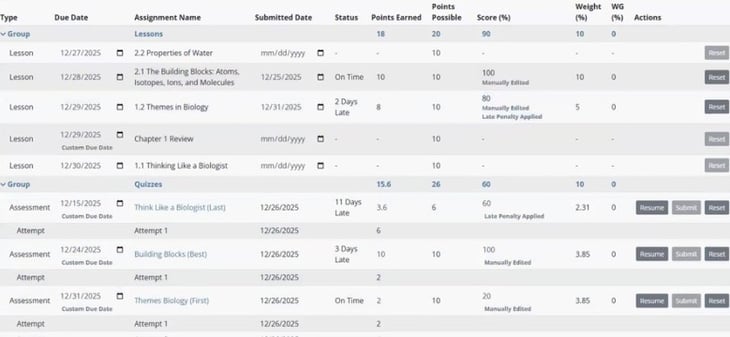
Assignment scores can be reset simply by clicking the ‘Reset’ button to the right of the assignment. WebTest and Other Assignment scores can be edited in-line and will automatically save when you click elsewhere on the page. Once a score is adjusted, this will be noted below the score for easy recordkeeping.

Total Time in Lessons
Total time spent in each mode of the platform’s three-step mastery learning process (Learn, Practice, and Certify) has been added to the page to help you gauge student engagement at a glance.

Certifications Earned & Certifications Due by Today
We’ve made it easier for you to track student progress in your course! You can now see how many homework assignments students have completed (Certifications Earned) against how many have been due up to this point in the course (Certifications Due by Today). This will give you immediate insight into how many assignments are currently overdue for a specific student.

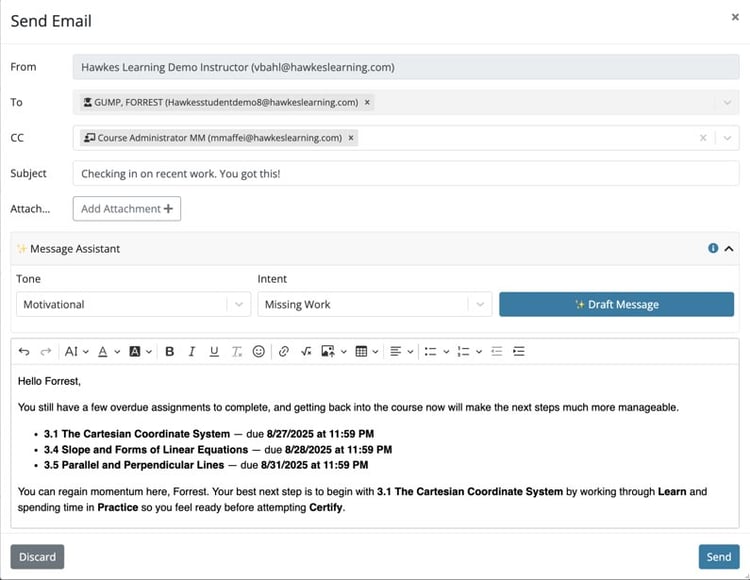
Message Assistant
You can now more easily and quickly connect with students with the Message Assistant, built into the 'Send Email’ messaging modal within Detailed Student Grades. This tool empowers you to deliver high-quality, individualized communication, without sacrificing authenticity! It automatically references data from the students’ scores, so you can improve engagement and belonging, leading to increased student success.
Updated Search
An updated Search functionality saves you time and allows you to quickly find specific students.
.jpg?width=1200&height=530&name=Student-Search-Functionality-DSG-(2).jpg)
New Export Options
You now have the ability to export a clean PDF or CSV file for printing, archiving, or sharing with a student.
.jpg?width=1200&height=567&name=Export-DSG-(2).jpg)
What Has Changed?
Assignment Status
We’ve made it quicker to identify when a score has been manually edited or submitted late and impacted by a late penalty, when a due date has been customized for the student, and when an assignment is past due. These changes will now be indicated directly on the page rather than displayed as symbols that need to be interpreted with a legend.
Review Assignment Attempts
Once a student attempts an assignment, the name of the assignment will become a blue hyperlink. Simply click on an assignment name to launch a review of the student’s attempts.

Test Settings
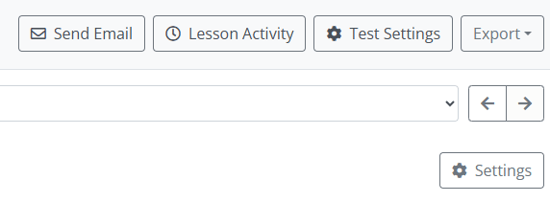
Student Settings by Test can now be accessed by clicking ‘Test Settings’ at the top of the page. You can adjust settings such as start/end dates, number of attempts, and test length for any test assigned to this student from here.
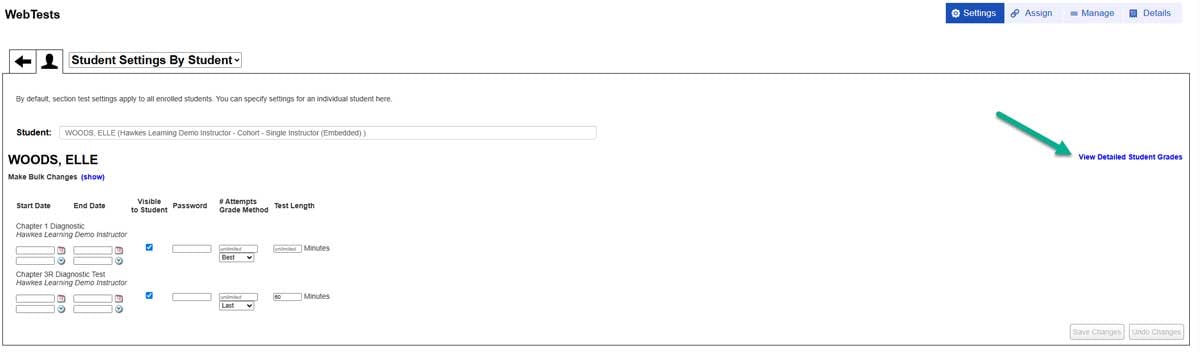
Easy navigation back to Detailed Student Grades was also added to the linked Test Settings and Lesson Activity pages, so you can quickly and easily return to a student's full details after delving deeper.
Recent posts