
The Hawkes Learning Team is excited to announce these communication, grading, and usability enhancements to streamlining your teaching and increasing student success.

Instructor Experience
New! Message Assistant
Reach more students quickly with data straight from Detailed Student Grades!
As class sizes grow and instructor workloads increase, meaningful, timely communication becomes harder to sustain. At the same time, we know that high-quality instructor to student communication is proven to play a key role in student success.
The new Message Assistant in Teach, powered by AI, enables you to deliver high-quality, individualized communication at-scale, without sacrificing authenticity or connection.
To find the Message Assistant:
-
Log into your Teach account and select your course
-
Open the "Grades" tab in the left-hand navigation menu
-
Select "Detailed Student Grades"
-
Click the "Send Email" button
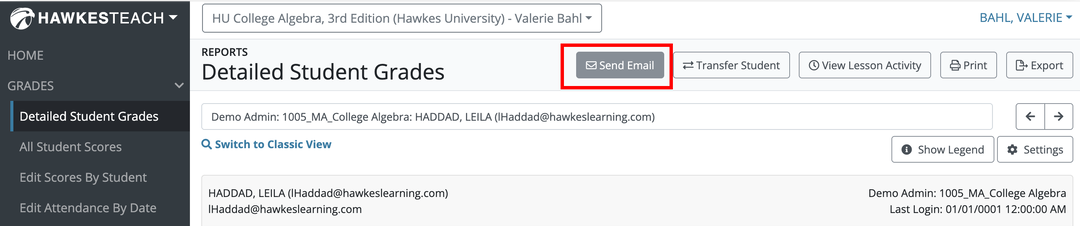
From here, open the ✨Message Assistant dropdown, select the tone and intent of your message, and quickly generate a draft email to edit and share with students.
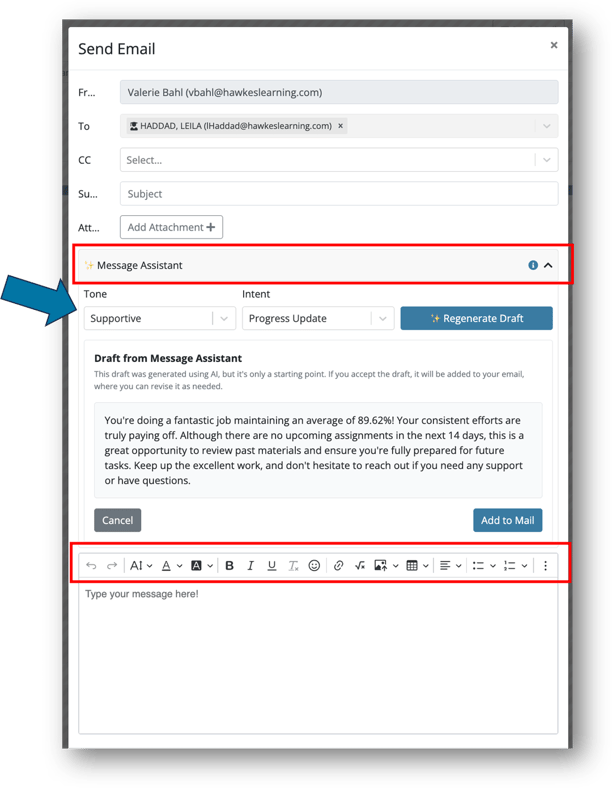
Manage Sections Organization
Sections are now sorted by the Start Date, from most recent to least recent, giving you quicker access to the sections you're currently using and saving you time.
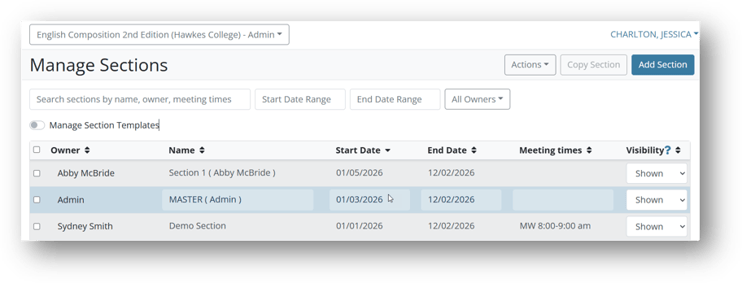
Edit Scores Enhancements
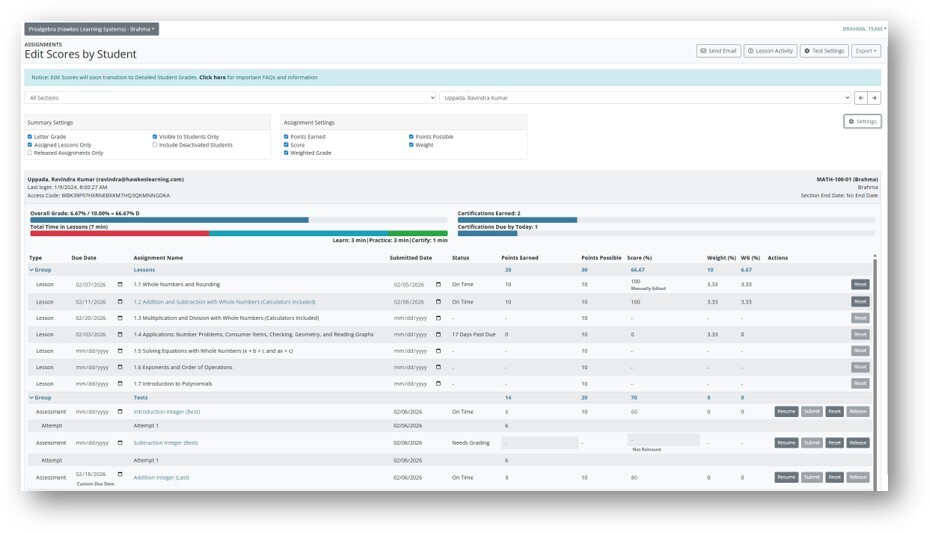
You now have more flexibility, clearer insights, and a more efficient grading experience with intuitive tools and summary information. The instructor workflow has been enhanced with improved group organization, weighted grading, clearer performance indicators, and greater control over when grades are released for a more intuitive and ultimately more efficient user experience.
Student Experience
Improved Discoverability of AI Tutor Spanish
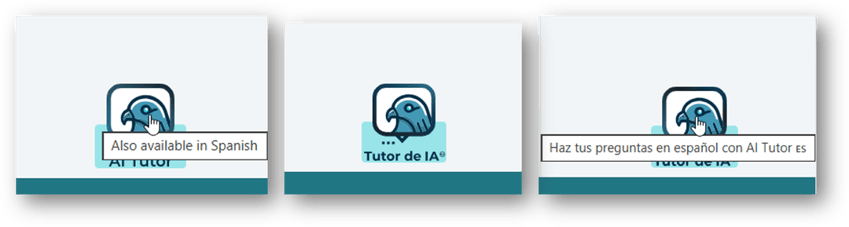
When a student’s browser language is set to Spanish as the primary language, the AI Tutor button text now displays “Tutor de IA” and hover text is added to inform users that AI Tutor can communicate in Spanish.
Recent posts