
As we wrap up 2025, we’re excited to bring you enhancements that save you time, provide more clarity for students, and help you achieve even better learning.

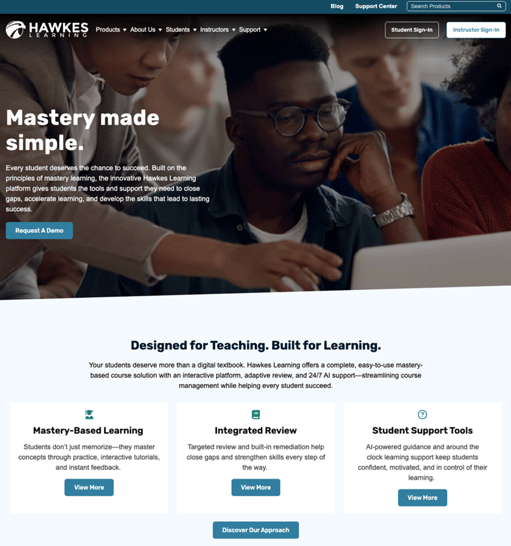
Refreshed HawkesLearning.com
Now easier to navigate with quick links to get to the platform, the Hawkes Learning website brings you the latest news and a plethora of support, including on-demand resources!
Instructor Experience
More Freedom to Build the Perfect Assessment
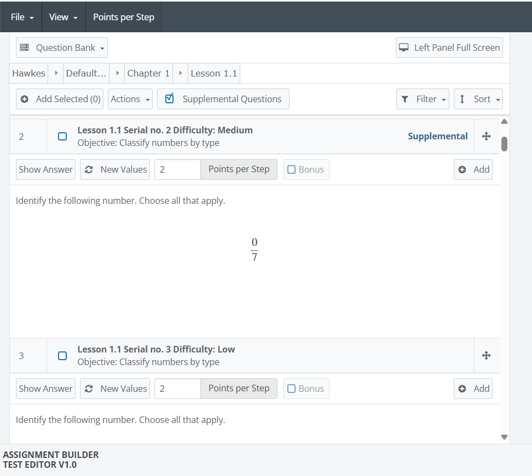
Supplemental Questions are now easier to find with a “Supplemental” tag. These are additional questions not part of your curriculum and allow you to discover more questions, add fresh, unseen items to WebTests for more variety or targeted assessment, and confidently explore beyond the set curriculum without guessing what students have or haven’t encountered.
Section Setup is Faster and Easier!
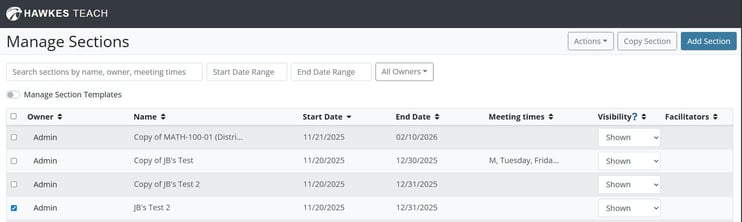
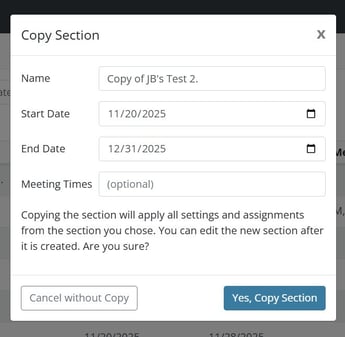
We’ve made section management faster and easier. You can now use the new Copy Section button to duplicate an existing section’s settings in just a few clicks. With a streamlined workflow and validated settings, creating new sections has never been simpler.
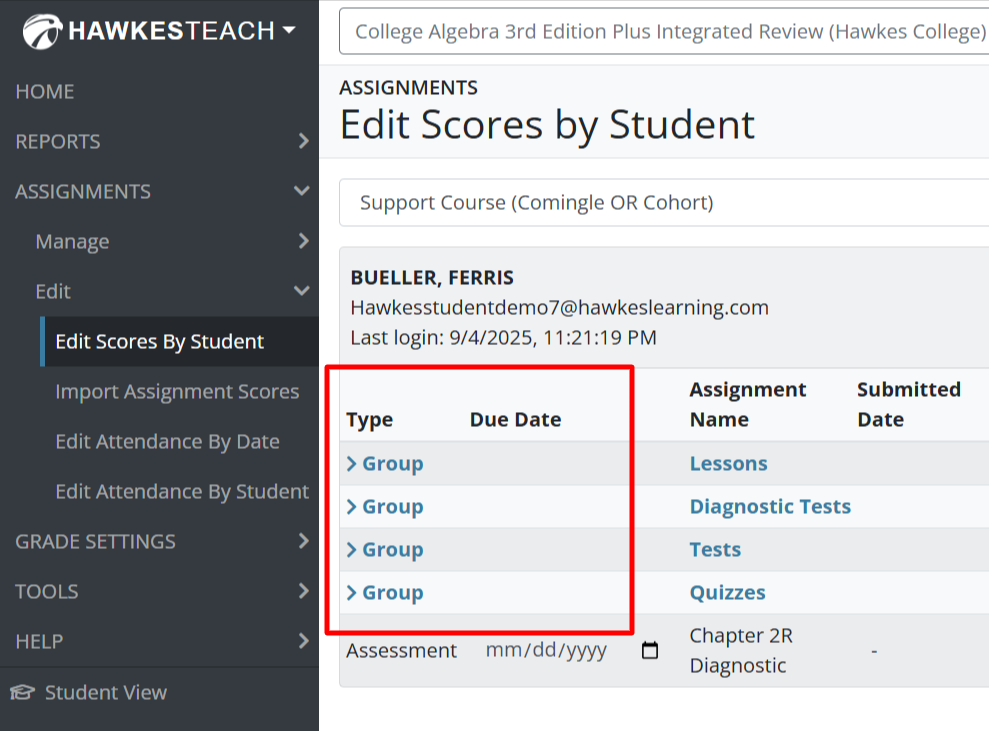
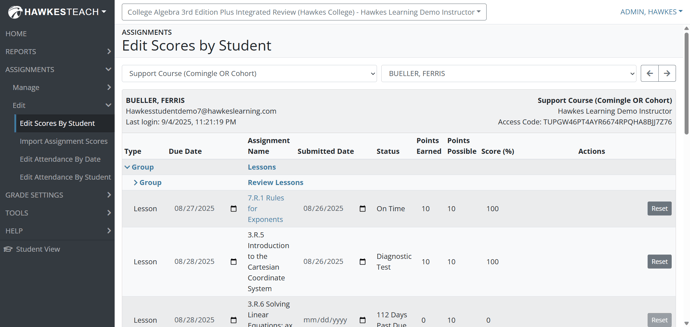
Edit Scores Enhancements
A more streamlined workflow is saving you time! Deep link straight to Edit Scores, update a graded Lesson with ease, and click on assignment names for faster assignment review. Plus, the Edit Scores page gets smarter with Assignment Status and Assignment groups, giving you all the context you need, right where you need it
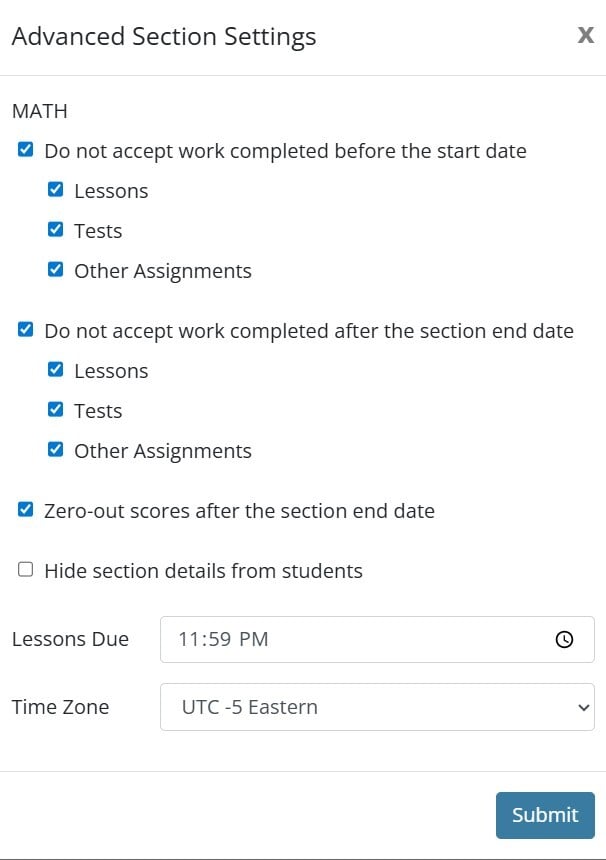
More Flexibility and Oversight!
We’ve added more control to Advanced Section Settings. Other Assignment scores from previous terms will no longer transfer into new sections by default, saving you time manually adjusting scores. If you prefer to transfer other assignment scores between sections, simply adjust the Advanced Settings under the Actions dropdown within Manage Sections.
Student Experience
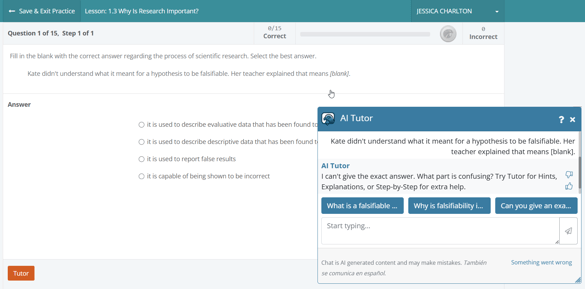
Increased Support in AI Tutor Responses
We’ve improved the AI Tutor’s phrasing to support smoother, more continuous conversations. After reviewing student feedback, we made the update to help students continue exploring and asking questions, resulting in a more supportive experience.
“Send to Instructor” Enhancement
The Send to Instructor feature now reliably captures the full question, no matter the length. This is especially helpful in subjects like Statistics, where long tables or multi-part prompts could be lengthy. Instructors receive the complete context they need to quickly understand what the student is asking.
*As a reminder, instructors need to enable this feature in their section within the Tools menu, under Display Options.
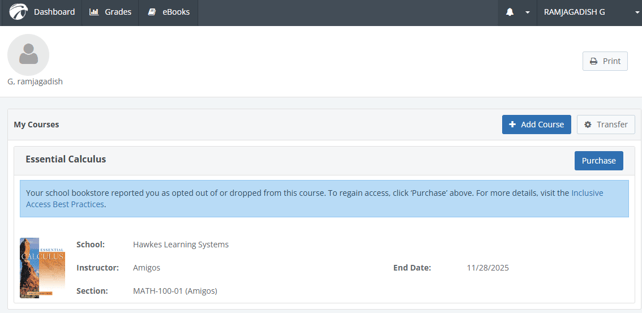
Enhanced clarity and automation in the Inclusive Access Opt-Out Process
We’ve packed in some powerful updates to the Inclusive Access experience! When a student opts out or drops a course, the course still appears on their dashboard with a clear explanation and easy way to restore access. Students automatically receive an email confirming the change, eliminating confusion. In addition, the purchase workflow is smoother than ever, and previous coursework stays accessible, making it simple for students to regain access and continue moving forward.
Recent posts