
If your school has moved to a new edition of a product and you previously purchased the old edition of the same product, you can upgrade your course access from within your student Learn account.
How to Upgrade to a New Edition
1. Log into your student Learn account.
2. On your Dashboard, click the Upgrade option.
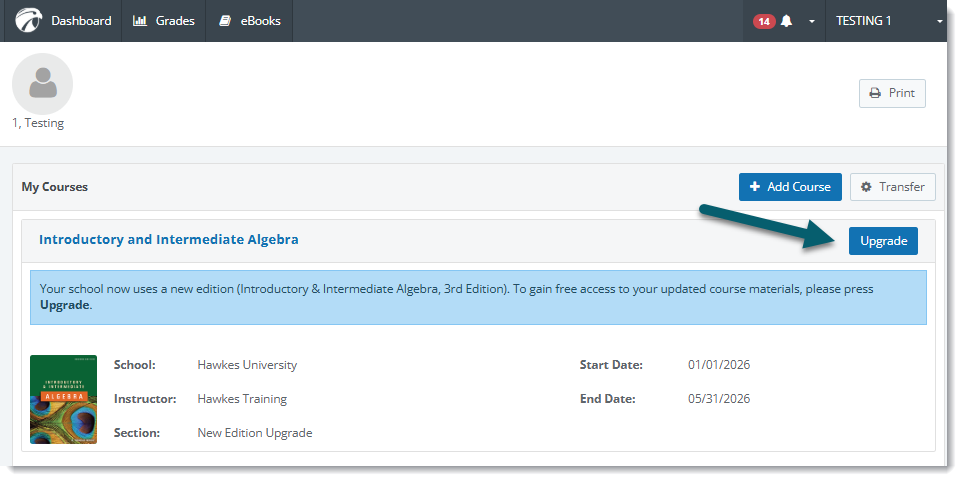
3. Choose your new instructor and section in the new edition product.
Return to your Dashboard and you'll have access to the new edition! If your school has moved to the new edition and you're not seeing the option to upgrade, please email support@hawkeslearning.com for help.