
What is Automatic Grade Sync?
Student grades will automatically transfer from Hawkes to Moodle. There are two options for automatic grade syncing.
- Daily Sync: Automatically syncs grades every 24 hours, normally overnight.
- Immediate Sync: Automatically syncs assignment grade a few seconds after assignment is completed in Hawkes.
How to Set Up Automatic Grade Sync
1. Select a Moodle course and open the Hawkes Sync Tool.
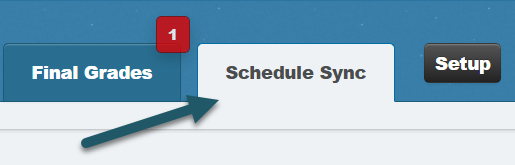
2. Select the Schedule Sync tab.
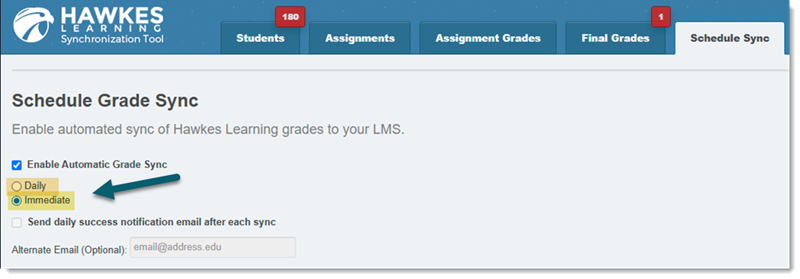
3. Select Enable Automatic Grade Sync and choose between "Daily" or "Immediate" sync.
Note: You cannot receive a daily success notification email for "Immediate" sync. This option is only available for "Daily" sync.
Note: If you toggle on "Immediate" sync after assignments have already been completed in Hawkes, grades will not retroactively sync. Please perform a manual sync to capture these assignment grades.
4. Click Save.