
How to Link Sections
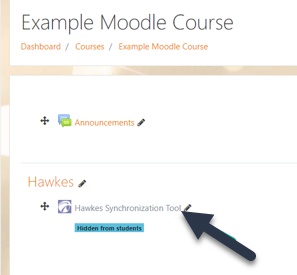
1. Select a Moodle course. Then select the Hawkes Synchronization Tool.
2. Sign in using your teach.hawkeslearning.com email and password.
3. Select the Hawkes course that matches the Moodle course you are working in, your name as the Instructor, the correct Hawkes section to link.
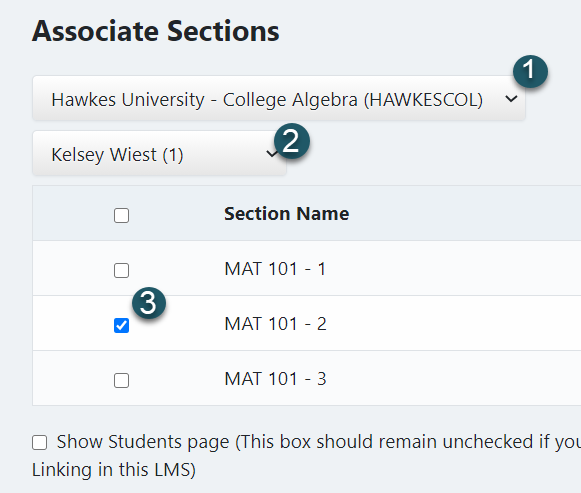
- In most cases, you should only select one Hawkes section to link to a Moodle course.
- If you are using the Hawkes Moodle integration for grade synchronization only (and you are NOT using the Single Sign On tool for your students), select the box next to ???Show Student page???.
4. Select Continue.
Once you complete the above steps, your Hawkes section will be linked to your Moodle course,