
Export your grade details by following these instructions:
1. Sign in to your Hawkes student account.
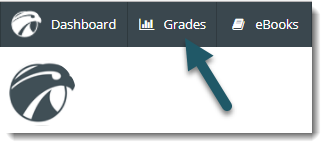
2.Select Grades at the top of the screen.
3. Select the Export drop-down menu in the top right corner of the page.
4. Choose the file format to which you would like to export (Excel, Word, or CSV).
5. Choose Open or Save if prompted. (The specific options will vary slightly, depending on the Internet browser you are using.) Your grades will open and/or save in the file format you selected.