
With the new Manage Section Templates view, you can see all templates tied to a section in one place and make updates directly within the Manage Sections view.
Who is this for?
The feature is designed for:
- Instructors who want a quicker, more intuitive way to assign or audit templates.
- Admins who support instructors in setting up sections or who need to audit sections to ensure the correct templates are assigned.
How to Access Manage Section Templates
-
Log into your Teach account and enter your Hawkes course.
-
Go to Course Management > Manage Sections.
-
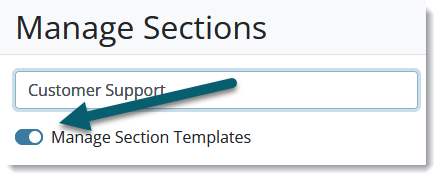
Select the "Manage Section Template" slider and toggle on.
-
Click the checkbox to view or hide the templates associated with a section.

-
Use the dropdown to apply a template or remove a template from the section.
