
After you create your Hawkes student account, you can request temporary access to your course if your instructor allows it.
-
Log in to your Hawkes student account.
-
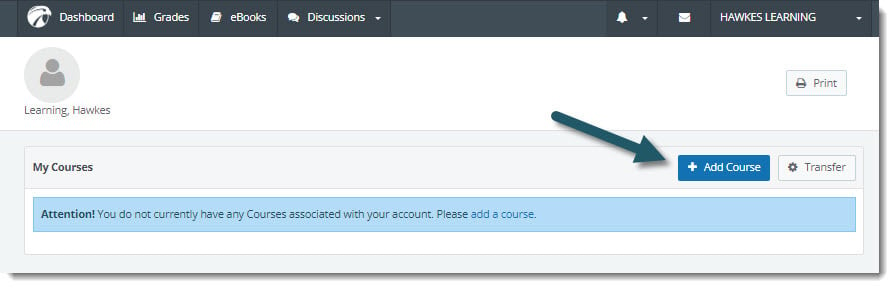
Select Add Course.
-
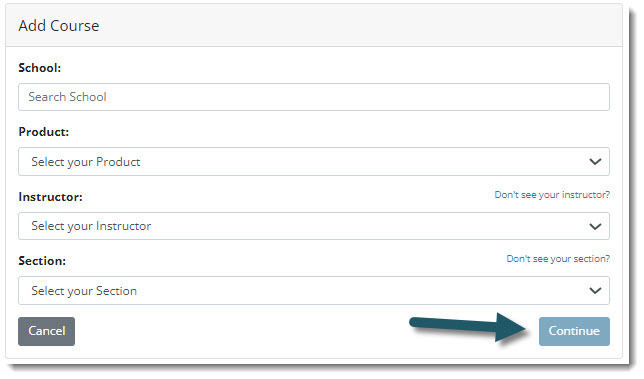
Choose your school, product, instructor and section, and click Continue.
-
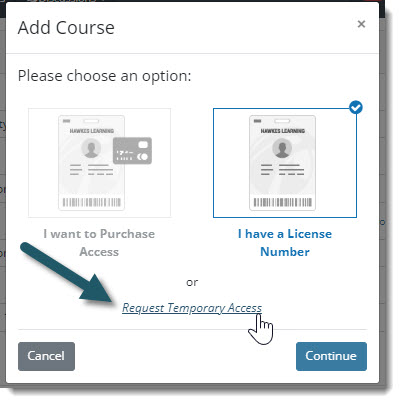
Choose Request Temporary Access. This option will be grayed out if unavailable for your instructor and section.
-
Once you receive temporary access, return to your Dashboard to access your course. You'll also see a banner listing how many days you have left until your course access needs to be activated.