
To change your student account email, log into your Hawkes Student Account.
Once logged in, follow these steps:
-
Click your name in the upper right-hand corner, and clickSettings.
-
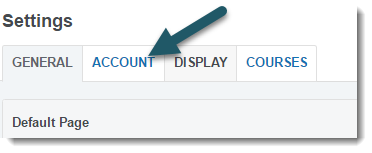
Click the Account tab.
-
Click Edit next to Personal Details.
-
Enter the new email address in the Email Address and Confirm Email Address fields.
-
Click Save Changes.
Once you have saved your changes, you will be prompted to sign in again using the new email address.