-
Sign in to your Hawkes student account.
-
Click Settings.
-
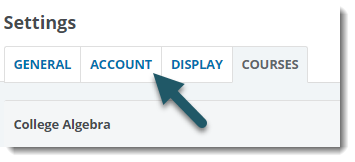
Click the Account tab.
-
Click the Edit button next to Profile Picture.
-
Click Browse...
-
Navigate to the image that you would like to use for your profile picture, and select it. All images must be in .png, .jpg, or .gif format, with a maximum file size of 1 MB.
-
Click Save Changes.
English