
Your first name and last name are permanently attached to your account. If your name is incorrect or has been legally changed, please email support@hawkeslearning.com.
You can change your account email address or student ID by following these steps:
-
Sign in your Hawkes web platform account.
-
Press Settings.
-
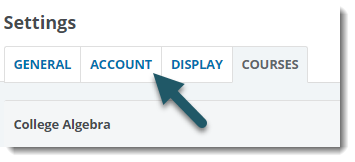
Select the Account tab.
-
Select Edit next to Personal Details.
-
Change the school, email address(es) and/or student ID.
-
Press Save Changes.