
Graphing Question Keyboard Shortcuts
Keyboard shortcuts are available for graphing questions in Hawkes Learning. These questions can be navigated using the tab key, shift + tab keys, space bar, and arrow keys. The following examples demonstrate navigating graphing questions using a keyboard.
Plotting Points Using A Keyboard
This question requires two points to be plotted.
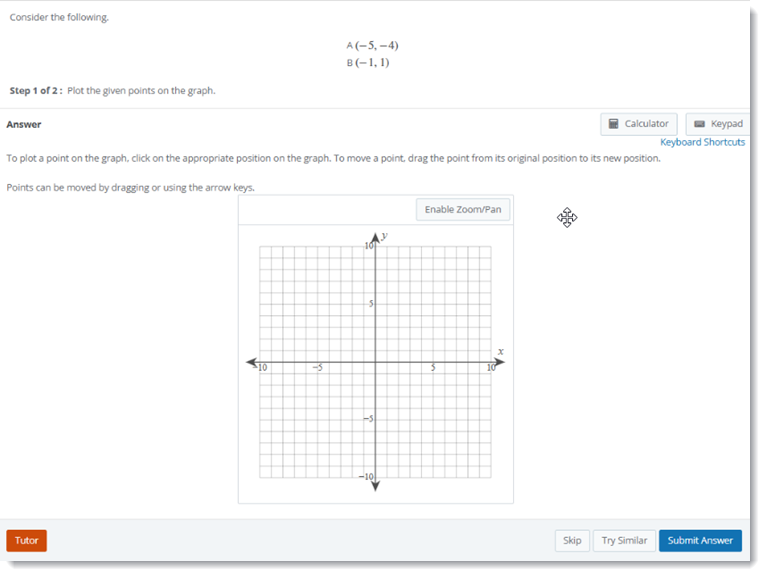
Keyboard Navigation
- Press tab until you get to the graph.
- Please tab again until an open point appears at the origin.
- Use the arrow keys to move the point.
- Press the space bar to plot Point A.
- At this point, arrow keys can still be used to move Point A, if needed.
- Press tab to make another open point appear at the origin.
- Use arrow keys to move the point.
- Press the space bar to plot Point B.
- At this point, you can press shift + tab to reselect the previous point and move it, if needed.
- Press tab until Submit Answer is selected, then press enter to submit the question.
Graphing a Parabola by Moving Three Points Using a Keyboard
The question requires the graph of a parabola to be created by moving three points.
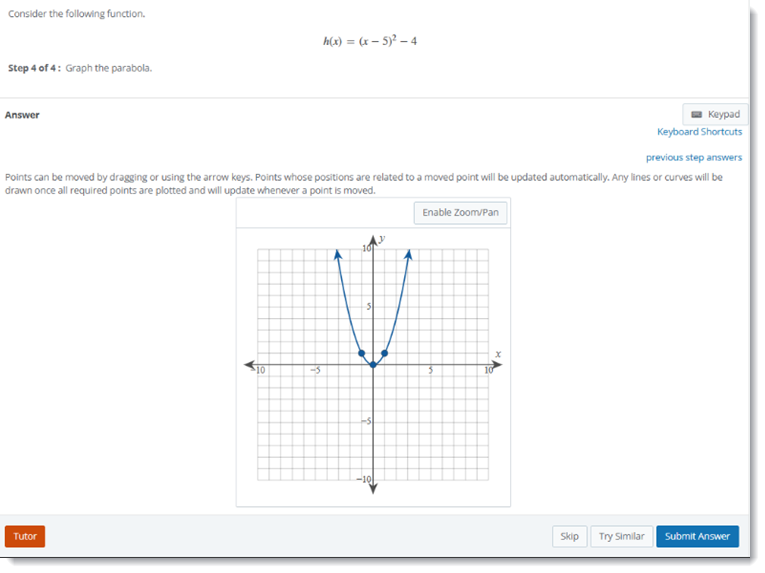
Keyboard Navigation
- Press tab until you get to the graph and the point on the origin, the vertex, is selected.
- Use arrow keys to move the point, and the parabola also will move.
- Once you place the vertex in the desired location, press tab again and the point to the right of the vertex will be selected.
- Use the arrow keys to place that point, in this case, one of the x-intercepts.
- Note that the point of the left of the vertex also adjusts location accordingly.
- Press tab again and the point of the left of the vertex will be selected.
- Use the arrow keys to move this point, if needed.
- At this point, you can press shift + tab to reselect any previous point and move it, if needed.
- Press tab until Submit Answer is selected, then press enter to submit the question.
Graphing a Linear Equation by Moving Two Points Using a Keyboard
This question requires the graph of a line to be created by moving two points.
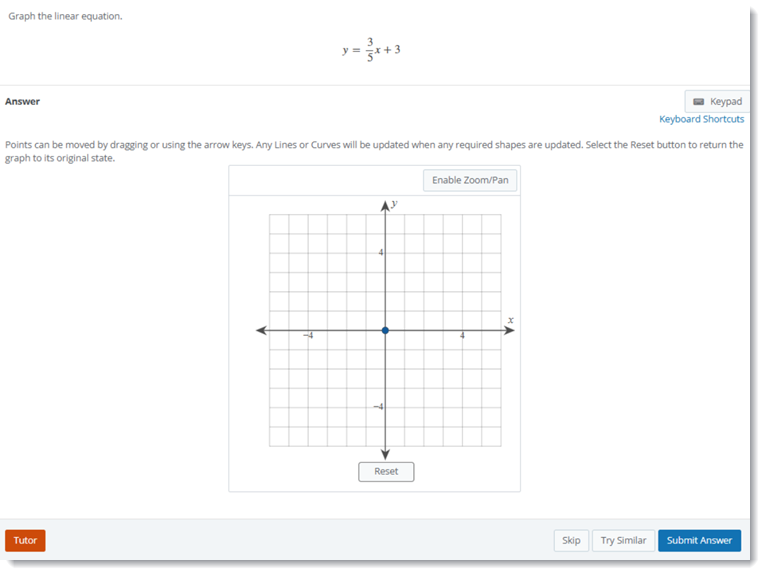
Keyboard Navigation
- Press tab until you get to the graph and the point on the origin is selected.
- Use the arrow keys to move the first points.
- Press the space bar to place the first point in the new location. A line is automatically graphed.
- Press tab to select the second point.
- Use the arrow keys to move the second point.
- Press the space bar to please the second point in the new location. The line is automatically updated.
- At this point, you can press shift + tab to reselect the previous point and move it, if needed.
- Press tab until Submit Answer is selected, then press Enter to submit the question.
Selecting a Point on a Normal Distribution Curve Using a Keyboard
This question requires a point on a normal distribution curve to be indicated by selecting that point.
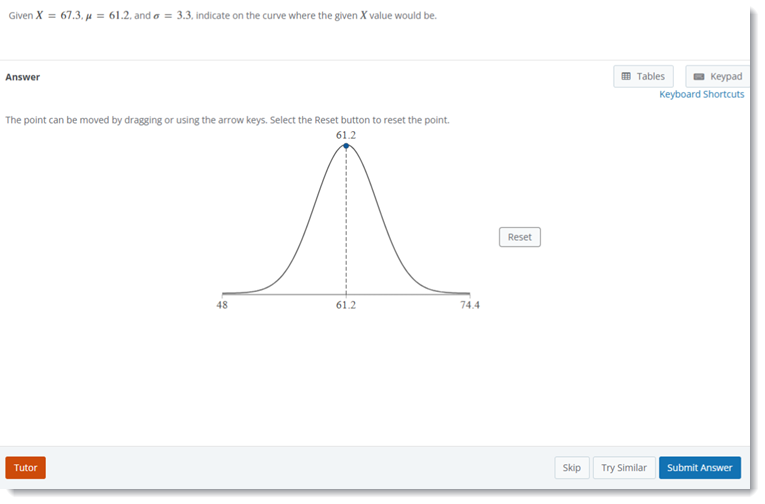
Keyboard Navigation
- Press tab until you get to the graph and the point on the curve is selected.
- Use the arrow keys to move the point.
- Press tab to move on from the point.
- At this point, you can press shift + tab to reselect the point and move it, if needed.
- Press tab until Submit Answer is selected, then press enter to submit the question.