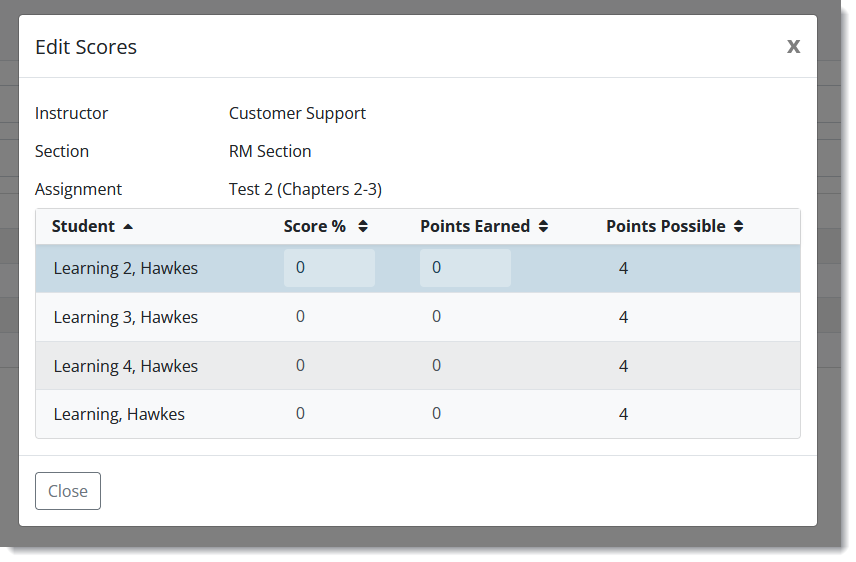
How to Access Edit Scores by Assignment
With Edit Scores by Assignment, you can manually enter a grade value for WebTests and Other Assignments, or adjust a Lesson submission date to re-calculate a student's Lesson score.
Follow these steps to edit scores by assignment in your Hawkes course.
-
In your Hawkes course, go to Reports > All Student Scores.
-
Load the report for your section.
-
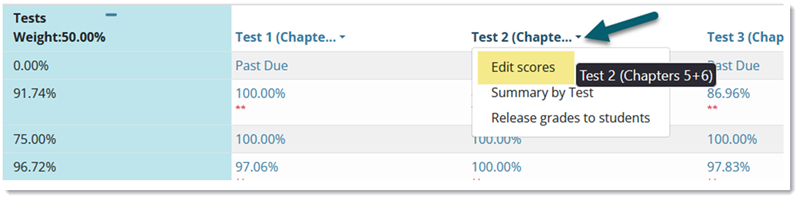
Display the group with the assignment included you want to edit and click on the assignment name/header.
-
In the dropdown, click Edit Scores.
A new modal will display allowing you to manually input or edit the assignment scores for any student.