
What is Automatic Grade Sync?
Student grades will automatically transfer from Hawkes to Canvas. Depending on which version of the LMS tools you use, there are different options to automatically sync grades.
LTI-Advantage
- Daily Sync: Automatically syncs grades every 24 hours, normally overnight.
- Immediate Sync: Automatically syncs assignment grade a few seconds after assignment is completed in Hawkes.
LTI-1.1
- Daily Sync: Automatically syncs grades every 24 hours, normally overnight.
How to Set Up Automatic Grade Sync
- Select a Canvas course and open the Hawkes Sync Tool.
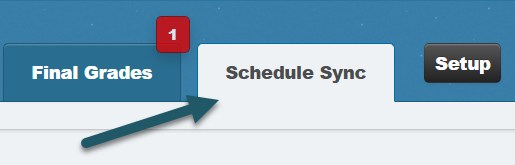
- Select the Schedule Sync tab.
LTI-Advantage
-
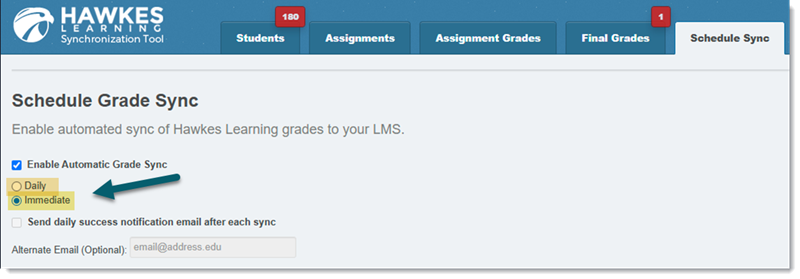
Select Enable Automatic Grade Sync and choose between "Daily" or "Immediate" sync.
Note: You cannot receive a daily success notification email for "Immediate" sync. This option is only available for "Daily" sync.
Note: If you toggle on "Immediate" sync after assignments have already been completed in Hawkes, grades will not retroactively sync. Please perform a manual sync to capture these assignment grades.
-
Click Save.
LTI-1.1
-
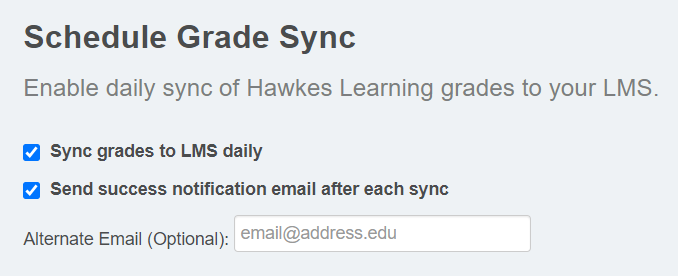
Select Enable Automatic Grade Sync and choose "Daily" sync.
Optional: Select the second checkbox to receive a sync confirmation email with each successful daily automatic sync to the email address associated with your Canvas account. You can have this notification sent to an email address that is different from the one associated with your Canvas account by entering an alternate email.
-
Click Save.