
How to Link a Hawkes Section to a Blackboard Course
1. As an instructor in Blackboard, open your course, then open the Hawkes Learning Sync Tool.
- Note: If you don't see the Hawkes Learning link, add it to your course.
2. Sign in using your Hawkes Teach account email and password.
3. Select the Hawkes course that matches the Blackboard course you are working in, your name as the Instructor, and the corresponding Hawkes section to link to.
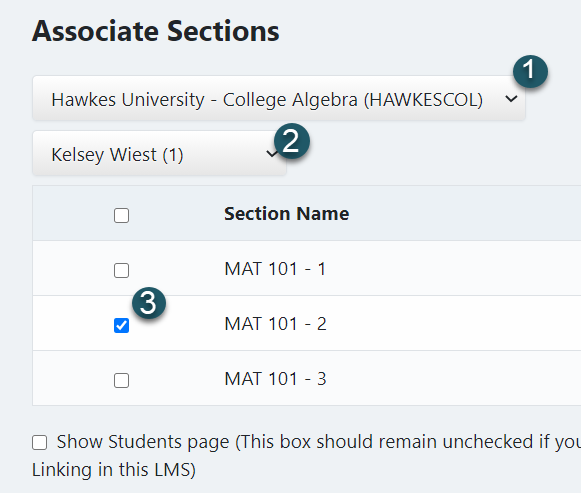
- Note: In most cases, you should only select one Hawkes section to link to a single Blackboard course.
4. Select Continue.
Once you complete the above steps, your Hawkes section will be linked to your Blackboard course.
Next, please return to the Blackboard Support Page to sync assignments with or without assignment Deep Links.