
In Blackboard, open your course. Then navigate to
Course Tools > Hawkes Synchronization Tool to confirm the sync tool is available.
(The tool name may be slightly different.)
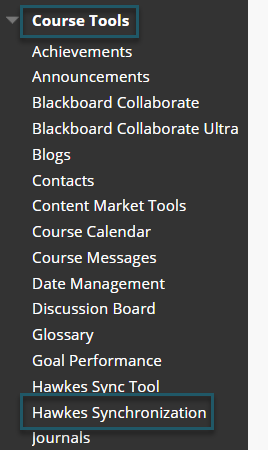
- If the Tool isn't listed, navigate to Customization > Tool Availability. Ensure the Available option is selected for Hawkes Synchronization.
- If you don't find it listed in the Tool Availability list, you will need to contact your Blackboard Administrator.